iPECS eMG80/100& eMG800 & UCP & vUCP
Administration and Programming Manual Issue 2.5
368
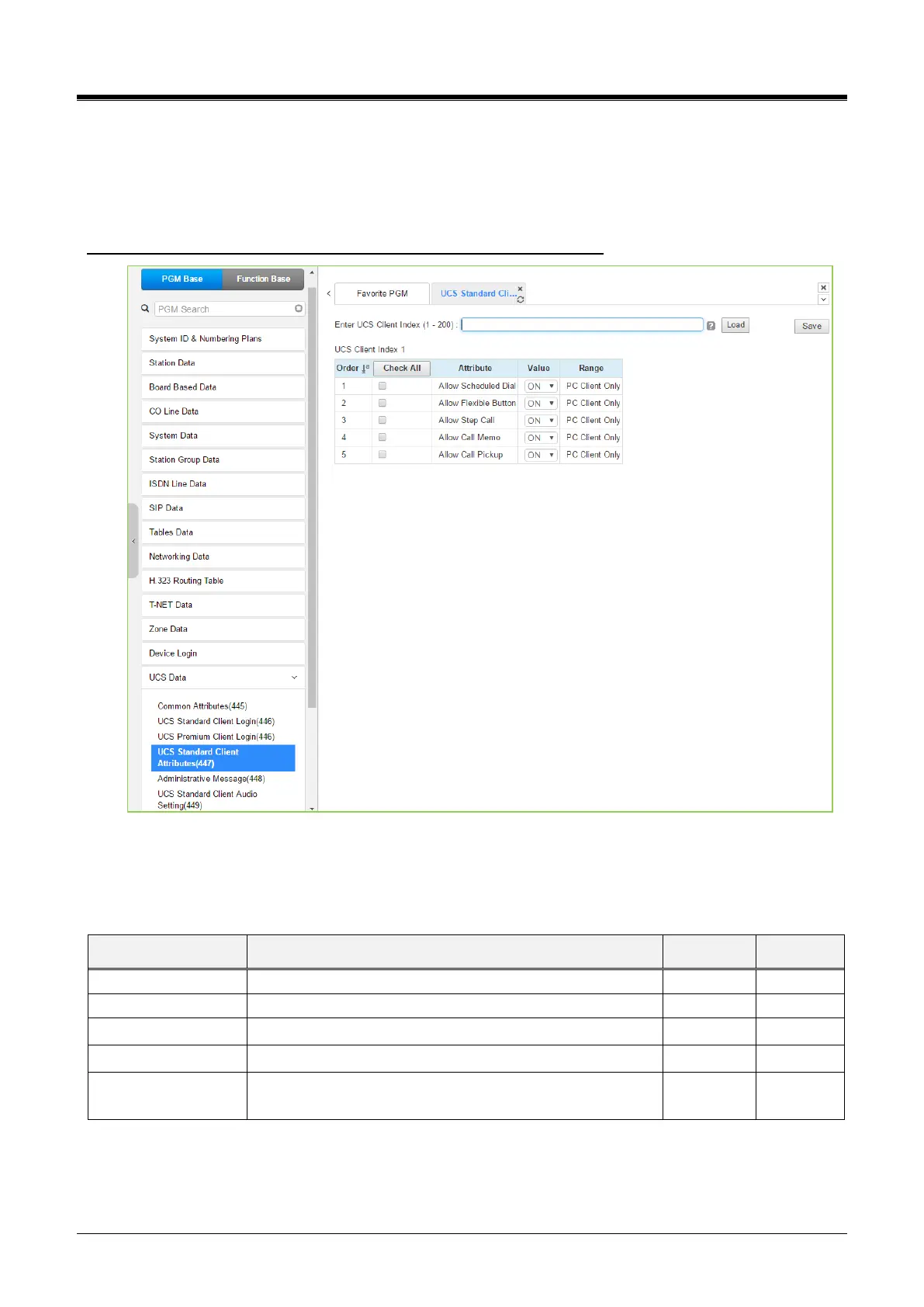
4.4.15.4 UCS Standard Client Attributes – PGM 447
Selecting UCS Standard client attributes will display the UCS standard client attributes input page. Enter the
UCS Client index, then click [Load] to modify the client data. Use the checkmark to indicate which attributes to
modify; checked attributes are stored by clicking the [Save] button.
Enter UCS Client Index: eMG80/100: 1-32 / eMG800: 1-200 / UCP: 1-200
Figure 4.4.15.4-1 UCS Standard Client Attributes
The UCS Client can be allowed or denied access to several features described in Table 4.4.15.4-1. The
following attributes are available only for PC Clients.



 To Next Page