iPECS eMG80/100& eMG800 & UCP & vUCP
Administration and Programming Manual Issue 2.5
19
4.3 Web Admin & Maintenance Main Page Overview
In the Web Admin Login screen (see section 4.2), enter the User ID, and Password then clicks the [Login]
button to access the iPECS Admin & Maintenance Main Page as shown in Figure 4.3-1.
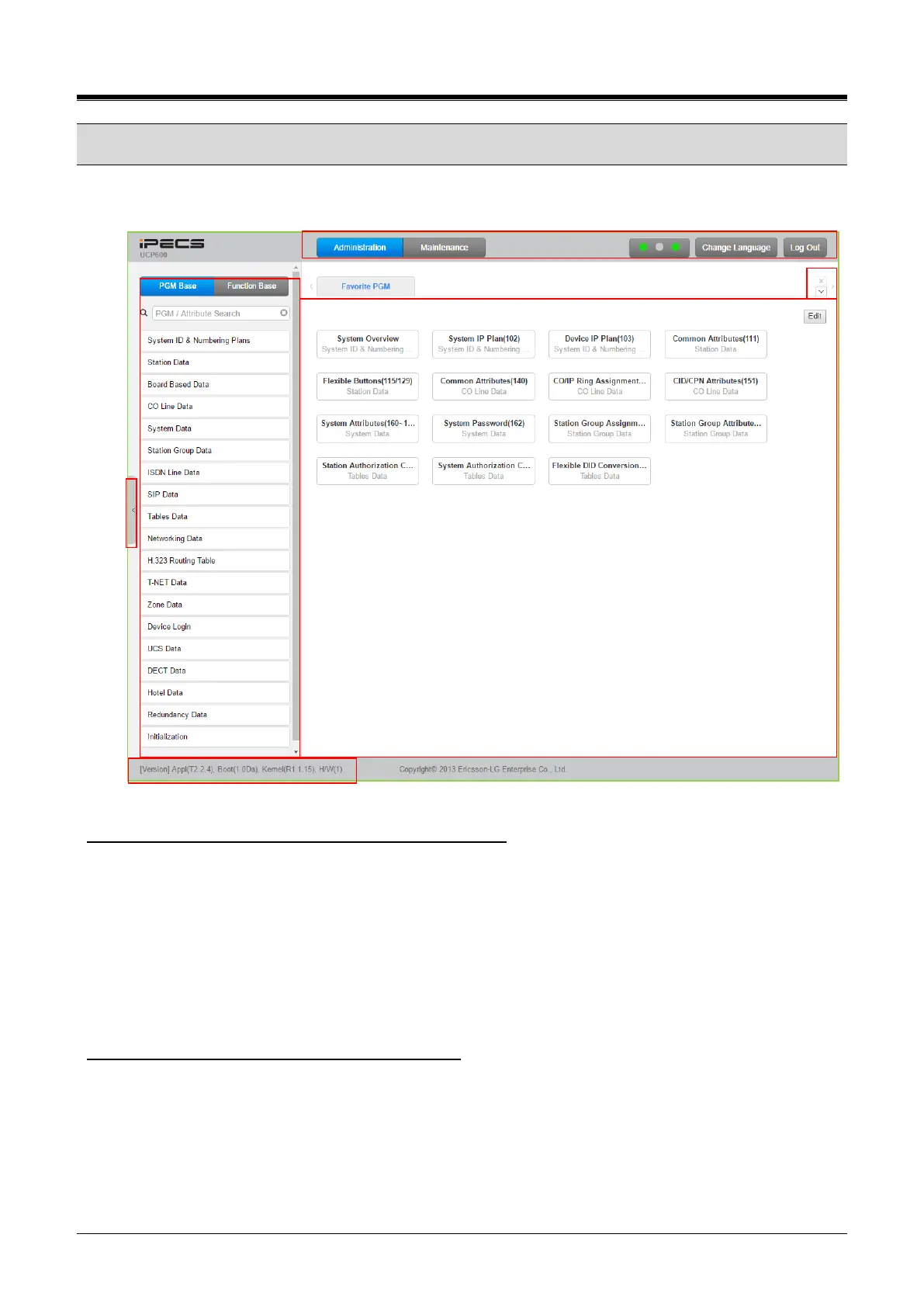
Figure 4.3-1 iPECS UCP Admin & Maintenance Main Page
The Admin & Maintenance Main Page has three sections,
Menu bar – Upper frame
Administration – accesses the system database.
Maintenance – SW upgrade, Database, Multi Language, SMDR, VSF, Voice Mail, Trace, etc.
Change Language– change the desired language.
Log out – log out the web server
Search box, PGM Base, Function Base– Left frame
Favorite Programs and Entry section – Central frame
What is the meaning of Buttons and Text on-page?
1) Search Box: When the user clicks the PGM search menu for the first time, it takes 4 seconds to
build the index. Whenever the user types a keyword or PGM number, PGMs that have the keyword
will be shown at the left menu. Searched text will be highlighted in green when the PGM window
shows. Users can search for the related feature easily in Administration and Maintenance.
2) Hide the menu by clicking the left arrow in the middle of the window on the left side.



 To Next Page