iPECS eMG80/100& eMG800 & UCP & vUCP
Administration and Programming Manual Issue 2.5
416
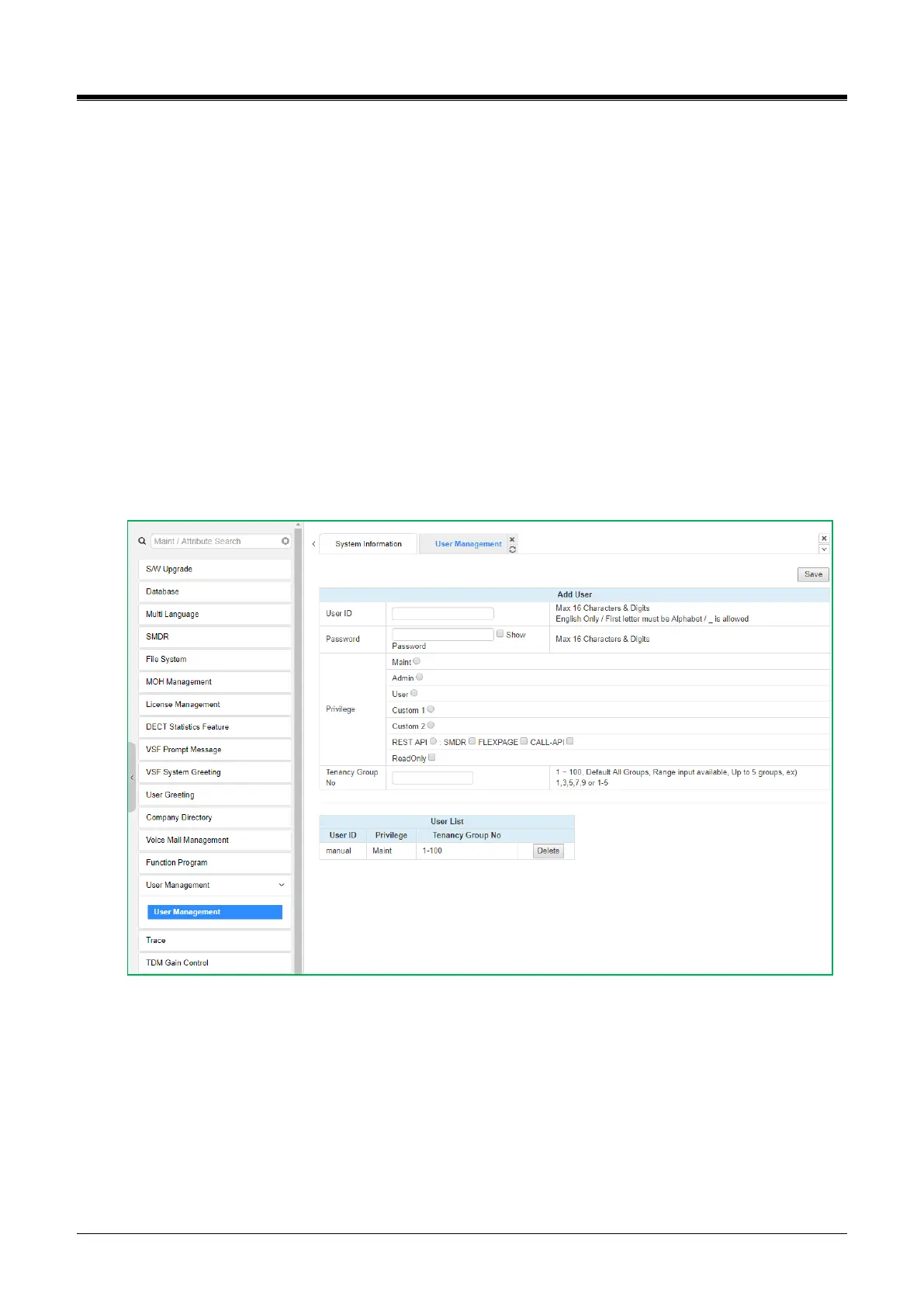
4.5.15 User Management
The iPECS UCP supports up to 50 system accounts, and up to ten (10) users may simultaneously access
system Web services. The default ID is ‘admin,’ and the password is ‘1234’. The Access privilege is
determined based on the entered system account (ID/Password) and the privilege assigned for the user.
The REST API privilege is for the REST API access account. The user can access and use REST API
features. (SMDR, FLEXPAGE, and CALL-API)This user can't access web admin.
Please follow up the below instructions to make a User ID:
Maximum 16 characters & digits.
In English only.
The first letter must be Alphabet. The rest are available: Alphabet, number, underscore (_).
Don’t use ‘blank.’
It is strongly recommended that a unique User ID and strong password be entered to minimize unauthorized
personnel's risk of admin and maintenance access.
Users should register more than a maintenance ID.
Figure 4.5.15-1 User Management



 To Next Page