iPECS eMG80/100& eMG800 & UCP & vUCP
Administration and Programming Manual Issue 2.5
298
4.4.9.9 Authorization Codes Table - PGM 227
There are two Authorization Code Tables, the System Authorization Code Table and Station Authorization
Code Table.
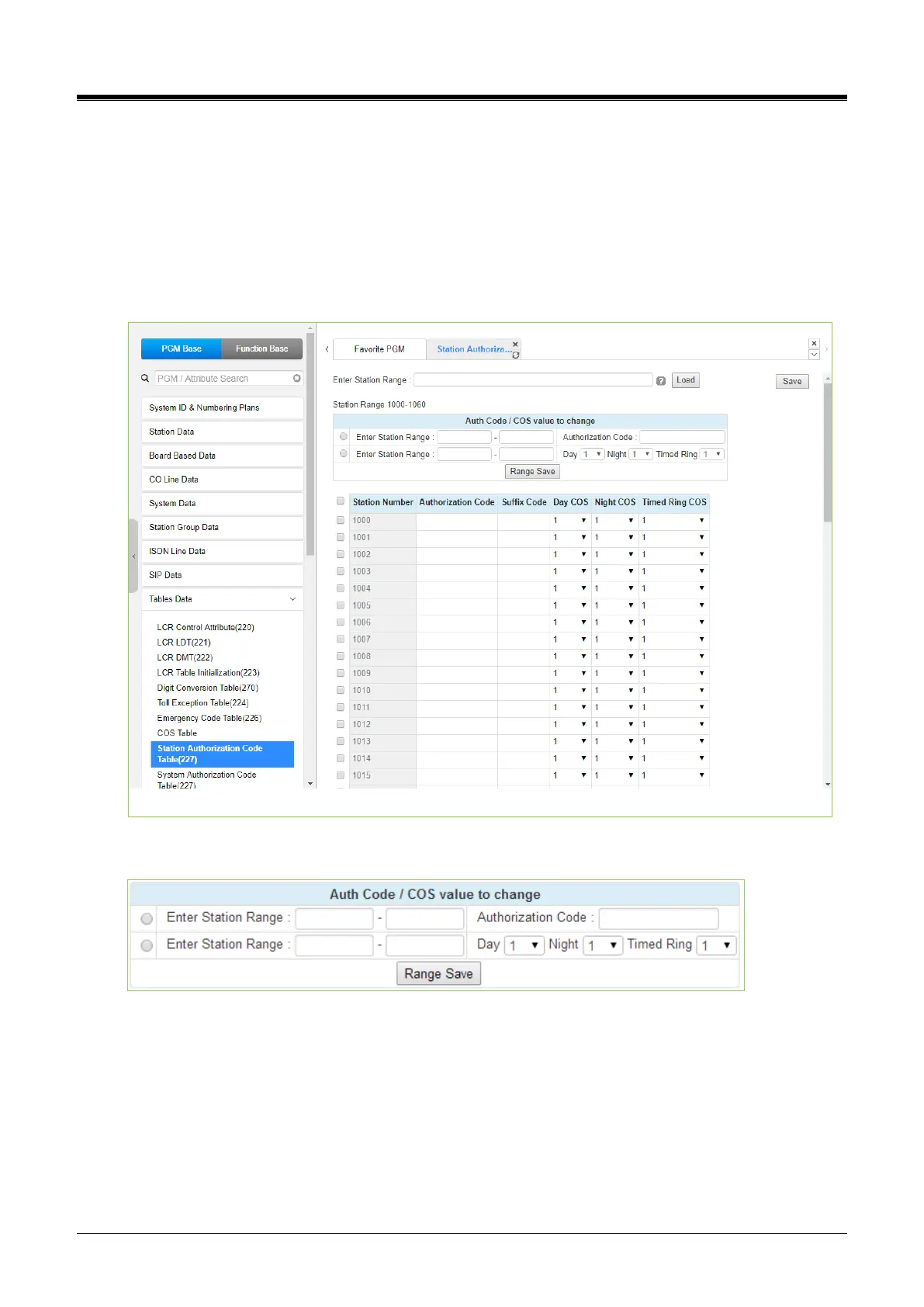
Selecting Station Authorization Code Table will display the data entry page in Figure 4.4.9.9-1, and selecting
System Authorization Code Table will display the page in Figure 4.4.9.9-2.
Enter a Station or System Index range and click [Load] to modify the data. For convenience, the copy, paste,
and drag are available to enter or modify data. Please click the [Save] button to apply after changing Value.
Figure 4.4.9.9-1 Station Authorization Code Table
Users can change the authorization code and COS for the station range across the board and click the Range
save button to save.
You can use the suffix code, which is 8 characters in length when the station user accesses to station web
admin, user portal, or click to call service for security enhancement.
A station user has to input the code after the authorization code if the code is set. If you don't set the code, the
station user doesn't need the code. The station user can access with only the authorization code.



 To Next Page