iPECS eMG80/100& eMG800 & UCP & vUCP
Administration and Programming Manual Issue 2.5
28
4.3.5.1 System Upgrade
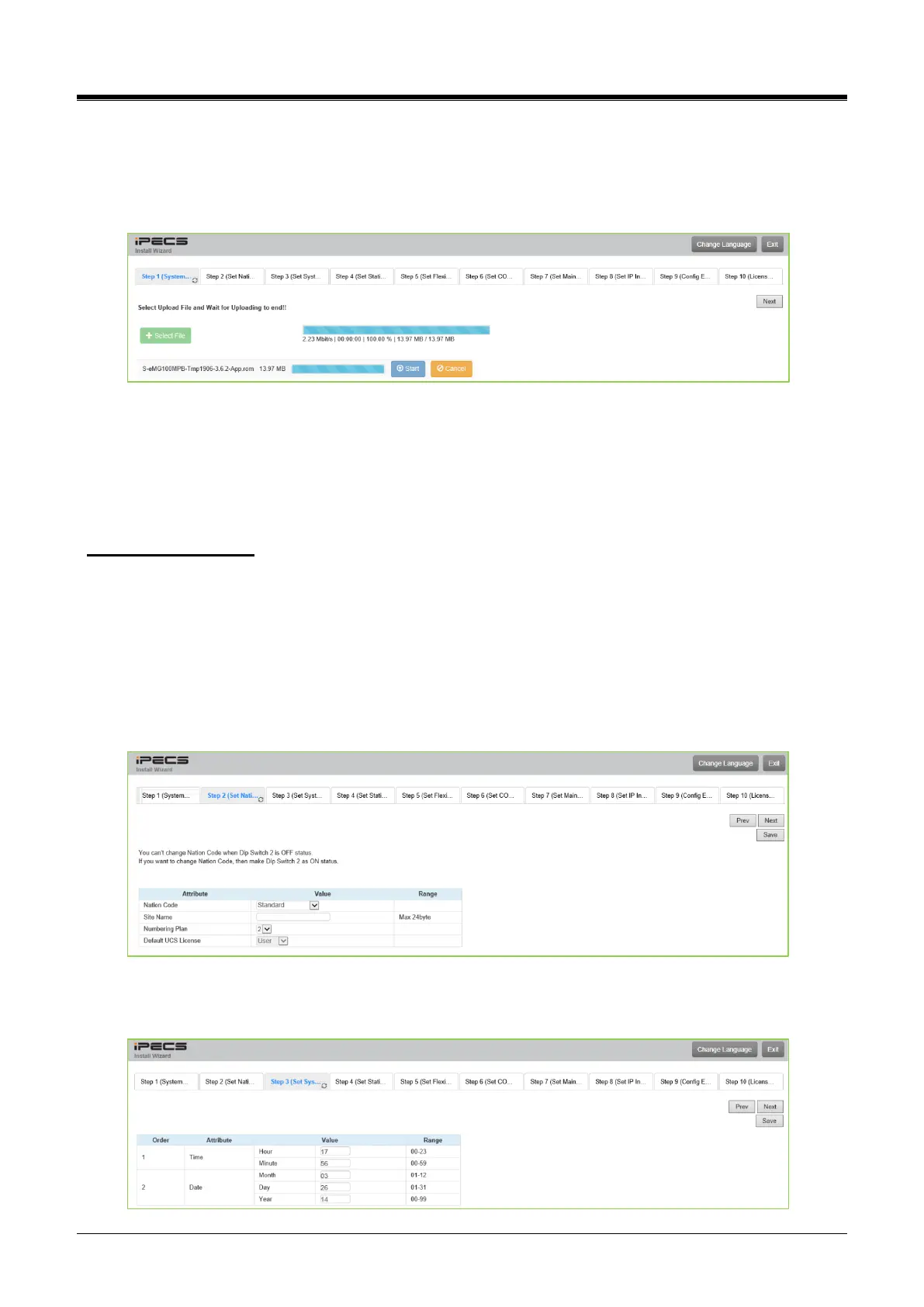
Click the Select files button and then open the pop-up folder. Select the desired file to upload to the system’s
memory and click the [Start] button. The file is sent to the system’s memory, saved, and automatically loaded
upon a system reset or restart.
4.3.5.2 Nation Code
During initialization, the system employs the Nation Code to establish the default gains and tones for the
various interfaces (analog CO Lines, ISDN lines, etc.) and the numbering plans for the specific country. The
gains, in particular, must be set to comply with the local regulatory requirements. Normally, the Nation Code
will be set at the factory. However, assure the Nation code matches the system location.
Changing Nation Code
1) Dip Switch pole 4 of UCP100 (or UCP600, UCP2400) moves to ON. Dip Switch pole 2 of KSU
(eMG) moves to ON.
2) Change Nation Code by clicking in the combo box.
3) Click the [Save] button, and then the system starts resetting to apply.
In addition, all other data will be initialized, so the Nation Code should be set appropriately before another
programming. You can change the numbering plan for your situation. A Default UCS License is added.
UCP systems provide built-in UCS licenses. You can select the type of that except for vUCP.
4.3.5.3 Set System Time and Date
You can set the System time and date on this page.



 To Next Page