iPECS eMG80/100& eMG800 & UCP & vUCP
Administration and Programming Manual Issue 2.5
421
4.5.21 Web Certificate
SSL stands for Secure Sockets Layer, a global standard security technology enabling encrypted
communication between a web browser and a web server. It is utilized by millions of online businesses and
individuals to decrease the risk of sensitive information (e.g., credit card numbers, user names, passwords,
emails, etc.) being stolen or tampered with by hackers and identity thieves. In essence, SSL allows for a
private “conversation” just between the two intended parties. For creating this secure connection, an SSL
certificate (also referred to as a “digital certificate”) is installed on a web server and serves two functions:
It authenticates the identity of the website (this guarantees visitors that they’re not on a bogus site)
It encrypts the data that’s being transmitted.
The web server certificate must have a domain name however default web certificate of a system has no
information for the domain. So, a web browser displays a warning message about
ERR_CERT_AUTHORITY_INVALID.
To clear this warning, an administrator has to issue a certificate for the system. There is a need to generate
own self-signed certificate to mitigate the vulnerability of security and not display the caution pop-up such as
'un-trusted site' because the system uses an IP address or URL. This certificate is needed to use 'https//XXX' ,
not 'http://xxx'.
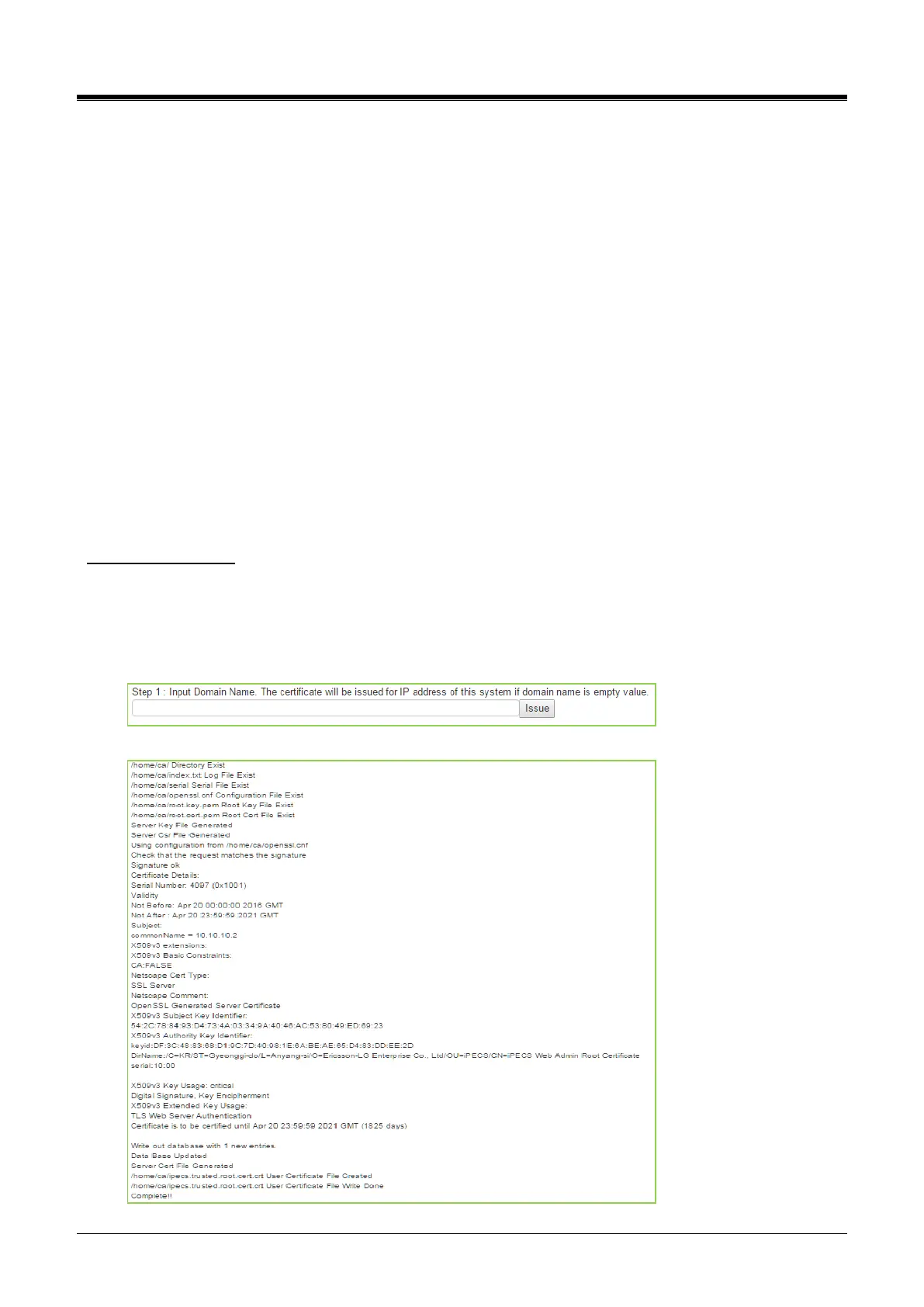
To create Certificate
Please must check the date and time. The certificate will not operate well on a PC or Mobile device if the
certificate issued between the system and PC or Mobile device is different.
1) Step 1: Enter the Domain name and then click the [Issue] button. The certificate will be used for
the IP address of this system if the Domain name is not entered as blank.
The following result is displayed on a browser.



 To Next Page