iPECS eMG80/100& eMG800 & UCP & vUCP
Administration and Programming Manual Issue 2.5
75
4.4.2.5 Flexible Buttons - PGM 115/129
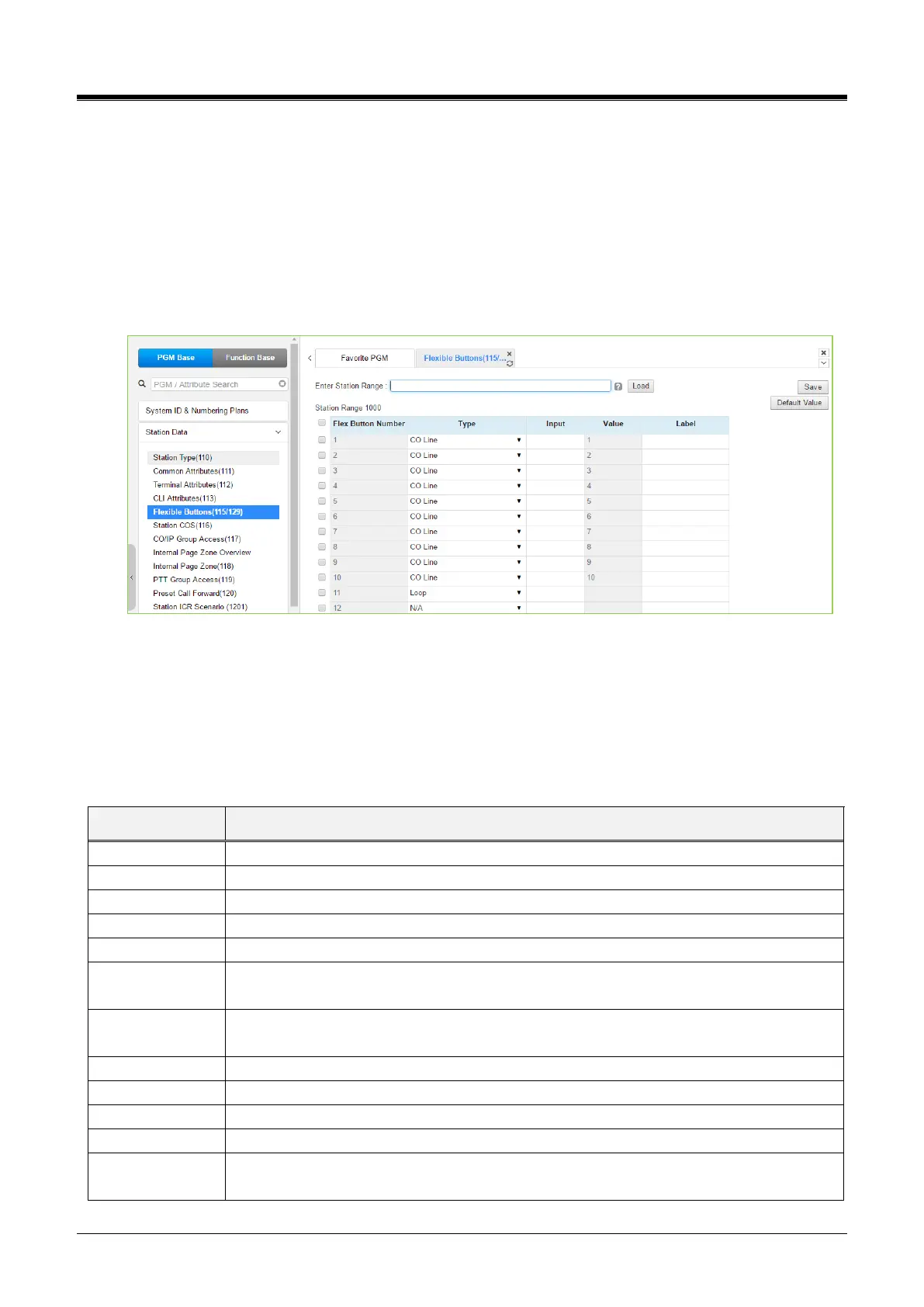
Selecting Flex Buttons will display the Flex buttons data input page. Enter a valid Station range and
click[Load] to enter Flex button data. For convenience, the copy, paste, and drag are available to enter or
modify data. Please click the [Save] button after entering or modifying data to apply.
You can set the initial system default value if there is no assignment in Flexible Button Default Table (239) and
Preset Flexible Button Default (240) by clicking [Default Value]. Otherwise, you can set the flexible button
value according to Flexible Button Default Table (239) and Preset Flexible Button Default (240) by clicking
[Default Value].
Figure 4.4.2.5-1 Flex Buttons Assignment
Each Flex button for each iPECS IP and LDP Phone and DSS Console can be assigned a function (TYPE) as
below. After selecting the Type for a button, enter the value, if required. The types are available from the drop-
down menu are shown in the table below. In addition, for the LIP Phone models 8040, 8050, 9070, 9071, and
the LSS Console models, a label can be assigned that is used as the designation for the button in the LCD of
the phone.



 To Next Page