iPECS eMG80/100& eMG800 & UCP & vUCP
Administration and Programming Manual Issue 2.5
346
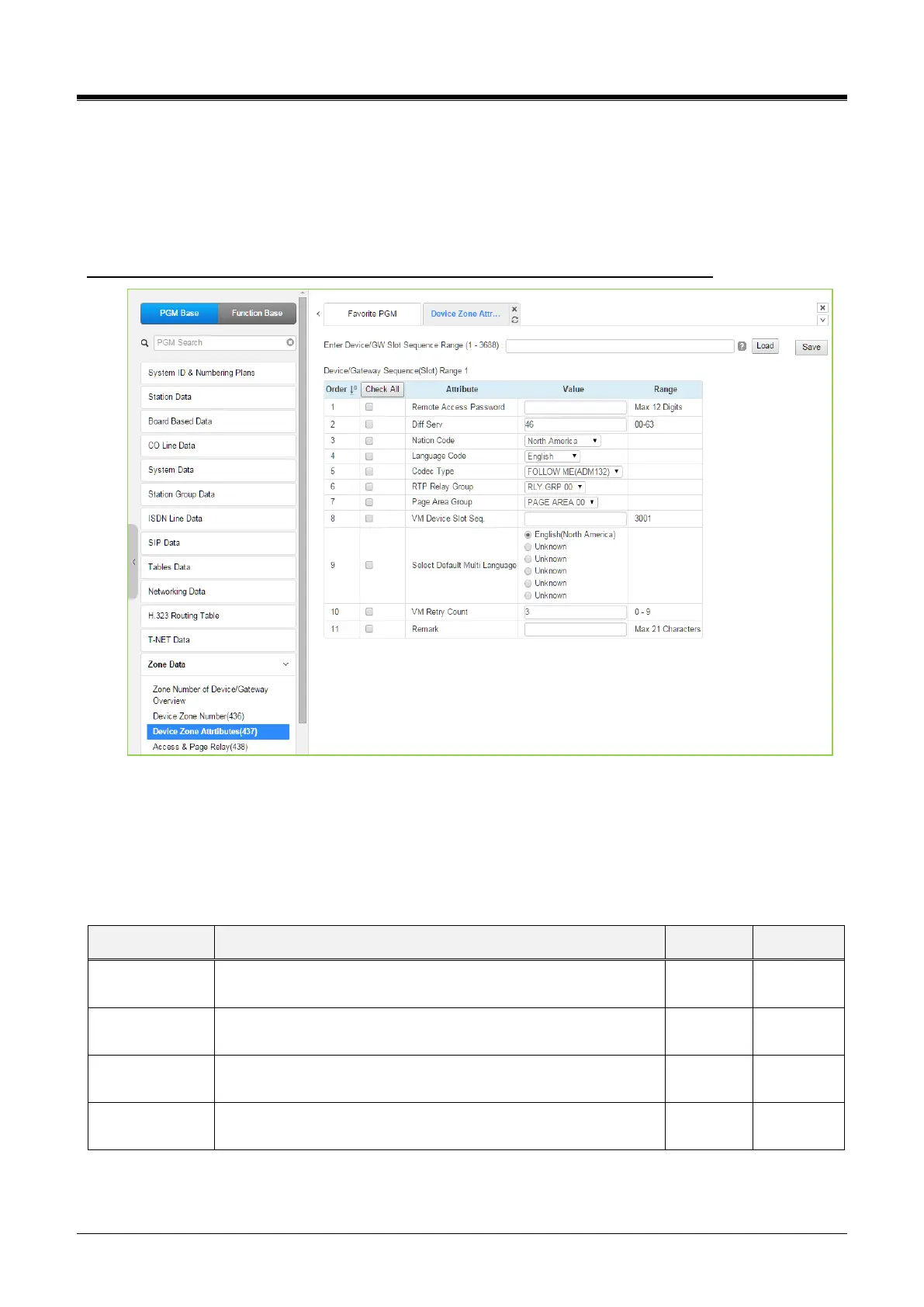
4.4.13.3 Device Zone Attributes – PGM 437
Selecting the Device Zone Attributes returns the Device Zone Attributes data input page. Enter the Sequence
number Range (refer to section 4.4.1.4 System & Device IP Address Plan - PGM 102 & 103) and click
[Load]to assign a device's zone number. Use the checkmark to indicate which attributes to modify; checked
attributes are stored by clicking the [Save] button.
Enter Device/GW sequence Range: eMG80/100: 1-300 / eMG800: 1-2890 / UCP: 1-3688
Figure 4.4.13.3-1 Device Zone Attributes
Device Zone Attributes define characteristics specific to the device, including the registration password,
DiffServ Code Point, Nation, etc. In addition, Zone characteristics set at the Device level take precedence over
characteristics for the Zone Attributes. While a Zone may incorporate up to 15 different RTP packet Relay
Groups, for clarity, a single RTP Relay Group should be used within a Zone.



 To Next Page