iPECS eMG80/100& eMG800 & UCP & vUCP
Administration and Programming Manual Issue 2.5
413
4.5.14 Function program
The Function Program allows the administrator to build a set of programs with attributes in a structure
customized to the administrator. The Function programs can then be accessed under the Administration pages
using the “Function Base” button at the top of the left navigation page. Single-level and multi-level programs
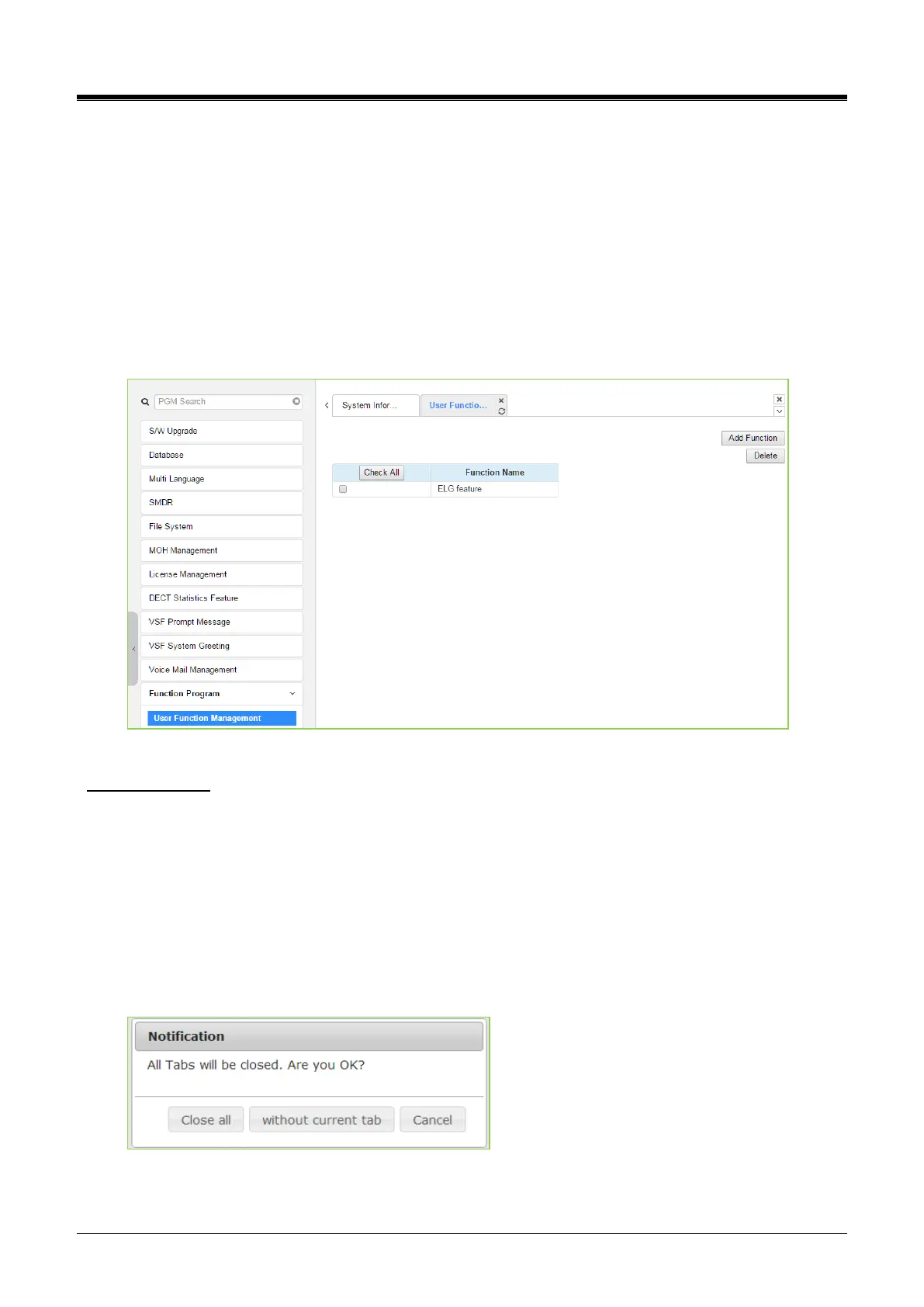
can be structured. The User Function Management permits functions to be deleted or, with the “Add Function”
button, new program functions can be added.
4.5.14.1 User Function Management Page
Selecting User Function Management displays the page shown in the figure. Using the check box and Delete
button, Function programs previously saved can be deleted.
Figure 4.5.14.1-1 User Function Management Page
Adding Function
This step is divided into 5 steps, and you can make the desired function in each step. The following is the
guide to make a Name and add the function on each step:
English, Numbering, Underscore (_), and Parentheses are available to enter the function name.
Function name has to be filled out.
To enter the step name, English, Numbering, and Special letters except Double quotation marks are
available.
The step name doesn’t need to be filled out, but the function has to be configured for each step.
To cancel or close this tab, click the close button (X) and pop up the blow;



 To Next Page