iPECS eMG80/100& eMG800 & UCP & vUCP
Administration and Programming Manual Issue 2.5
80
4.4.2.9 PTT Group Access - PGM 119
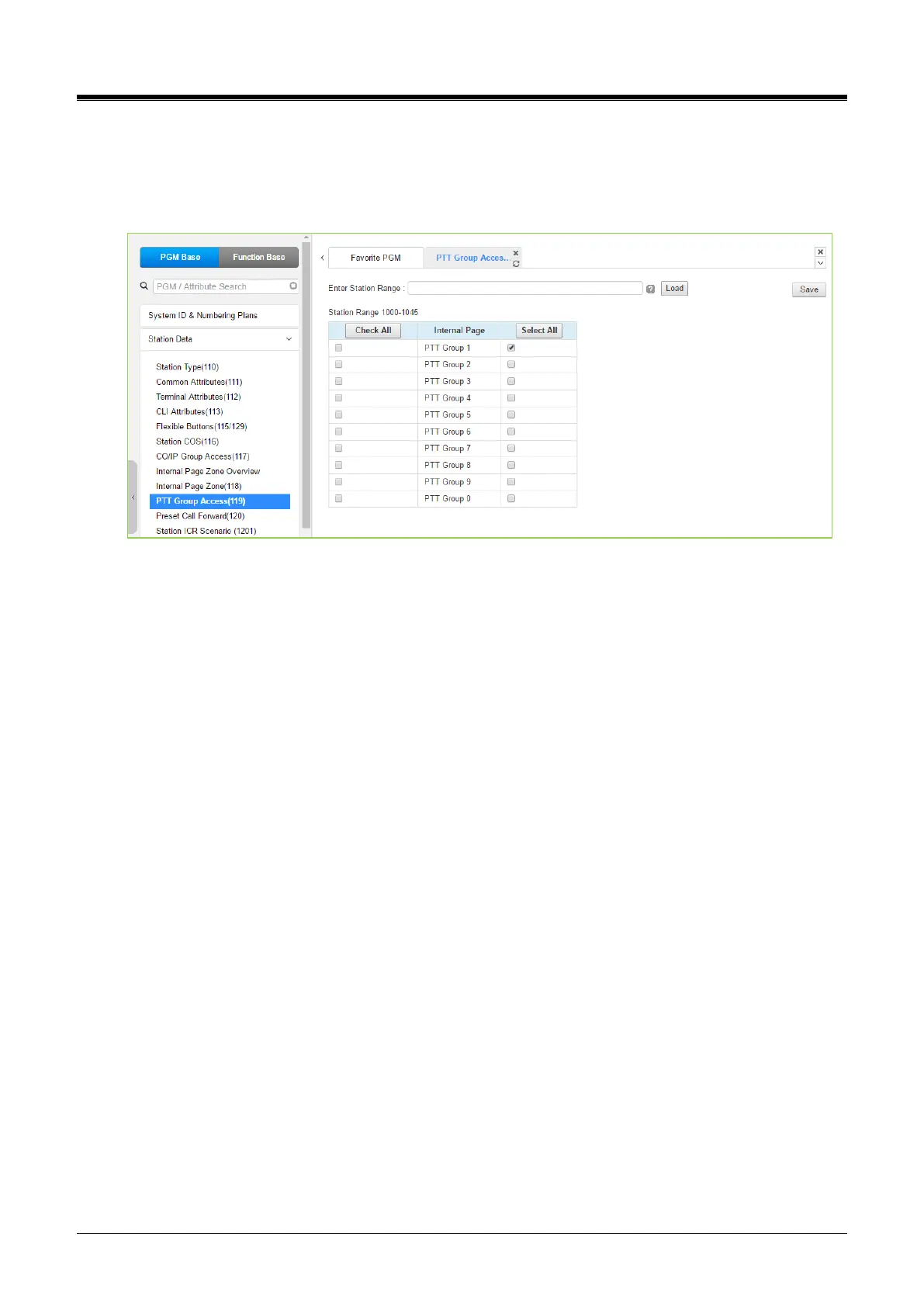
Selecting PTT Group Access will display the PTT Group Access data input page. Enter a valid Station range
and click [Load] to enter the PTT Group Access data. Check the appropriate boxes to allow or delete access
to each PTT Group. Click the [Save] button after changing Value to apply.
Figure 4.4.2.9-1 PTT Group Access
Each iPECS IP or LDP Phone is assigned to receive PTT announcements from any combination of the ten
(10) PTT groups. Note a station not assigned to any group will not receive PTT page announcements,
including the Internal All PTT group page. As a default, all stations except remote stations are assigned to
group 1.



 To Next Page