iPECS eMG80/100& eMG800 & UCP & vUCP
Administration and Programming Manual Issue 2.5
391
4.5.2 Database
4.5.2.1 Database Upload
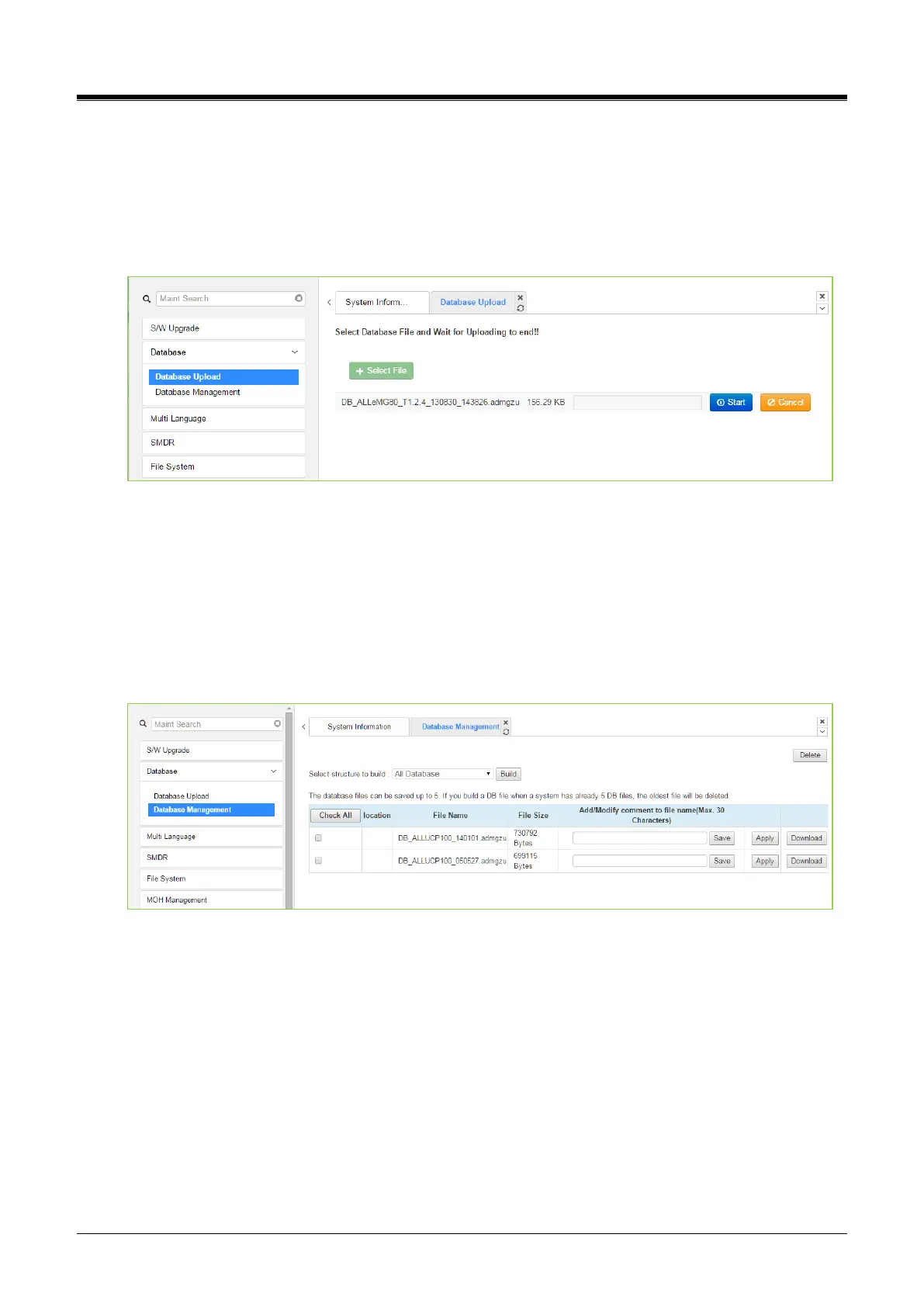
The Database Upload selection will display the Database Upload page as shown in the figure. Select [Select
Files], select the desired database file from the local PC and click [Start] to upload the database to the
system.
Figure 4.5.2.1-1 Database Upload
4.5.2.2 Database management
Selecting Database Management will display the Database Download page. Select the structure to determine
the portion or structure of the download.
Click [Download], then select the directory and file name in the pop-ups that follow to save the file to the PC.
After building a database file, the download function will be available. We can build a maximum of five
downloadable files for various types of data and structure; building additional files deletes the oldest.
Figure 4.5.2.2-1 Database Download
You can add or modify the file name by entering the characters including special character (#, $, %,&, ', ( ), -, .,
@, _). The comment will be created as [XXXXX] before ‘.admgzu.’ It is useful to search DB after downloading.
Clicking on the [Download] button will present the File Download window. Files should be saved to disk. Note
that this screen will appear for all download processes.



 To Next Page