iPECS eMG80/100& eMG800 & UCP & vUCP
Administration and Programming Manual Issue 2.5
280
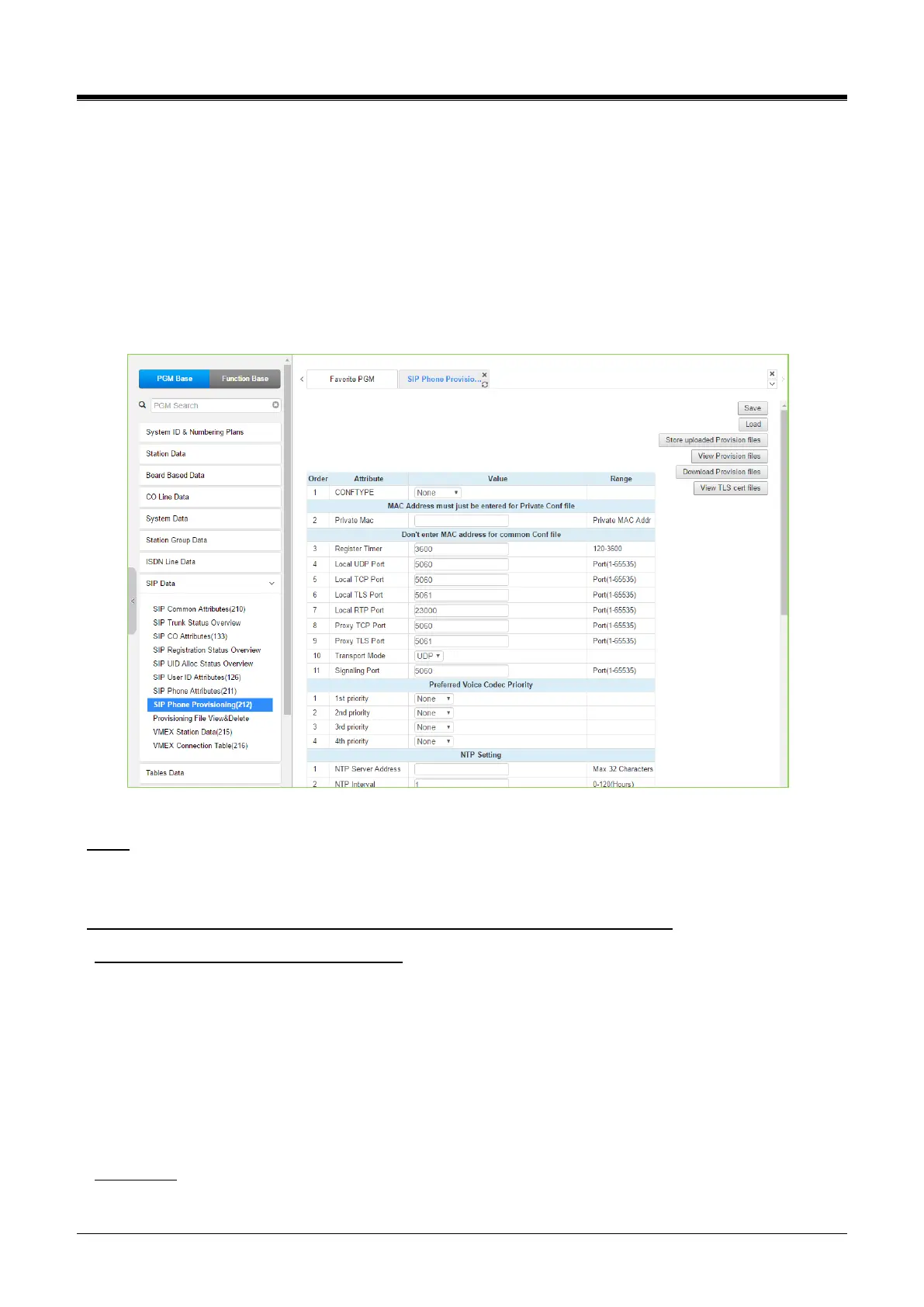
4.4.8.8 SIP Phone Provisioning - PGM 212
Selecting SIP Phone Provisioning will display the SIP Phone Provisioning Data input page.
Select one of CONFTYPE (Ericsson-LG Enterprise SIP Phone Type) and set the attributes you want to set for
those types of SIP Phones on their registration to system and press the [Save] button.
To store provisioning files that have been uploaded to the iPECS system, press [Store uploaded Provision
files].To view the stored configuration files, press [View Provision files].
To download Provision files, press [Download Provision files]. To view TLS Cert. files, press the [View TLS
Cert files] button.
Figure 4.4.8.8-1 SIP Phone Provisioning
Why?
It is to pre-assign default attributes and download configuration to SIP Extensions when they register to
System.
For who? (For all of the specified Phone types or for one MAC specified Phone)
CONFTYPE: select Phone Type / Mandatory
< Ericsson-LG Enterprise WIT-400HE>
Currently, MPB/UCP (TFTP only) does not proceed to provision for WIT400H(http only) because of a
different method. But, WIT-400HE follows System’s default provisioning by itself automatically.
<Ericsson-LG Enterprise LIP8002 / LIP88xx/LIP-8XXXE>
MPB/UCP proceed provisioning for LIP8002 / LIP88xx/LIP-8XXXE
< Other 3rd party SIP Extensions >
Does not proceed with provisioning
Private Mac
Specify MAC address if provisioning target is only for one specific SIP extension / Optional



 To Next Page