iPECS eMG80/100& eMG800 & UCP & vUCP
Administration and Programming Manual Issue 2.5
113
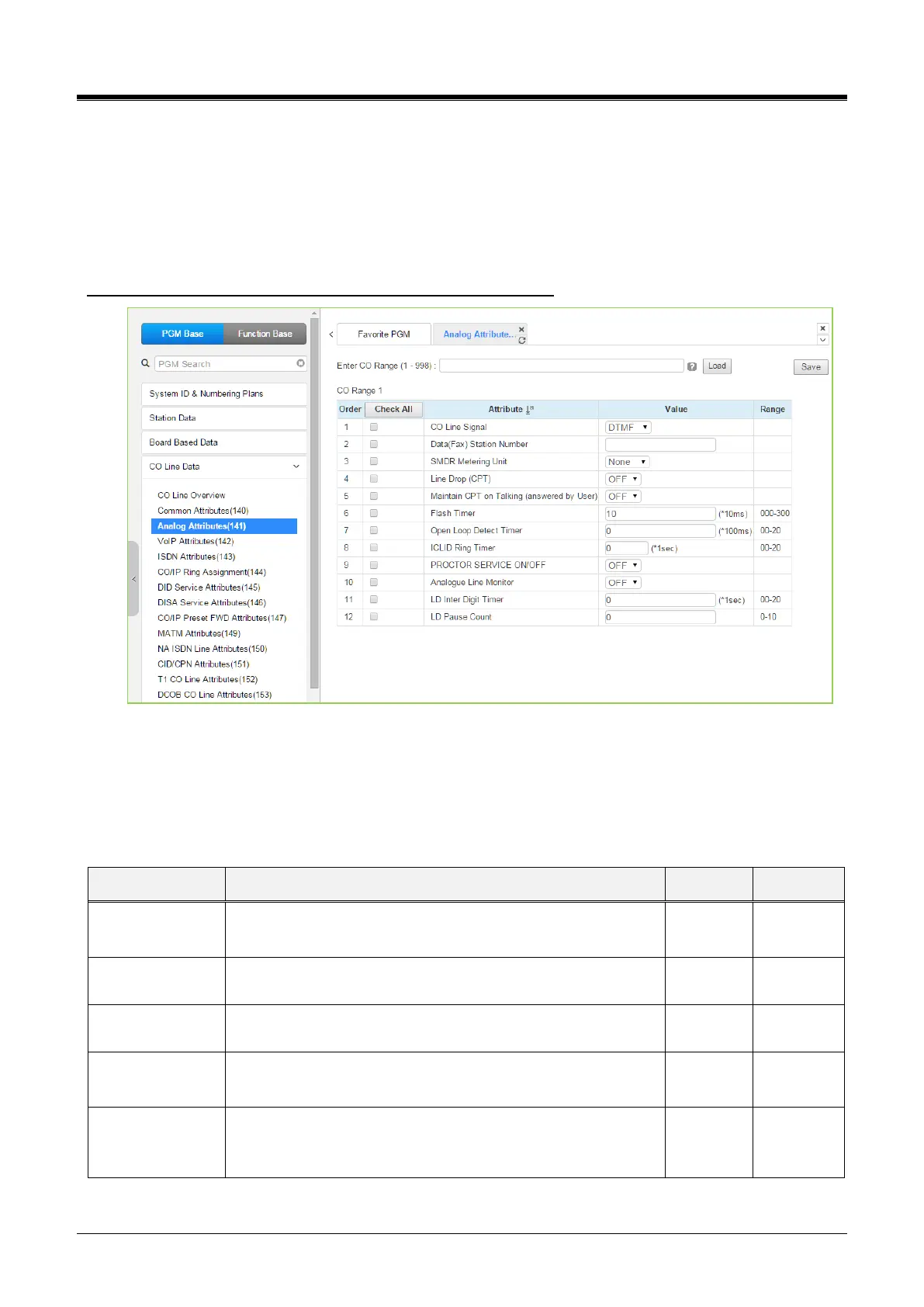
4.4.4.2 Analog Attributes - PGM 141
Selecting Analog Attributes will display the Analog Attributes data input page.
Enter a valid CO range and click [Load] to enter the Analog (PSTN) Attributes data.
Use the checkmark to indicate which attributes to modify; checked attributes are stored by clicking the [Save]
button.
Enter CO Range: eMG80/100: 1-74 / eMG800: 1-600 / UCP: 1-998
Figure 4.4.4.2-1 Analog Attributes
Analog Attributes define various characteristics of AnalogCO Lines under the control of the system.
Most characteristics require an On/Off setting; refer to the following table.
Specific descriptions for CO Line (SMDR) Call Metering tones are provided in the second following table.
This field selects the call-metering signal from the PSTN to
indicate call cost. Refer to the following table.
The system can continuously monitor the CO Line during a call
and drop the call if an error tone is detected.



 To Next Page