iPECS eMG80/100& eMG800 & UCP & vUCP
Administration and Programming Manual Issue 2.5
255
4.4.8.3 SIP CO Attributes - PGM 133
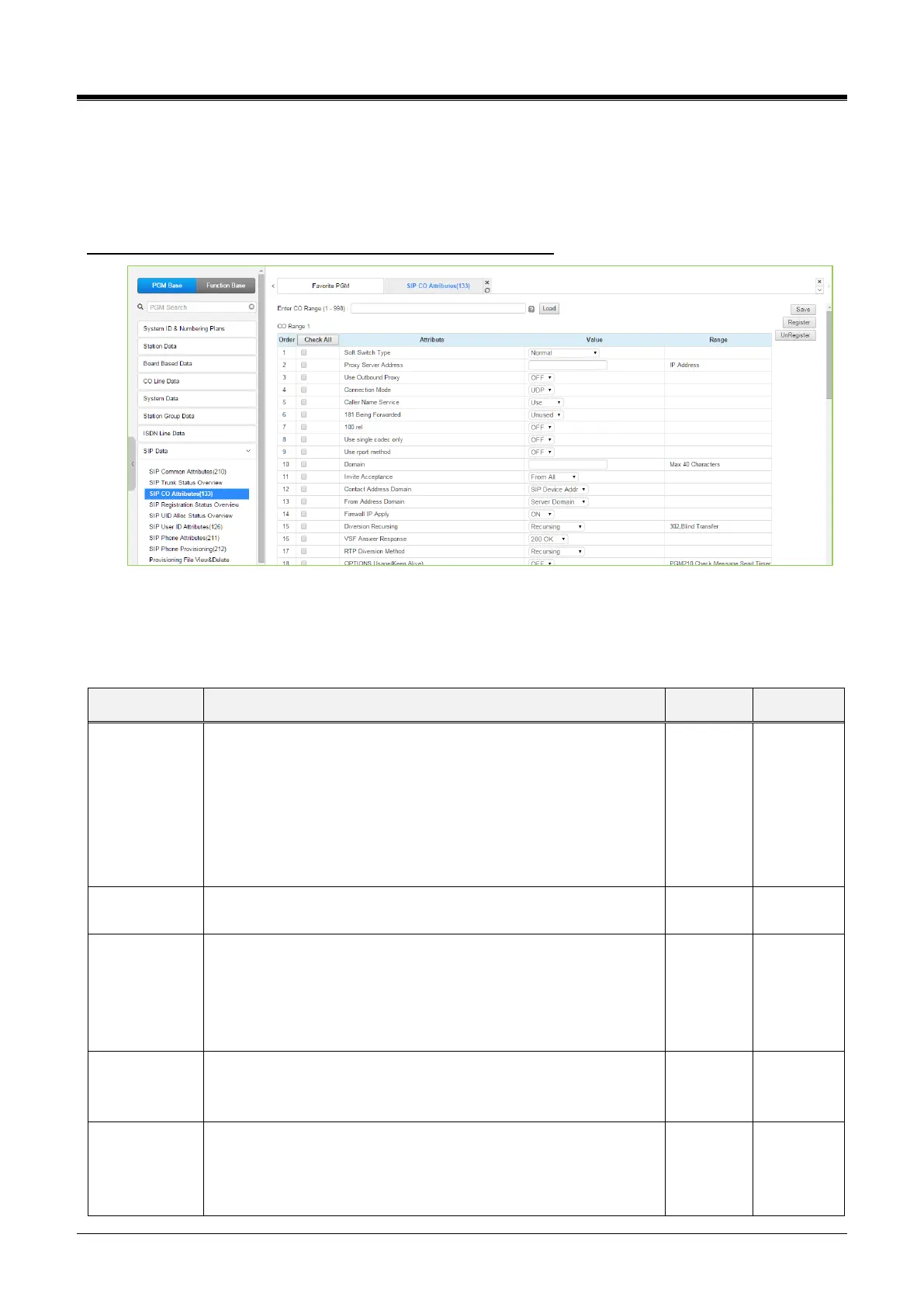
Selecting SIP CO Attributes returns the SIP CO Attributes data input page. Enter the CO Range and click
[Load] to enter attribute values. Use the checkmark to indicate which attributes to modify; checked attributes
are stored by clicking the [Save] button.
Enter CO Range: eMG80/100: 1-74 / eMG800: 1-600 / UCP: 1-998
Figure 4.4.8.3-1 SIP CO Attributes
Various parameters must be entered for proper operation of the SIP Trunk, including the SIP proxy and
Registrar, as outlined in the following table.
Table 4.4.8.3-1 SIP CO ATTRIBUTES
Allows identification of soft-switch to support extended soft-switch
capabilities.
KT, SK TELINK, etc.: Service Provider.
Normal, Broadsoft, KT, SK TELINK, KT-C,
MS OCS, SKYPE CONNECT,
SIP-CC, TI PK0, ERICSSON IMS,
DNS REDUNT(Tele2), MS LYNC, KT-CENTREX
SIP Proxy server IP address up to 64 characters.
The SIP module will communicate only to SIP Proxy Server.
In this case, the destination address of all communication will be
the IP of the SIP Proxy Server.
Use Outbound Proxy flag should be 'OFF' when you use that SIP
module for channels of 3rd-party SIP Extensions.
This field establishes the SIP connection mode as UDP, TCP, or
TLS for SIP signaling messages.
The caller's name may be included in SIP messages. When
included, the name can display in the LCD of iPECS IP and LDP
Phones. In addition, the Contact Display Name assigned to the
SIP User Id (PGM 126) will be sent in the SIP message.



 To Next Page