iPECS eMG80/100& eMG800 & UCP & vUCP
Administration and Programming Manual Issue 2.5
100
4.4.2.24 Station CLI Program
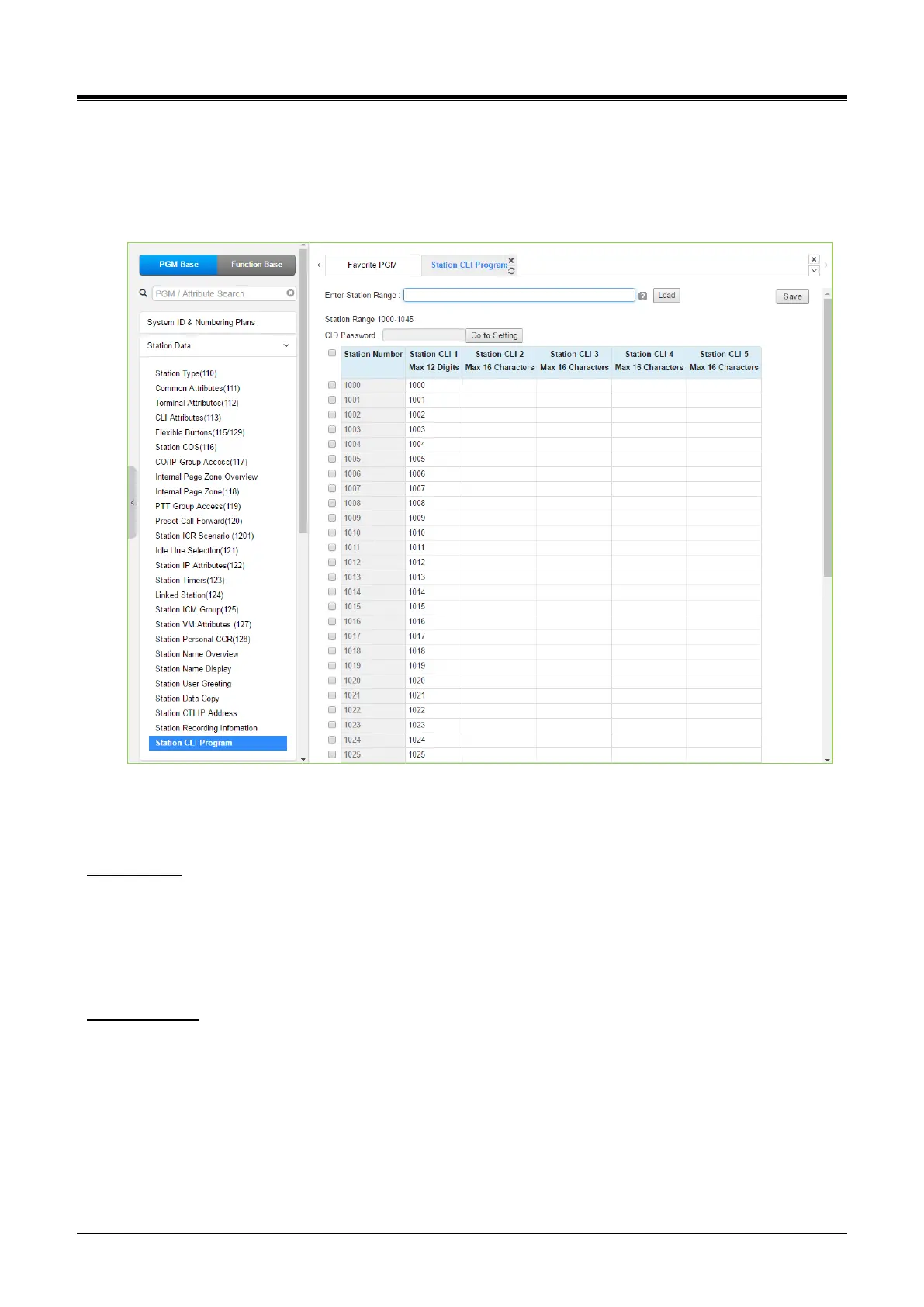
Selecting Station CLI Program displays the page shown in the following figure.
Enter a Station Range and click [Load] to display and enter the desired Station CLI from 1 to 5. Click the
[Save] button after finishing the value by checking the checkbox.
Figure 4.4.2.24-1 Station CLI Program
Station users can set the station CLI up to 5. Station user can send only the CLI number (1~5) or the desired
CLI number by applying CLIP/COLP Table (291) to the called party.
Station CLI 1
To use this option, 'CLIR Service' or 'COLR Service' is set to OFF. The CLI number is entered up to 12 digits.
As a suffix, the entered CLI number is added to the number set in CLIP/COLP Table (201). Also check 'COLP
Table Index', 'CLIP Table Index', and 'Station CLI Type' in CID/CPN Attributes (151).
The entered CLI number sends the called party via ISDN call setup or connected message.
Station CLI 2~5
To use this option, 'CLIR Service' or 'COLR Service' is set to OFF. The CLI number is entered up to 16 digits.
As a suffix, the entered CLI number is added to the number set in CLIP/COLP Table (201). Also check 'COLP
Table Index', 'CLIP Table Index', and 'Station CLI Type(2~5)' in CID/CPN Attributes (151).
The entered CLI number sends the called party via ISDN call setup or connected message.



 To Next Page