iPECS eMG80/100& eMG800 & UCP & vUCP
Administration and Programming Manual Issue 2.5
171
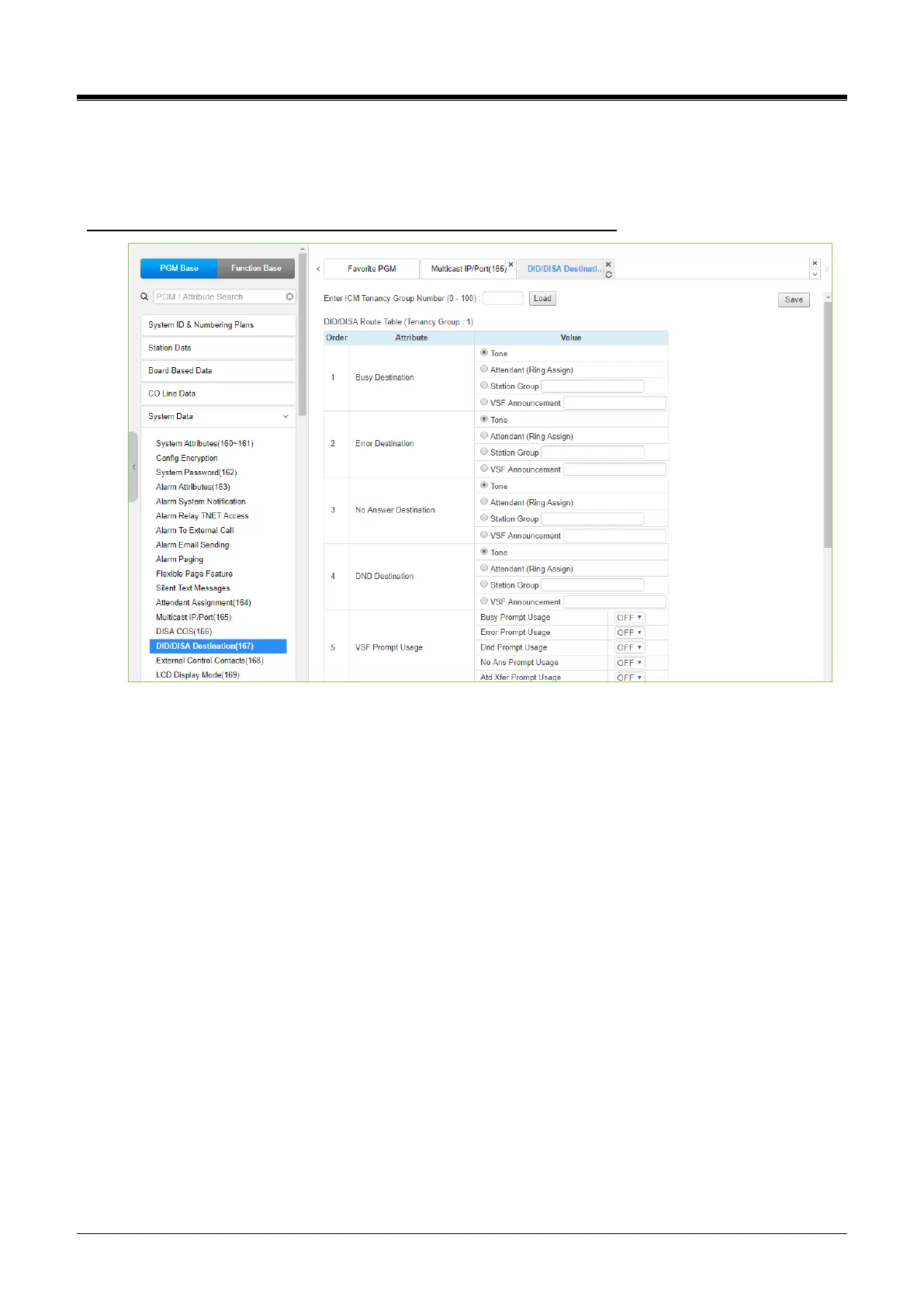
4.4.5.15 DID/DISA Destination - PGM 167
Selecting DID/DISA Destination displays the Tenant Group input page. Select Tenant Group. The system will
display the DID/DISA Destination Attributes. Click the [Save] button after changing Value.
Enter ICM Tenancy group: eMG80/100 : 0-15 / eMG800: 0-32 / UCP: 0-100
Figure 4.4.5.15-1 DID/DISA Destination
When a DID line or DISA user dials an invalid/vacant or busy station number, the caller will be sent to the
assigned destination that is selected according to the CO Tenancy group of the DID/DISA line.
The destination is separately defined for invalid, busy, and No Answer conditions and can be defined as the
Attendant, busy tone, a Station Group, or a VSF Announcement.
For calls on a DID line to a busy station, DID Call Wait can be assigned. Refer to the ‘Common Attributes
section,’ and the call will queue for the station for the No-Answer time. After the No-answer time, the call
routes to the DID/DISA Destination unless forwarded.
Also, for DID calls only, announcements (prompts) can be sent from the VSF or UVM gateway (in case of
UCP) to the caller for various conditions, busy, error, DND, No Answer, or Attendant Transfer.



 To Next Page