iPECS eMG80/100& eMG800 & UCP & vUCP
Administration and Programming Manual Issue 2.5
417
4.5.15.1 Company (Tenant group) Administrator Account
The system's main (maintenance) administrator can make a new administrator account for each tenant group.
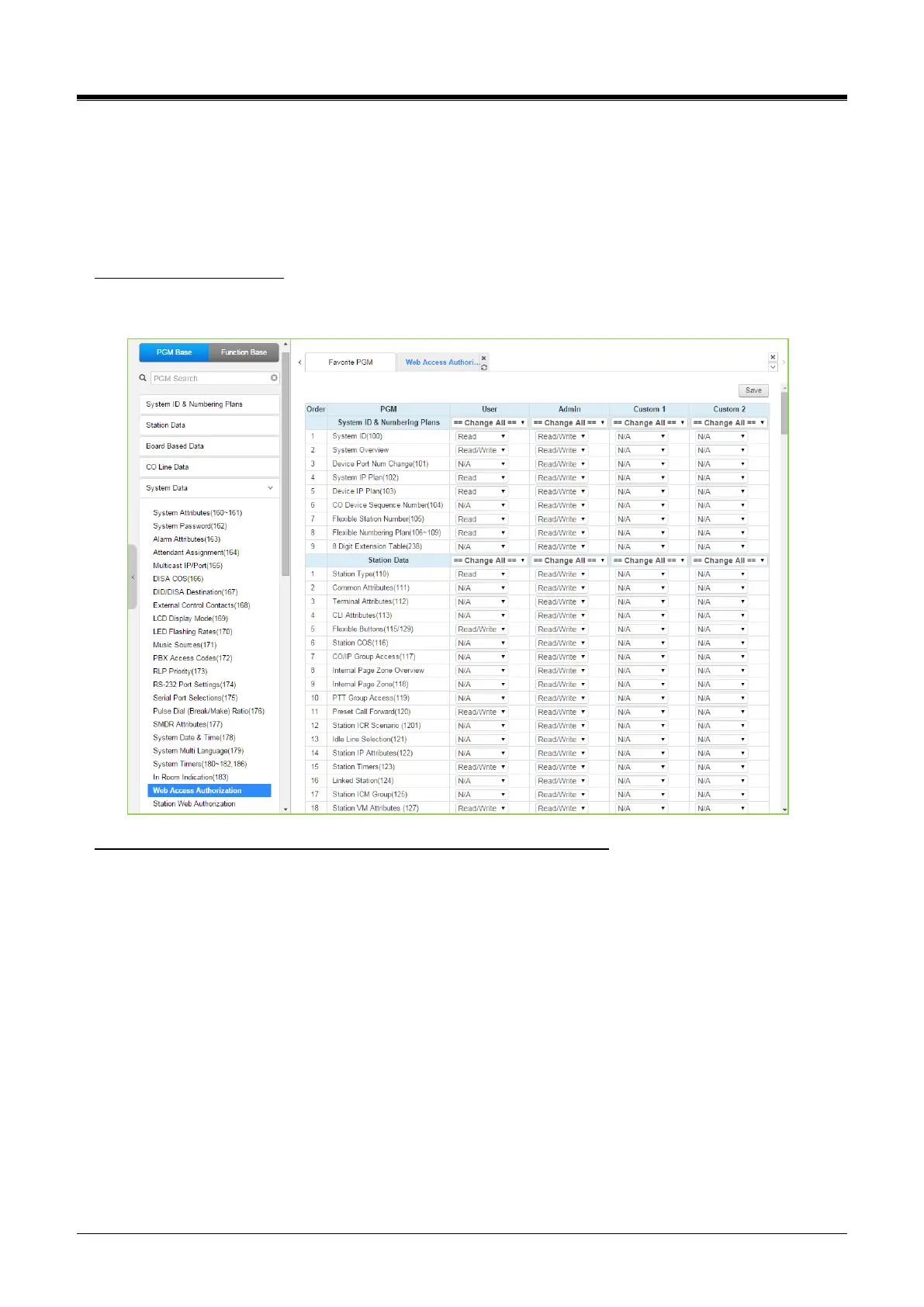
The tenant group administrator can configure the system according to tenant group and ‘Web access
authorization’ in System Data. Managing the available feature will be assigned Web Access Authorization in
System Data.
Web Access Authorization
>Program Custom#1 and #2 privilege columns by selecting N/A, Read, Read/Write for Tenant group
administrator.
User Management: add a User account for the Tenant group administrator.
1) Enter ID and Password.
2) Select Custom 1 or Custom 2.
3) Enter the desired Tenant group number.
UCP100/600/2400: 100 Groups
eMG800: 32 Groups
eMG80/100: 15 Groups
Note) Maximum 50 users (including Maintenance, Admin, and User privilege). The main administrator can’t
add a Tenant group administrator account for all tenant groups because the number of tenant groups of
UCP is 100.
4) Click the [Save] button to create an Account.
5) Log in with the account.
6) The available PGM menu will be displayed by assigning ‘Web Access Authorization.’



 To Next Page