iPECS eMG80/100& eMG800 & UCP & vUCP
Administration and Programming Manual Issue 2.5
401
4.5.9 VSF Prompt Upload
The iPECS system delivers system prompts in up to six (6) languages. The prompts for each language are
stored in a separate file. Files for each of the languages supported are available from the local Ericsson-LG
Enterprise representative. The entire prompt file or individual may be uploaded to the system. Once uploaded
to the system, the file is employed to play prompts to iPECS eMG/UCPuser.
UCP2400 doesn’t support VSF prompt messages.
VSF prompt sub-menu is a little differentamongeMG80/100, eMG800, and UCP.
Prompt selection: eMG800 and UCP are available.
Prompt Upload /Delete: Available.
Individual upload: Available.
4.5.9.1 Prompt selection
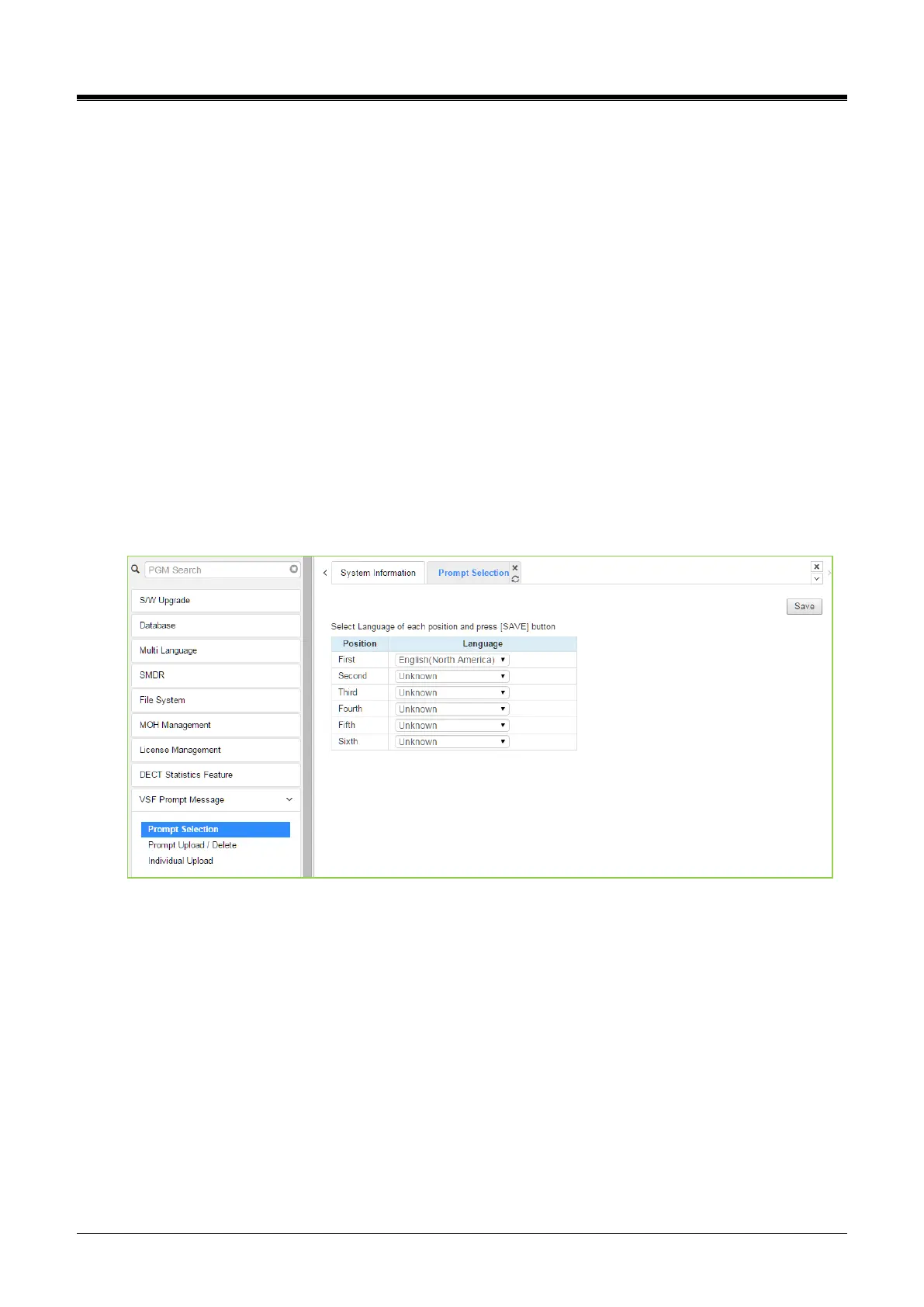
Selecting Prompt Selection displays the page shown in the figure. The System Voice Prompt language files
are stored in the VSF memory and are enabled with the Prompt Selection page. A reference “Position” is
assigned a language selected from the drop-down menu. Once the language for each position is selected,
saving the page enables all the chosen languages.
Figure 4.5.9.1-1PromptSelection for eMG800& UCP



 To Next Page