iPECS eMG80/100& eMG800 & UCP & vUCP
Administration and Programming Manual Issue 2.5
366
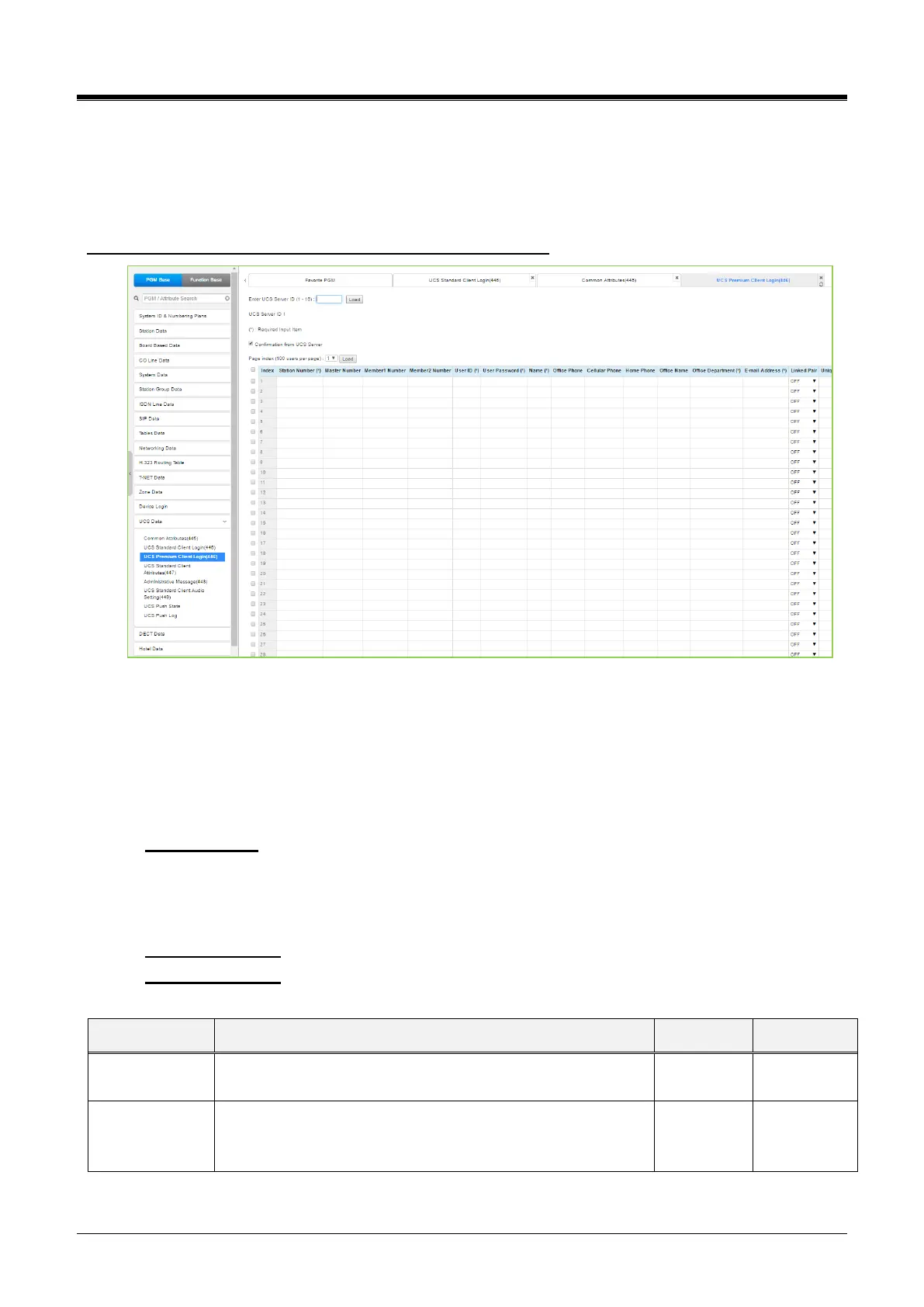
4.4.15.3 UCS Premium Client Login – PGM 446
It is selecting UCS Premium Client Login will display the UCS Premium client login input page. Enter the Client
index and click [Load] to modify the Client data. Use the checkboxes to indicate the attributes to modify. Click
the [Save] button after changing Value. Click the [Delete] button if you want to delete it after checking the box.
Enter UCS Server ID: eMG80/100: 1-2 / eMG800: 1-5 / UCP: 1-16
Figure 4.4.15-1 UCS Premium Client Login
The UCS Client information is configured for each client prior to registration. When the UCS Server is
employed to provide Premium service, the iPECS system will transfer the information to the server after the
client registers and, after registration, any changes to the client configuration are accomplished in the UCS
Server.
You can use the following items to log into multiple accounts at the same time, such as PC, Mobile, Tablet, etc.
Master Number: It is the key number for the related members. The master number can be the same
as the station number. In this case, the master number is UCS Client. Or the master number can
enter the other desired number. You can check the master and member in Personal Group (PGM
260) after finishing the value.
Member 1 Number: In this field, you can enter the number for the Mobile UCS Client.
Member 2 Number: In this field, you can enter the number for the Tablet UCS Client.
The master number can be the same as the station number. In
this case, the master number is UCS Client. Or the master
number can enter the other desired number.



 To Next Page