iPECS eMG80/100& eMG800 & UCP & vUCP
Administration and Programming Manual Issue 2.5
412
4.5.13.2 Voice Mail USB Backup
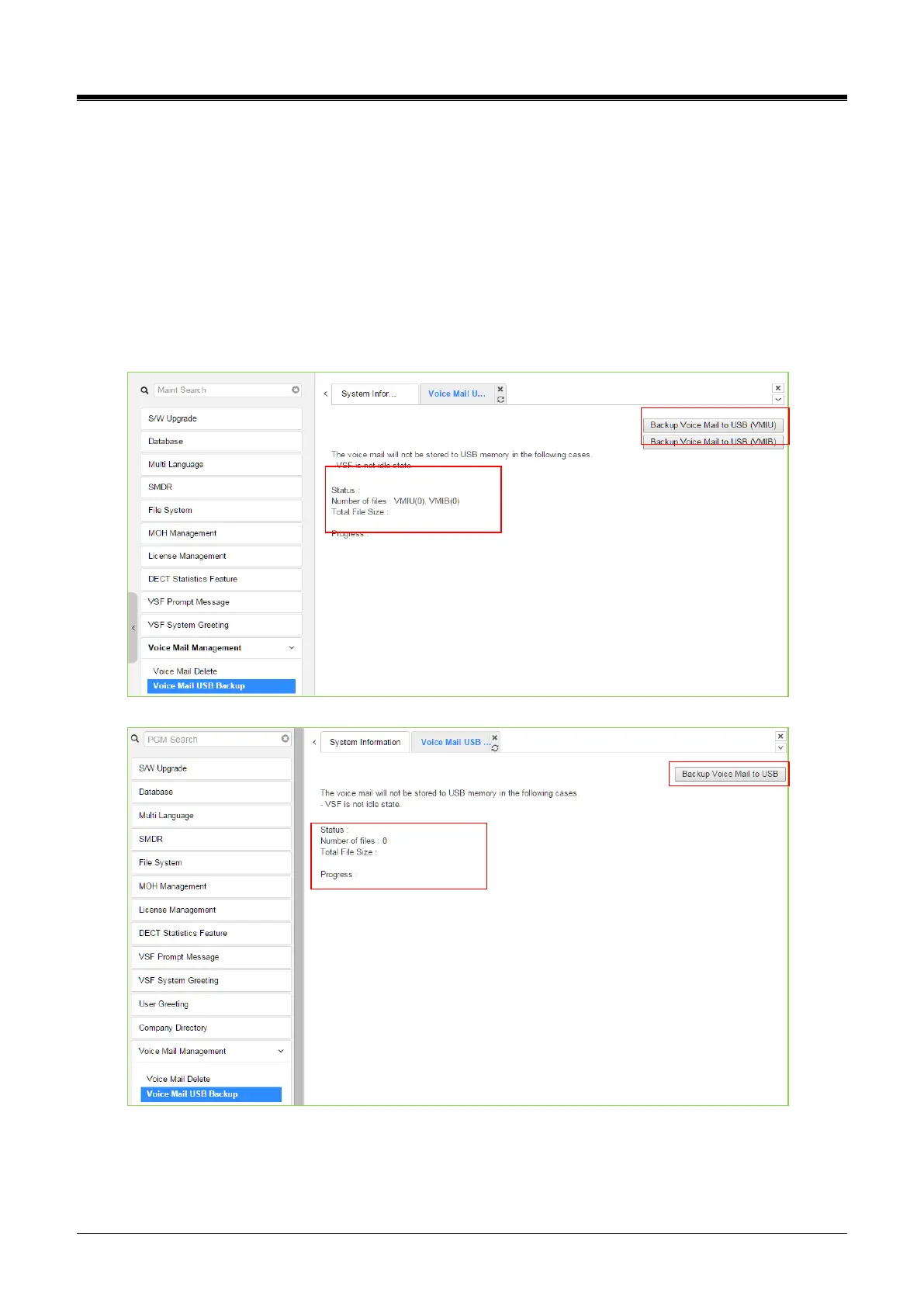
Selecting Voice Mail Backup displays the page shown in the figure.
In the case of eMG, this page permits the Administrator to send all Voice messages in the VMIU/VMIB
memory to the USB port of the KSU. Note the VSF must be idle and a USB memory device installed in the
system. The eMG800 has only [Backup Voice Mail to USB (VMIU)].
In the case of UCP, this page permits the Administrator to send all Voice messages in the VSF gateway
memory to the USB port of the UCP module. Note the VSF gateway must be idle and a USB memory device
installed in the UCP module. The UCP2400& vUCP, and eMG100 don’t support Voice mail USB Backup.
vUCP/eMG100 supports Voice Mail Web Backup/Restore.
Figure 4.5.13.2-1 Voice Mail USB Backup
To back up Voice Mail, click the backup Voice Mail to USB button. Users can find all information about the
status, Number of files, Total file size, and the percentage of Progress by text.



 To Next Page