iPECS eMG80/100& eMG800 & UCP & vUCP
Administration and Programming Manual Issue 2.5
356
4.4.13.9 Zone Holiday Assignment - PGM 444
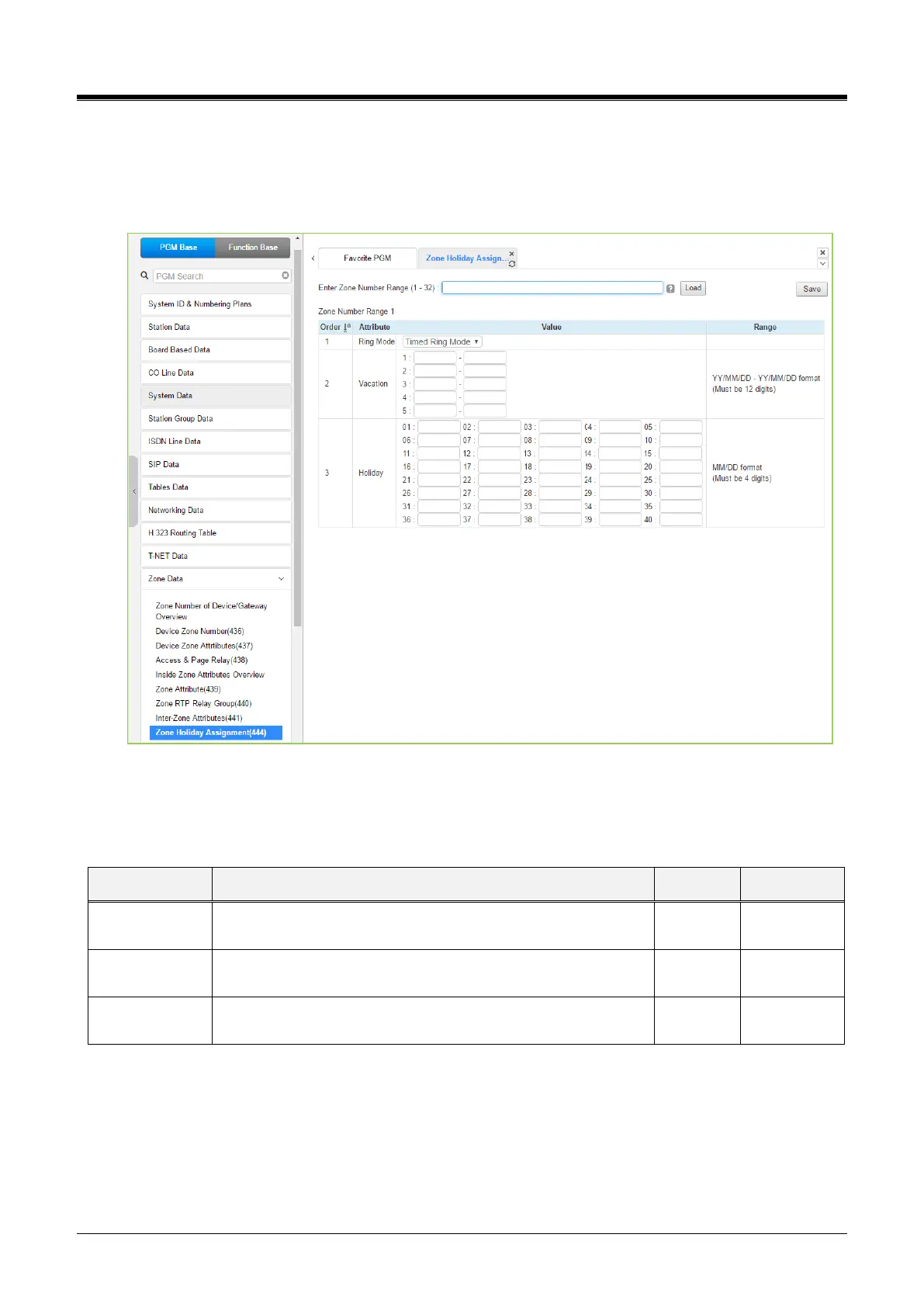
Selecting the Zone Holiday Assignments returns the data input page. Enter the desired Source and
Destination Zone numbers range and click [Load]to assign Zone holiday. Click the [Save] button after
changing Value.
Figure 4.4.13.9-1 Zone Holiday Assignment
Holidays and vacation day intervals for each zone can be established to define the Service mode (Day, Night,
and Timed). Up to 40 holidays and 5 vacation intervals can be defined.
Enter the desired Service mode for the Holiday or Vacation.
Day Ring Mode, Night Ring Mode, Timed Ring Mode, N/A
Five ranges may be entered for vacation periods. Enter the
start and end dates as YY/MM/DD – YY/MM/DD.



 To Next Page