iPECS eMG80/100& eMG800 & UCP & vUCP
Administration and Programming Manual Issue 2.5
212
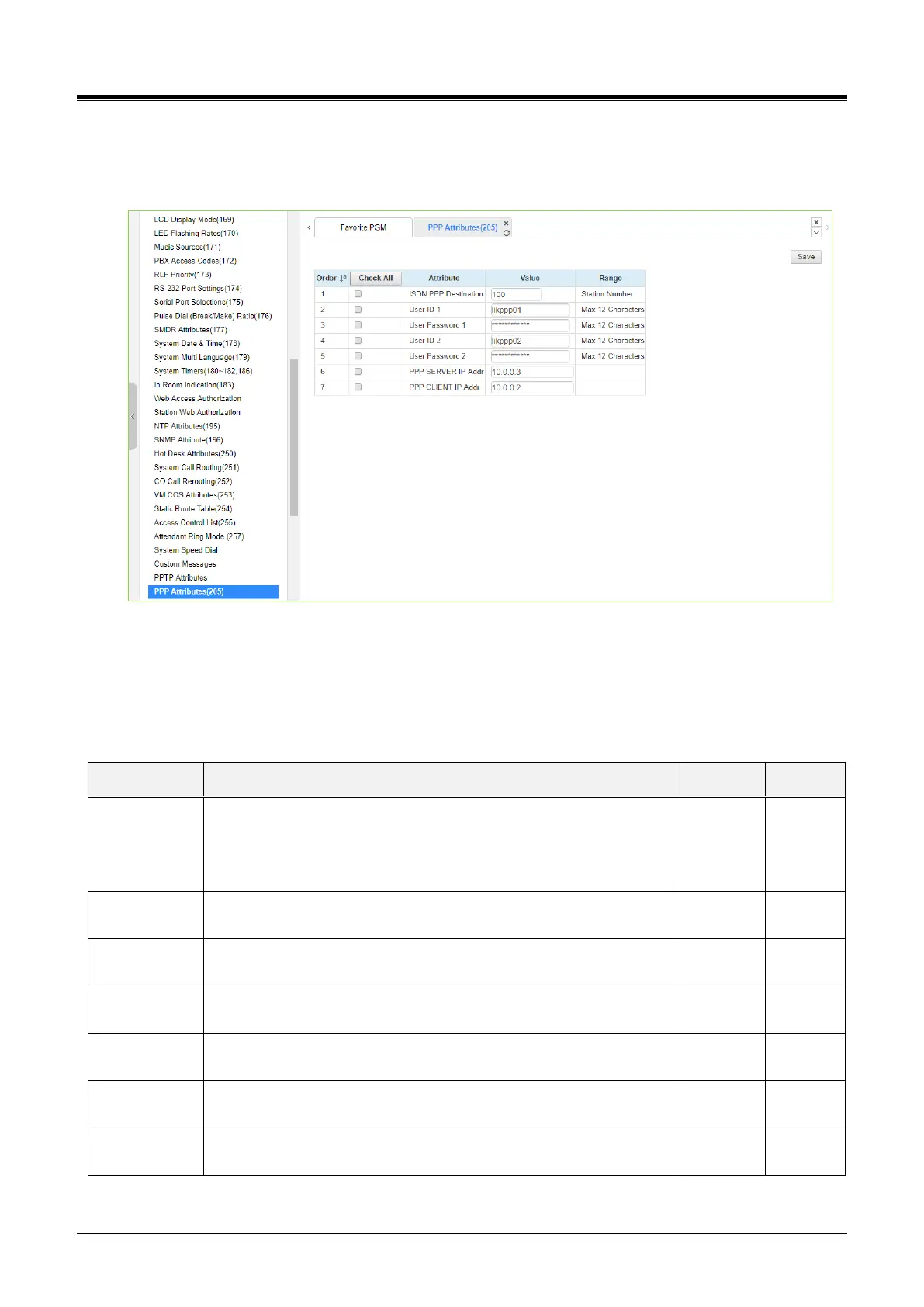
4.4.5.45 PPP Attributes for eMG– PGM 205
Selecting PPP Attributes will display the PPP Attributes data entry page. Use the checkmark to indicate which
attributes to modify; checked attributes are stored by clicking the [Save] button.
Figure 4.4.5.45 PPP Attributes
In addition to remote access via an IP network connection, the system database may be accessed remotely
via an ISDN connection. Placing a call over an ISDN Line to the designated PPP Station will connect to the
system database. The system will request a user id and password, matching one of the User Ids and
passwords assigned. After a matching id and password are received, the iPECS Login Home page is
provided.
Suppose the incoming capability is 64 Kbps unrestricted digital, and
the called party number matches the PPP destination. In that case,
the system will automatically answer the call and request a PPP ID
and password.
The System accepts this PPP ID 1 as valid.
The password entered is used to authorize PPP ID 1.
The System accepts this PPP ID 2 as valid.
The password entered is used to authorize PPP ID 2.
When configured, the PPP Server IP Address must match this
entry. To applies this option, the system must be restarted.
When configured, the PPP Client IP Address must match this entry.
To applies this option, the system must be restarted.



 To Next Page