iPECS eMG80/100& eMG800 & UCP & vUCP
Administration and Programming Manual Issue 2.5
45
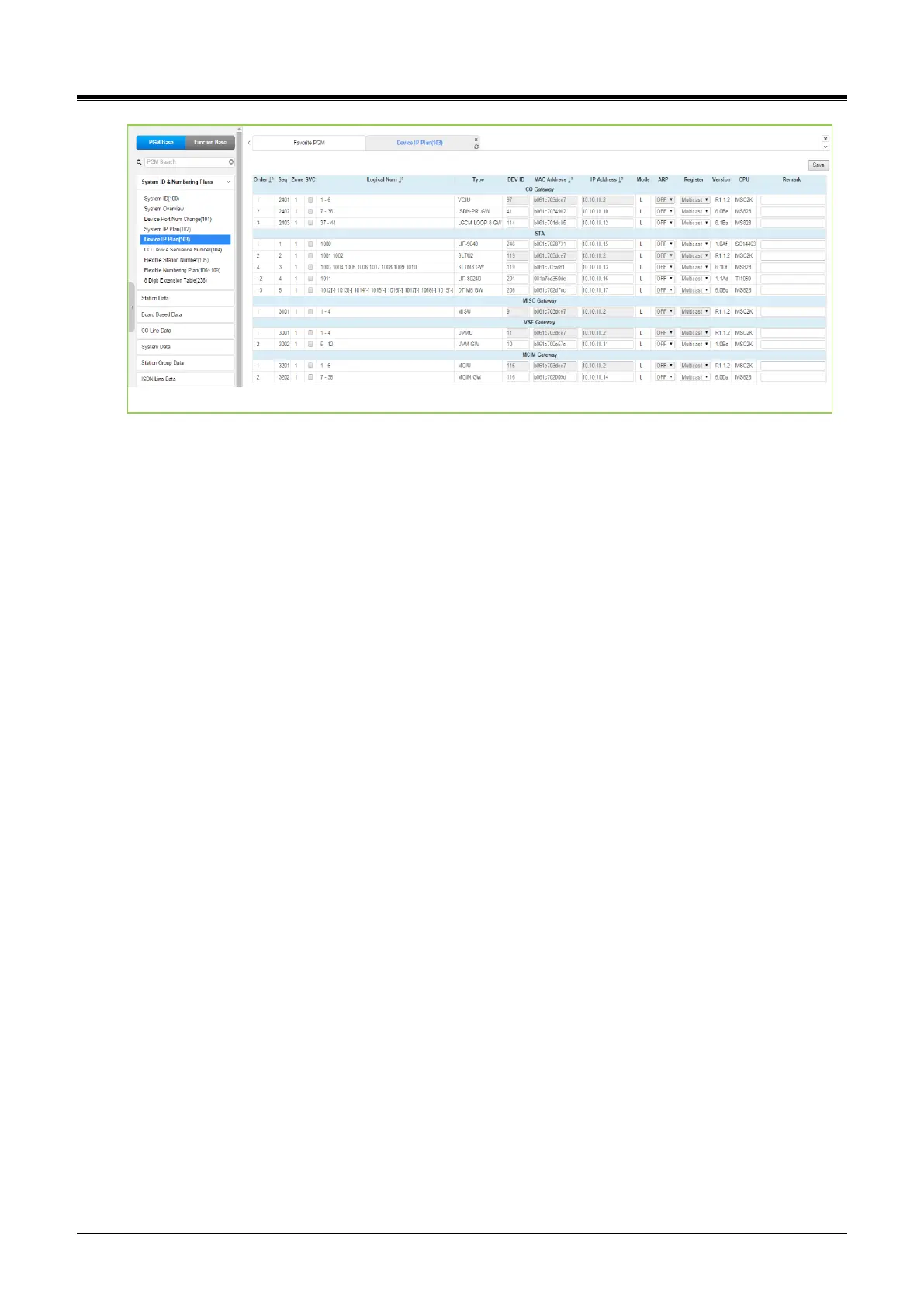
Figure 4.4.1.5-2 UCP Device IP Plan
This page displays all of the devices registered to the iPECS UCP by grouping them into the type of device
(CO, STA, etc.).
If the station is assigned to Master or Slave by linked station, the bracket ‘[M] or [S]’ will be displayed by the
station number in PGM 101, 103, 105, 124 of the Web page.
Selecting the SVC button for a device will toggle the service mode between in and out-of-service. The device
type can be modified as well as the MAC and IP address.
Using the SVC check box to place a device out of service, an errant device can be replaced without affecting
the database. After placing the device out-of-service, it can be removed, replaced, and the MAC address of
the new device entered.
The SVC check box is used to bring the new device into service, employing the replaced device's database.
The system may assign a default private IP address to each device. If desired, this program may be used to
modify the assigned IP address for each Gateway/board and iPECS Phone.
The device mode, connected to a local or remote LAN, is displayed. Each Gateway/board and terminal can be
assigned for “ARP.” With ARP disabled, the system will employ the Ethernet MAC address of the device to
send iPECS protocol messages to the device.
This reduces the overall LAN traffic by eliminating ARP messages and the need for IP address headers in the
messages.
The system normally employs IP multi-cast protocol to respond to a Gateway/board or terminal registration
request.
When a router separates the device, the system must use the IP unicast protocol. The “Local Device”
assignment establishes this.
When disabled (OFF), the system will send an IP unicast message to the device in response to a registration
request.



 To Next Page