K117sm5e3
5-16
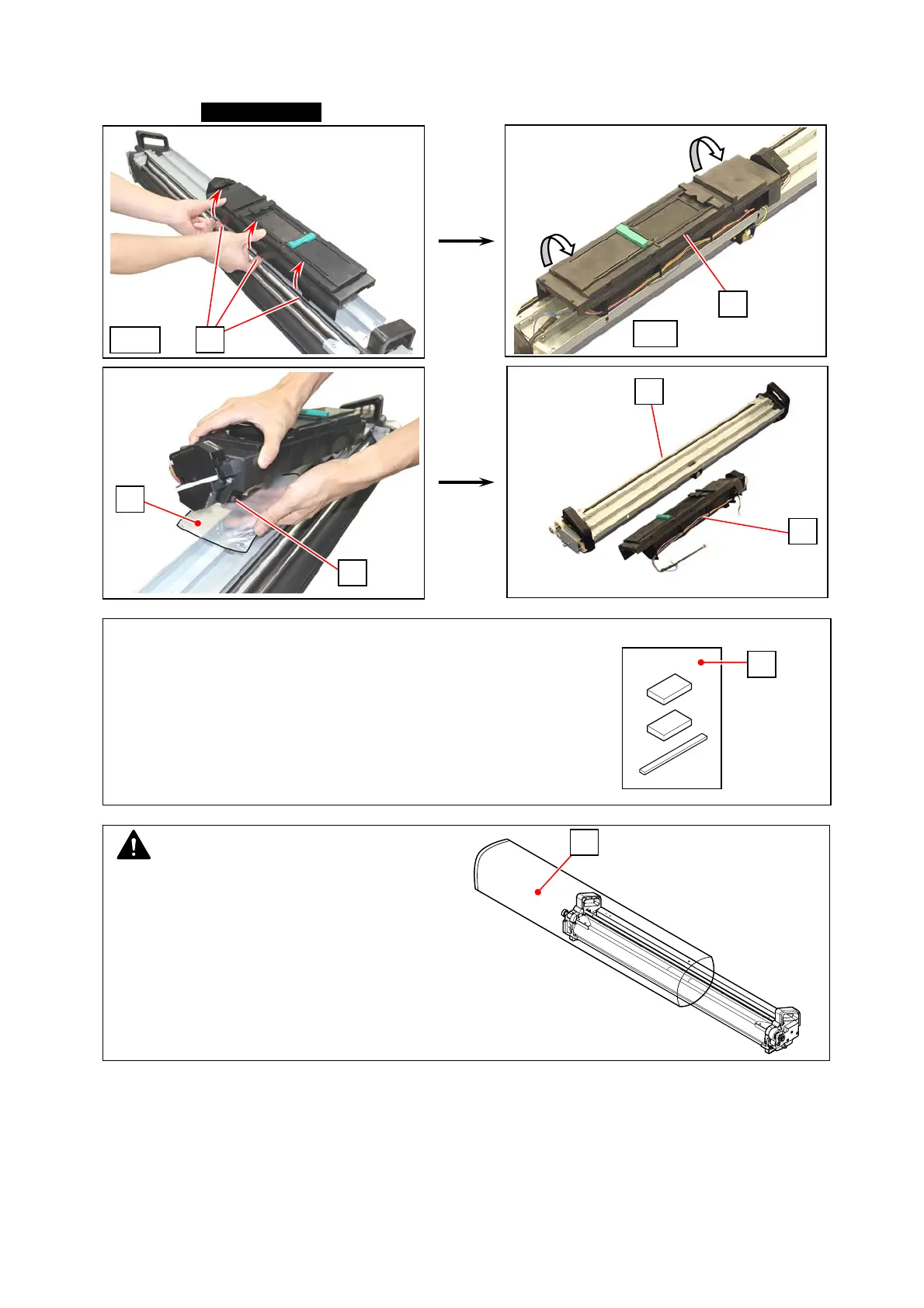
8. Release 3 tabs (14) on the front. Turn the Hopper Unit (15) to the arrow direction to remove it
from the DEVELOPER ASSY (11). Cover the toner supply hole (16) on the Hopper Unit with a
plastic bag (17) at this time to avoid scattering toner.
Replace the Developer Unit with a new one.
15
15
11
rear
16
17
front
14
NOTE
The old Developer Unit should be packed with
the empty plastic bag (18) included in the kit.
Dispose of the unit according to local
regulations.
18
Reference
The plastic bag that contains the Pads and the Nail Cleaning
Jig can be used as a cover (17).
17



 To Next Page