K117sm5e3
5-17
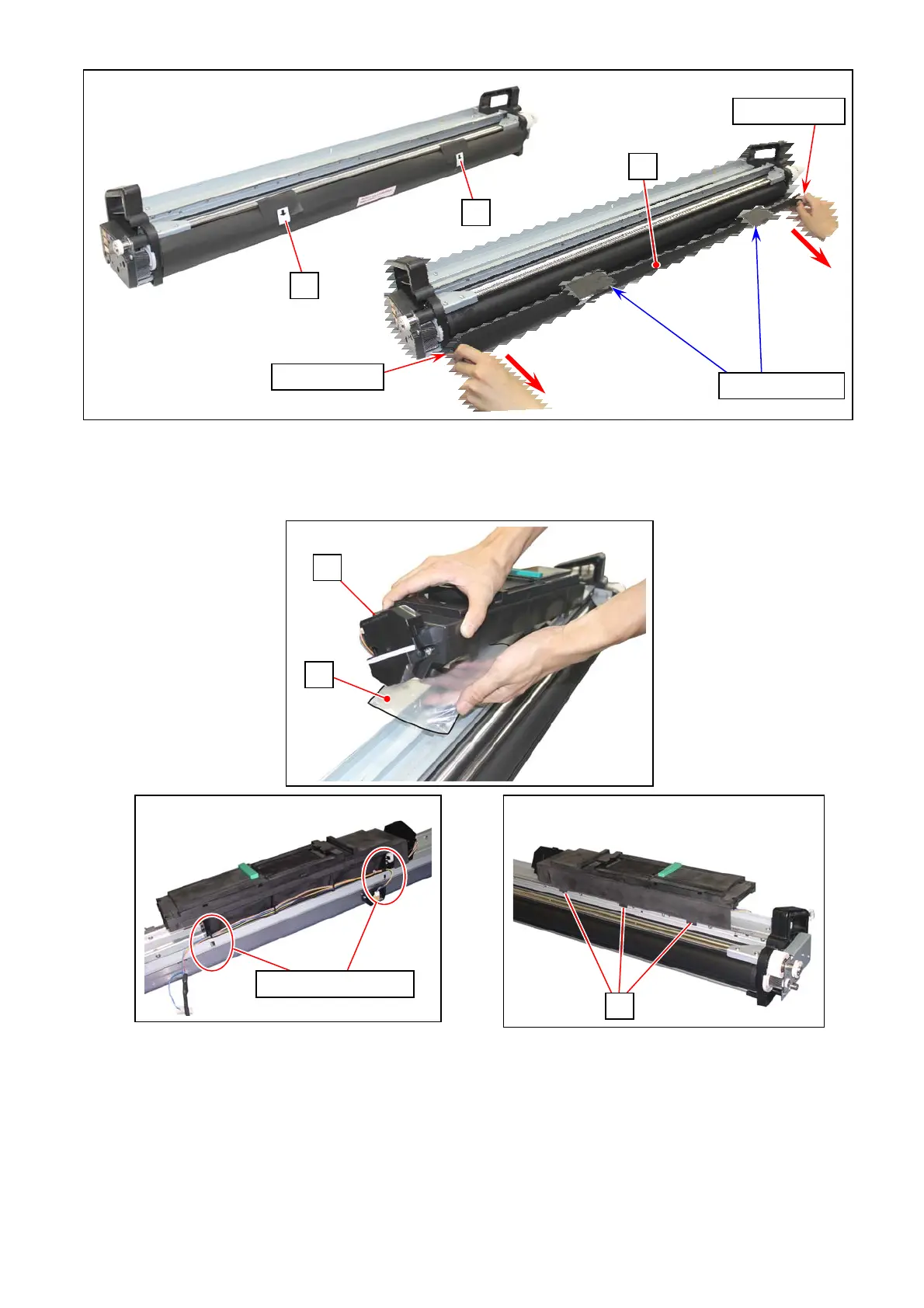
9. Remove the sticker (19) and the protection sheet (20) from the new Developer Unit.
10. Return the Hopper Unit (15). Again, cover he toner supply hole (16) on the Hopper Unit with a
plastic bag (17) to avoid scattering toner.
Insert the hook parts of the Hopper Unit into the square holes of the DEVELOPER ASSY. Make
sure that the Hopper Unit (15) is held on the DEVELOPER ASSY by the tab parts (14).
(See the next page)
17
14
15
Hook & square holes
15
19
19
20
Pinch tab area
Pinch tab area
Never pull here



 To Next Page