K117sm5e5
5-67
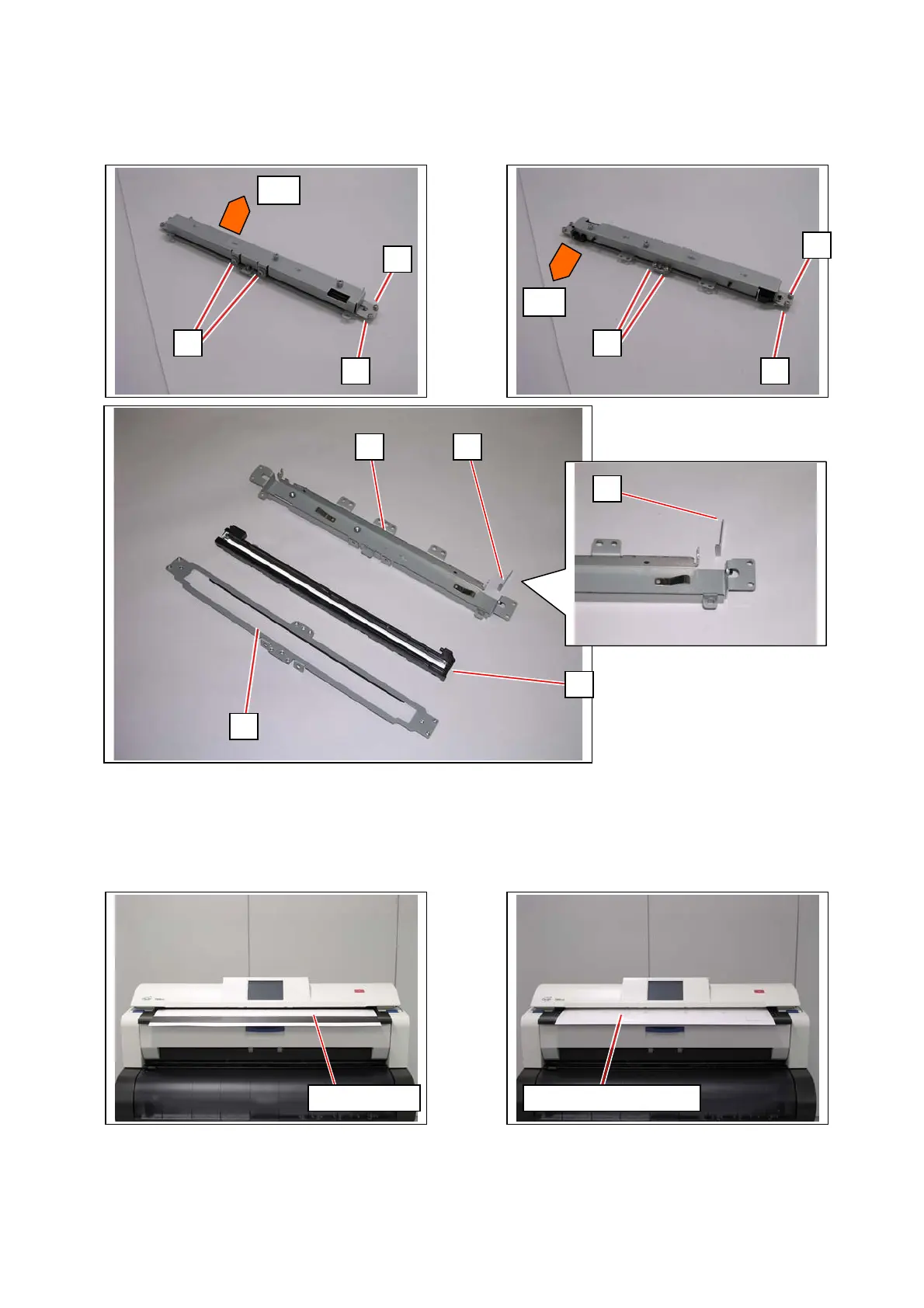
22. Remove 6 screws (33: M3x4 w/ SW) and 2 screws (34: M3x4) disassemble the CIS Unit.
- upper bracket (35)
- small spacer (36)
- CIS (29)
- lower bracket with Scan Glass Assy (28)
23. Replace CIS with a new one.
24. Return all the parts in position.
25. Perform the scanner calibration. See [8.13.4 Scanner Utility].
front
front
35
34
33
33
33
33
33
36
28
29
Shading Sheet Stitch Adjustment Chart
36



 To Next Page