K117sm5e6
5-84
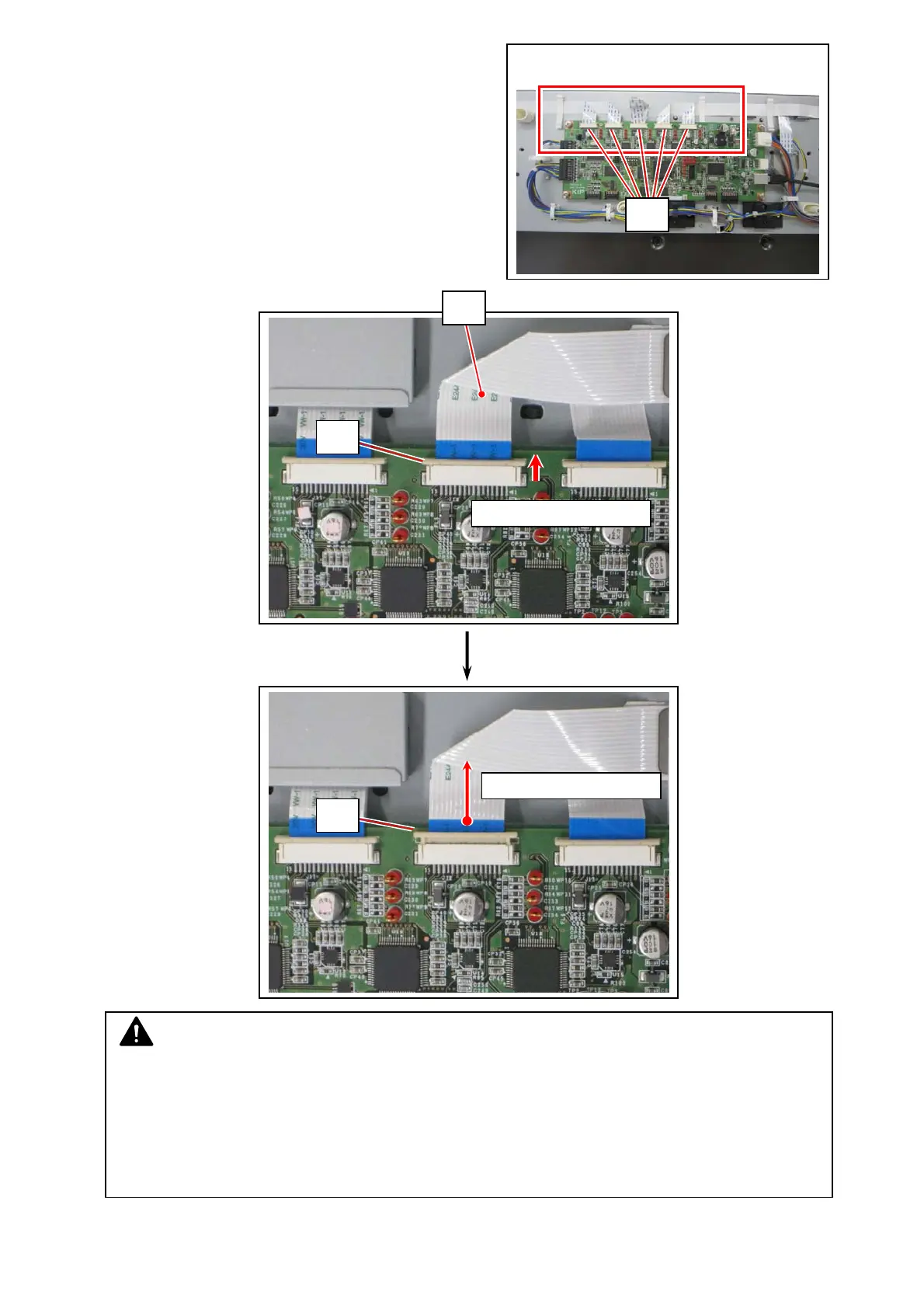
10. Unlock all the 5 flat cable’s terminal socket (12),
and then gently remove 5 flat cables (13).
NOTE
(1) FRAGILE. Handle the flat cables with great care.
(2) For reassembling, first confirm that the terminal socket has been released. Next gently
insert the flat cable’s end to the terminal correctly.
Reassembling incorrectly would lead abnormal scan image, for example the concerning
area of the scanned image turns solid black.
12
12
13
12
First: Unlock the socket.
Next: Remove the cable.



 To Next Page