K117sm5e7
5-97
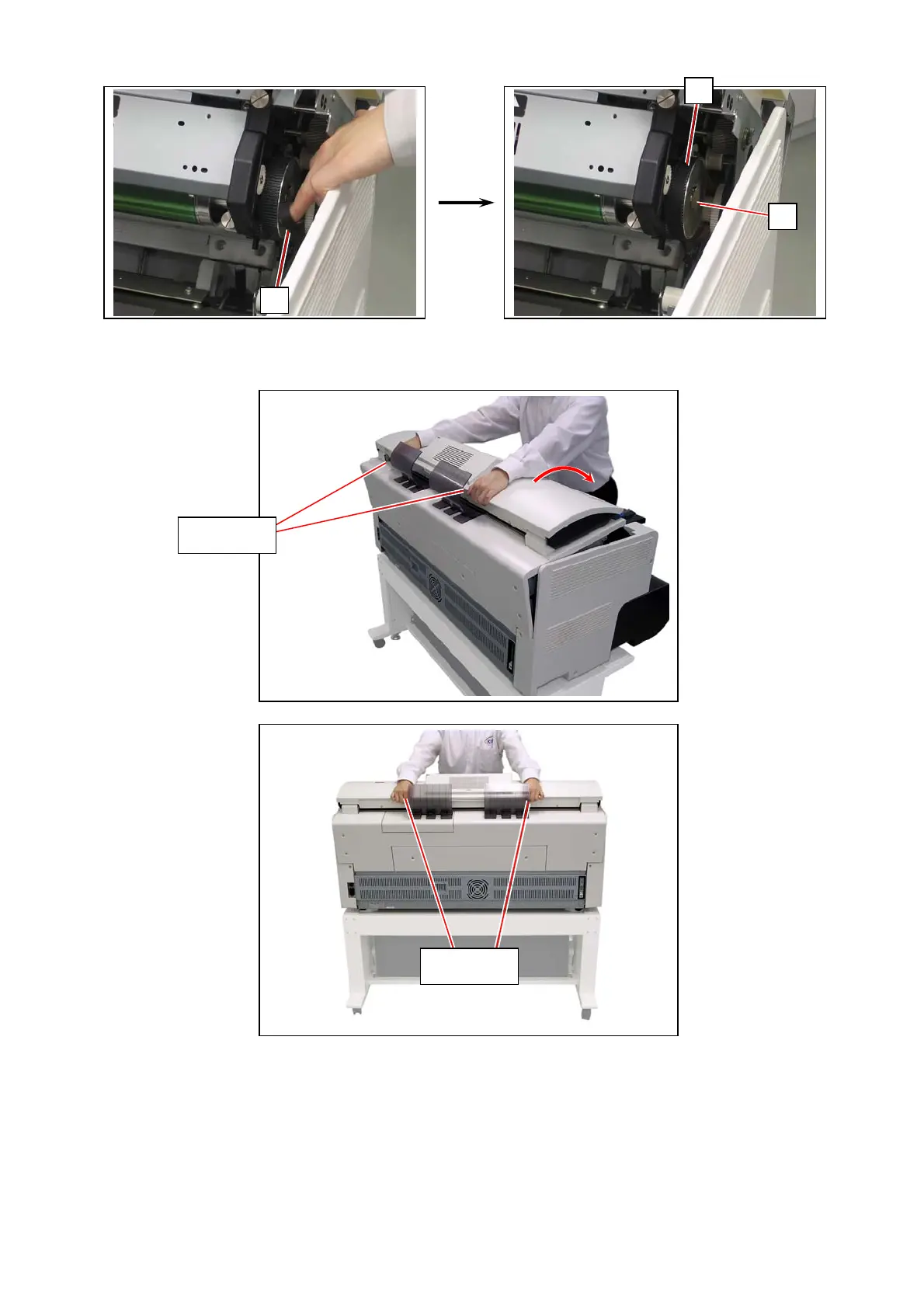
21. Return the belt (2) to the pulley (3).
22. Put your hands on the rear rim of the scanner unit just as you hold the Upper Unit.
Push the entire unit down to the arrow direction.
23. Run LED Confirmation wizard in KIP Service Software.
A 36 inch / A0 / 914mm wide roll media (plain paper / bond) is required.
For further details, see [8.14 Confirmation Wizard]
2
3
2
Hold here
Hold here



 To Next Page