K117sm5e9
5-114
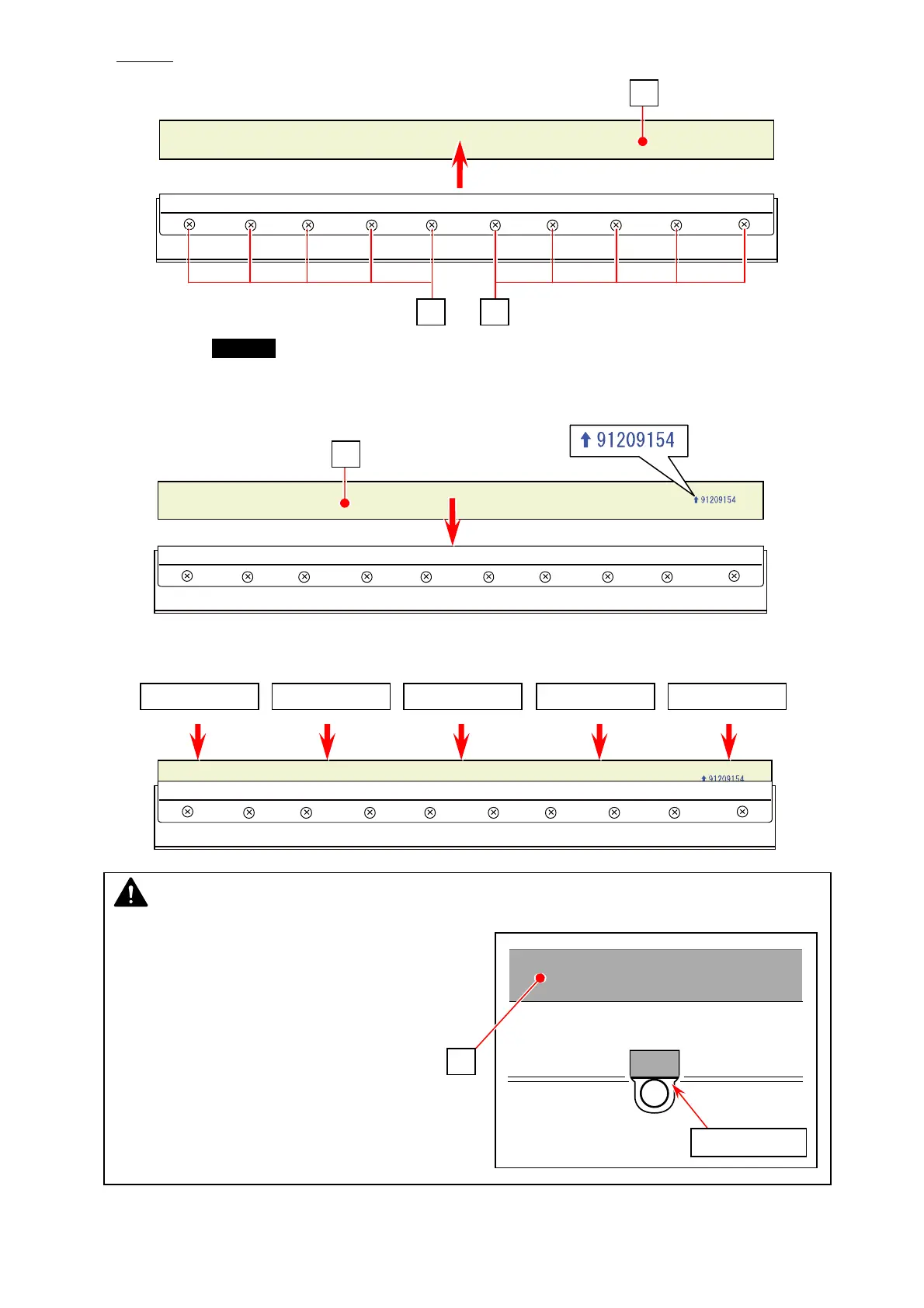
13. Loosen
10 screws (23) to remove the Scraper (24) from the Scraper Assy.
14. Put the new Scraper (25) to the Scraper Assy.
The Scraper (25) should be placed that the numbers printed on one side face can be read in
correct orientation. (The printed number illustrated below is an example as it is a kind of the
serial number)
15. Evenly push the entire Scraper (25) in the Assy.
23 23
24
25
Push here even Push here even Push here even Push here even Push here even
NOTE
Visually check that Scraper’s bottom edge
touches the round bosses through the Scraper
holder’s opening.
touches the boss
25



 To Next Page