K117sm7e3
7-45
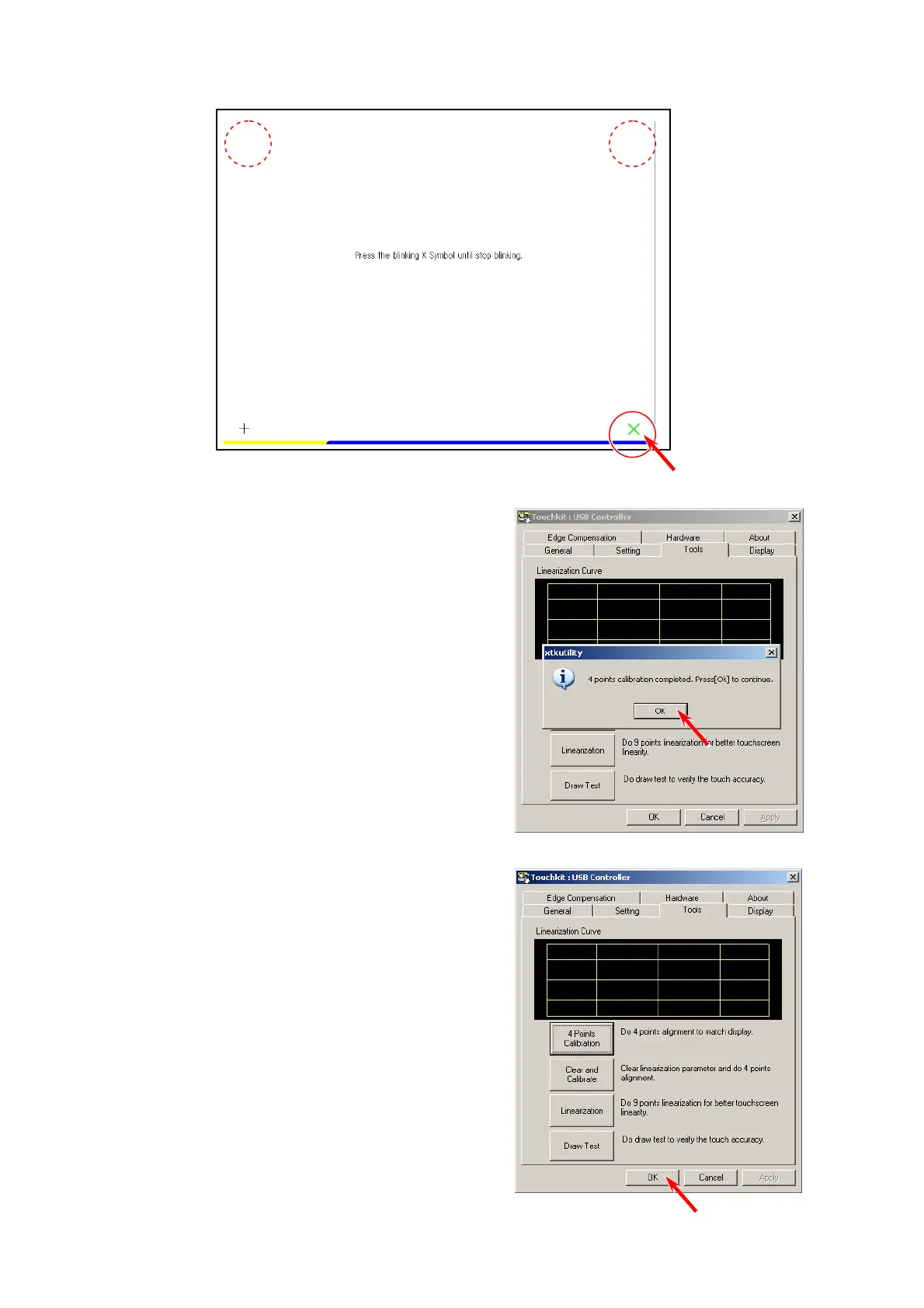
14. The X disappears and the next one will come in the following order:
bottom right, top right, top left.
Perform the same way for the other 3 points.
15. When all the 4 points are pressed successfully, Calibration screen disappears and the
following dialog appears. Press [OK].
16. Press [OK] to finish touch screen calibration.



 To Next Page