K117sm8e7
8-79
Example)
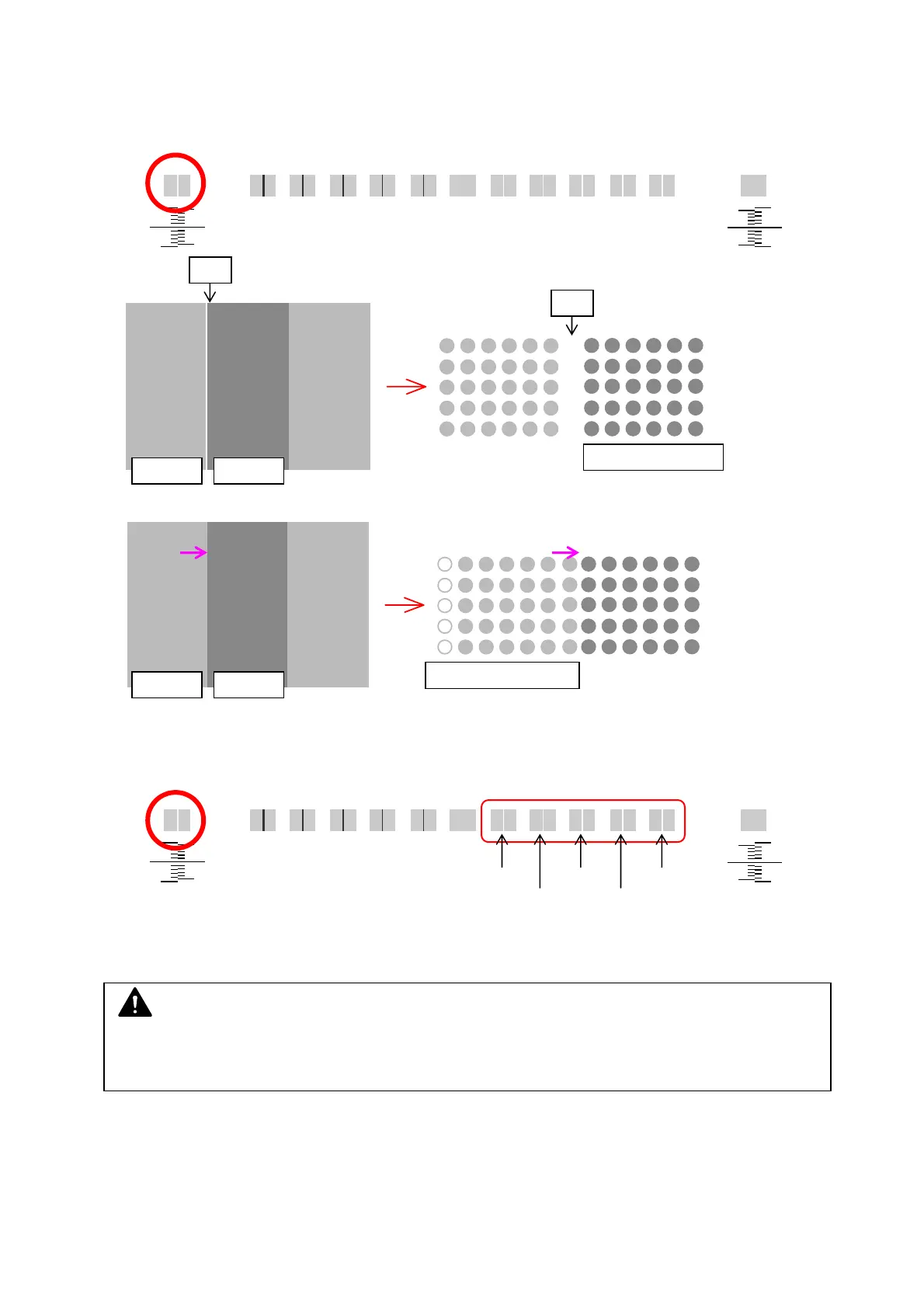
- The border between Block A/B has a white line. (= Block A displaced in left, apart from Block B)
Æ Block A should move right to touch with Block B.
white line at Border A/B
In this case, increase No.772 to shift Block A to the right side.
Compare the current border result and the samples, and find in how many pixel(s) the gap is.
current result gap samples
1 pixel 3 pixels 5 pixels
2 pixels 4 pixels
On the other hand, to remove a black line between Block A/B (= Block A displaced in left,
overlapping Block B), decrease No.772 and shift Block A left to remove overlap.
Block A Block B
gap
Block B: reference
gap
Block BBlock A
Block A moves right
NOTE
For a gap / overlap in less than 1 pixel, see [778, 779 Strobe Time Adjustment on Border
Pixels].



 To Next Page