K117sm2e3
2-31
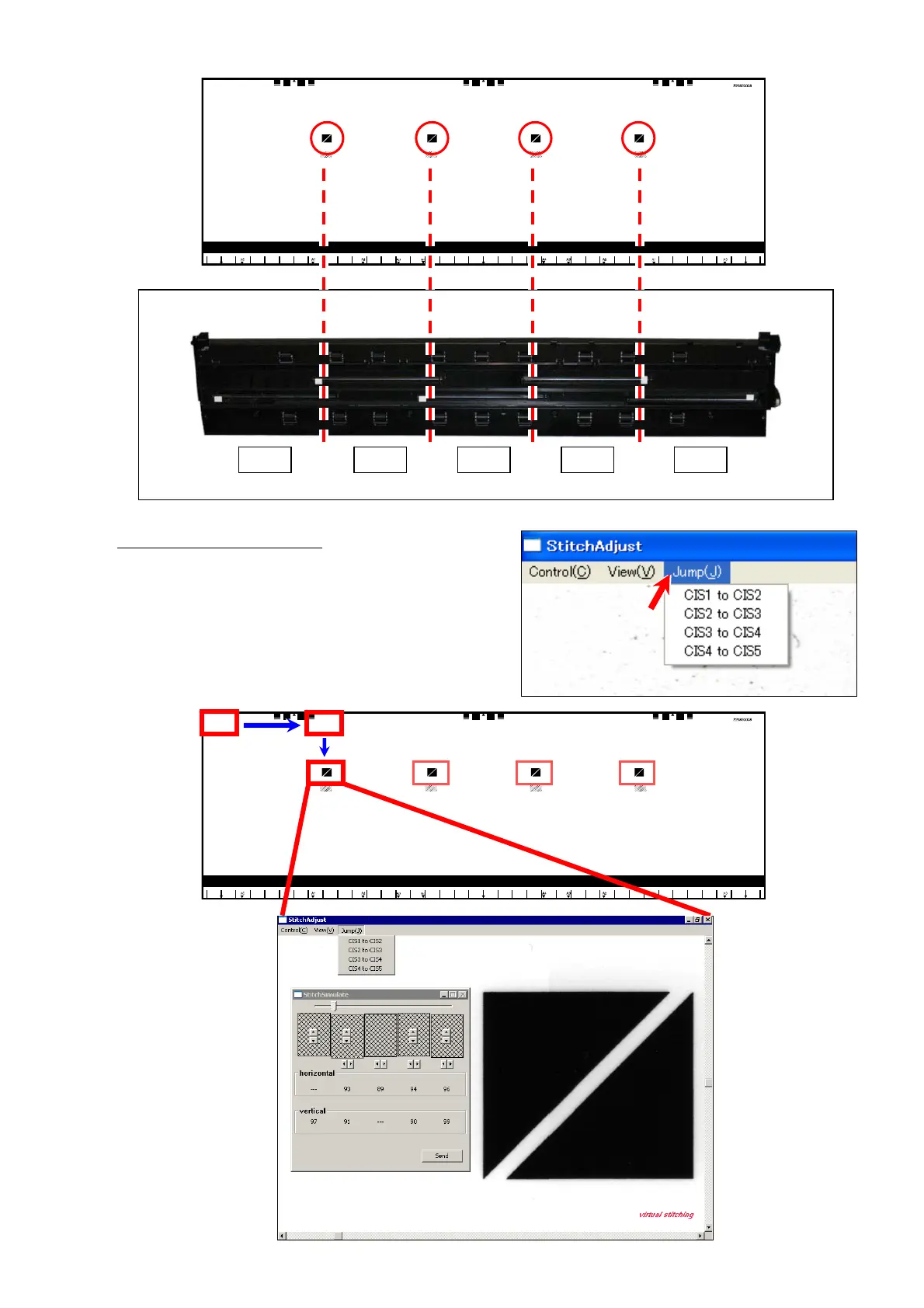
16. There are 4 target signs at every border between the CIS.
In “Stitch Adjustment” window
, Select [Jump] menu,
and then click [CIS1 to CIS2]. The display area will jump
to the corresponding area on the scanned image.
If “Jump” does not move to the target exactly, manually
scroll the image to catch the target in the window.
CIS 1 CIS 2 CIS 3 CIS 4 CIS 5



 To Next Page