K117sm8eB
8-136
[Operation]
1. Connect the scanner unit and the PC directly with a USB 2.0 Cable.
2. Start KIP Scanner Utility.
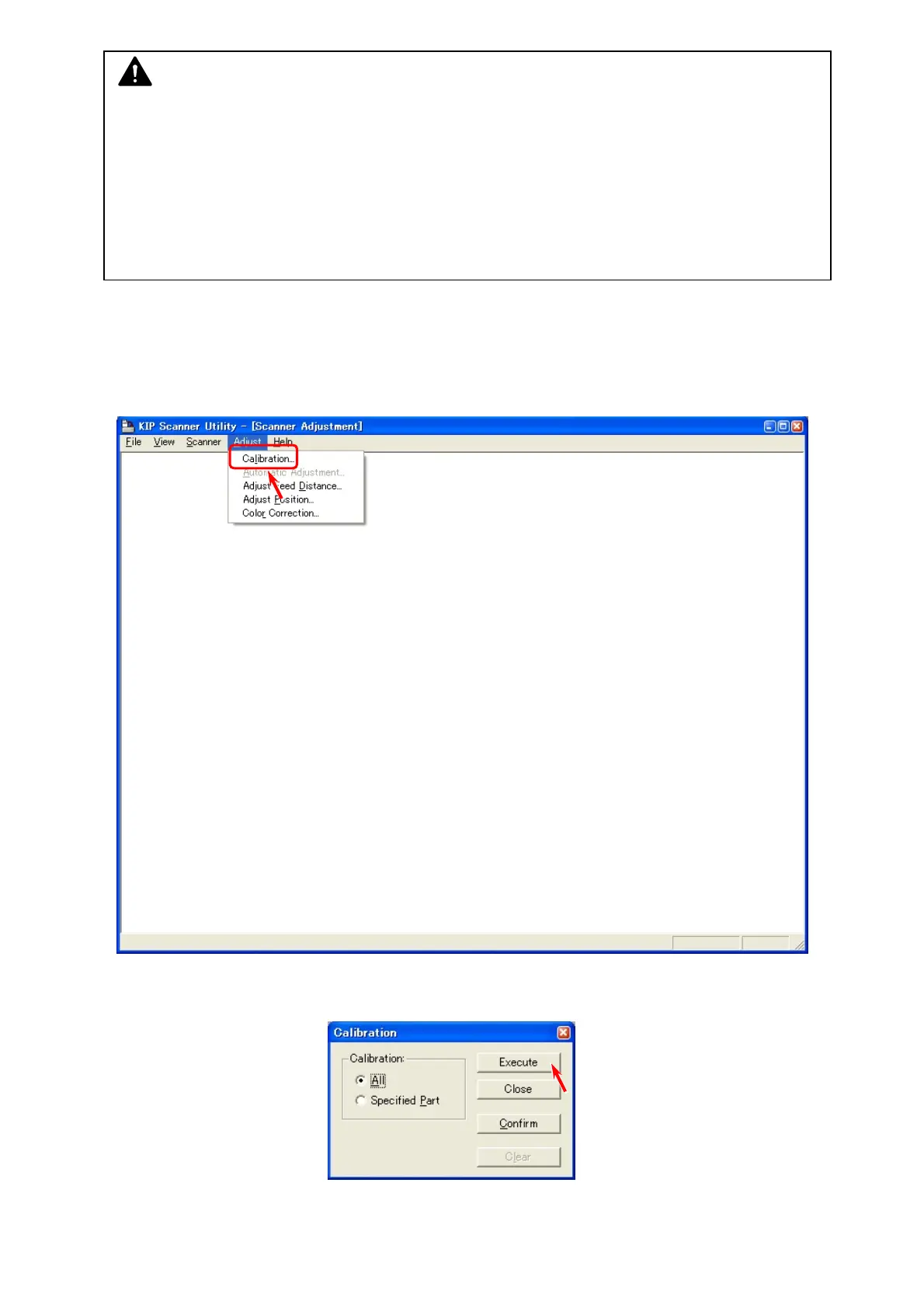
3. Select [Calibration] under [Adjust].
4. At first it is required to calibrate all pixels.
Select [All] and then click [Execute].
NOTE
(1) Shading adjustment should be performed with Shading Sheet (P/N: Z178300360, with a
bar code).
1 sheet of Shading Sheet is included in the product accessary. Keep it in safe custody.
(2) Shading adjustment should be performed with “KIP Scanner Utility 1.31 or later”.
“K105Utility” is not available.
(3) Please clean Scan Glasses before Shading.



 To Next Page