K117sm8eC
8-145
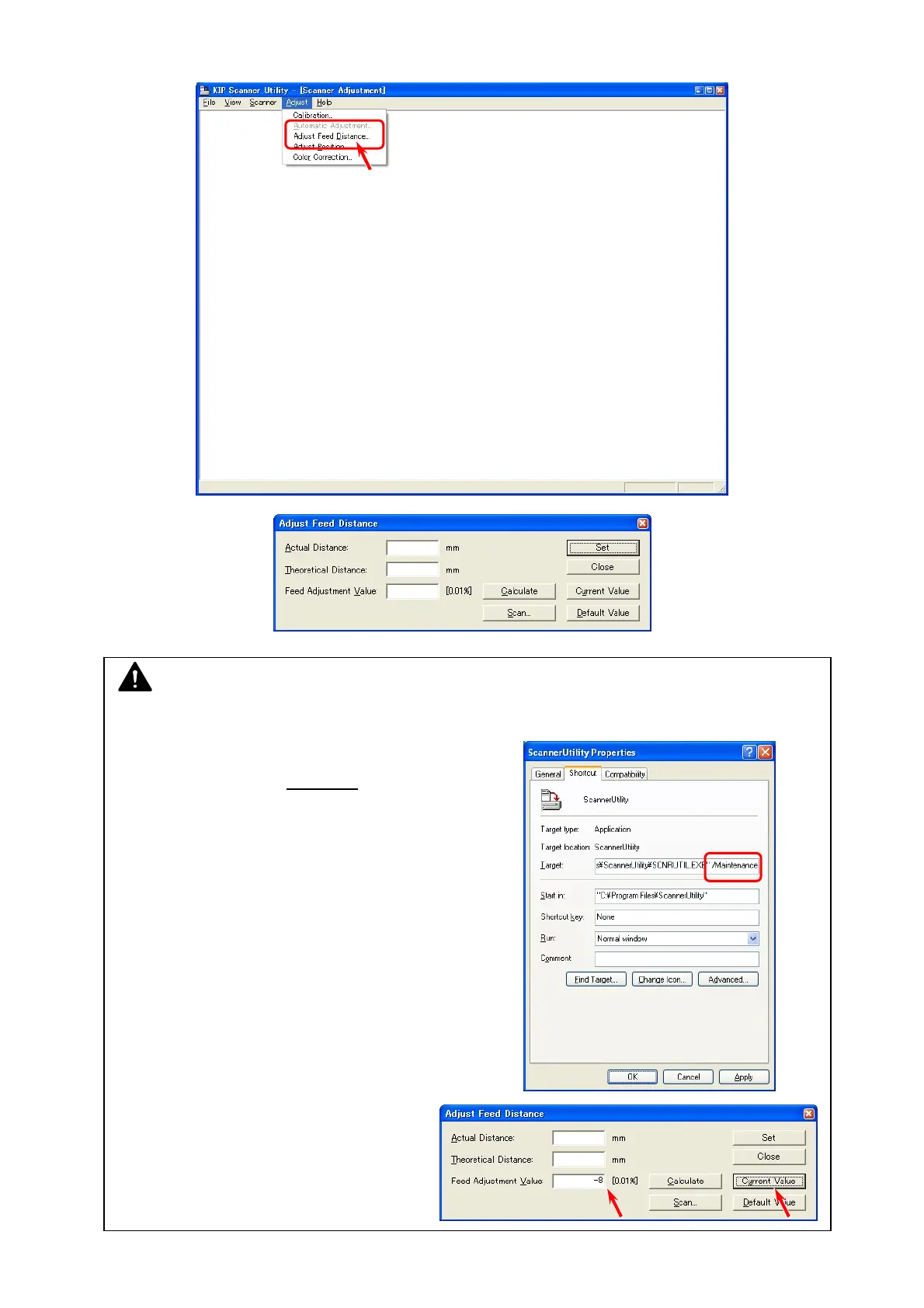
4. Select [Adjust Feed Distance] from [Adjust]. Adjust Feed Distance Dialog is indicated.
NOTE
(1) If [Adjust Feed Distance] does not appear, follow the instruction below.
a) Open the properties panel for a KIP Scanner
Utility shortcut. (ex. right click
on the shortcut)
b) Add the following text to the end of the target path.
“(one byte space)/Maintenance”
c) Click [Apply].
(2) Write down the current setting value
that will be displayed with [Current
Value].



 To Next Page