K117sm8eC
8-149
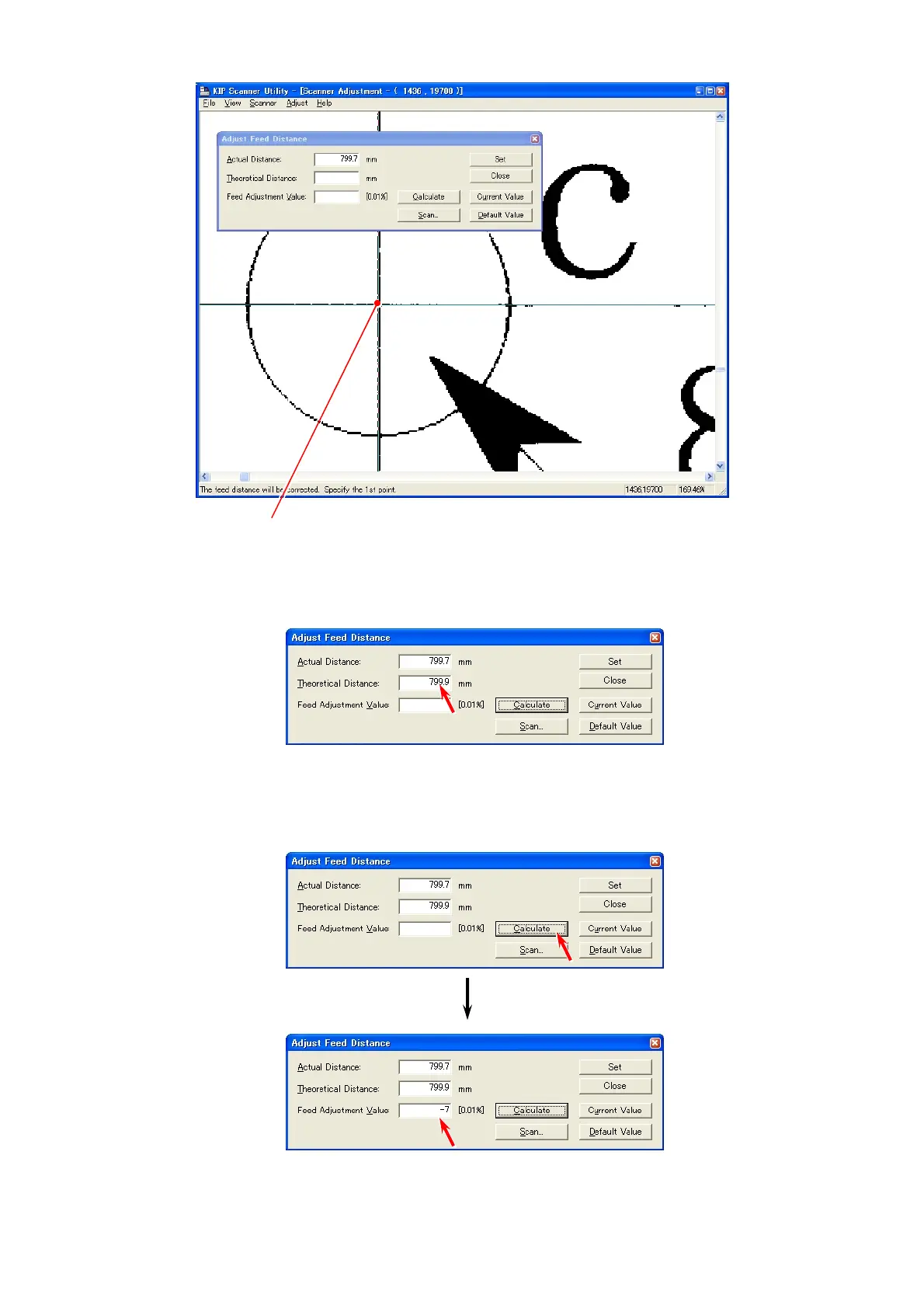
12. Similarly indicate the enlarged image of “c point” and click the mouse at the measuring point.
Click on the measuring point “c”.
13. Some value is indicated in [Theoretical Distance] according to 2 measuring points you
specified at both steps “9” and “10”.
This value means the distance between “a point” and “b point” of the resulting scan image.
14. Click [Calculate].
The program automatically calculates the best compensation value considering the difference
of “Actual Distance” and “Theoretical Distance”.
The calculated compensation value (motor speed) is indicated in [Feed Adjustment Value].



 To Next Page