K117sm8eC
8-150
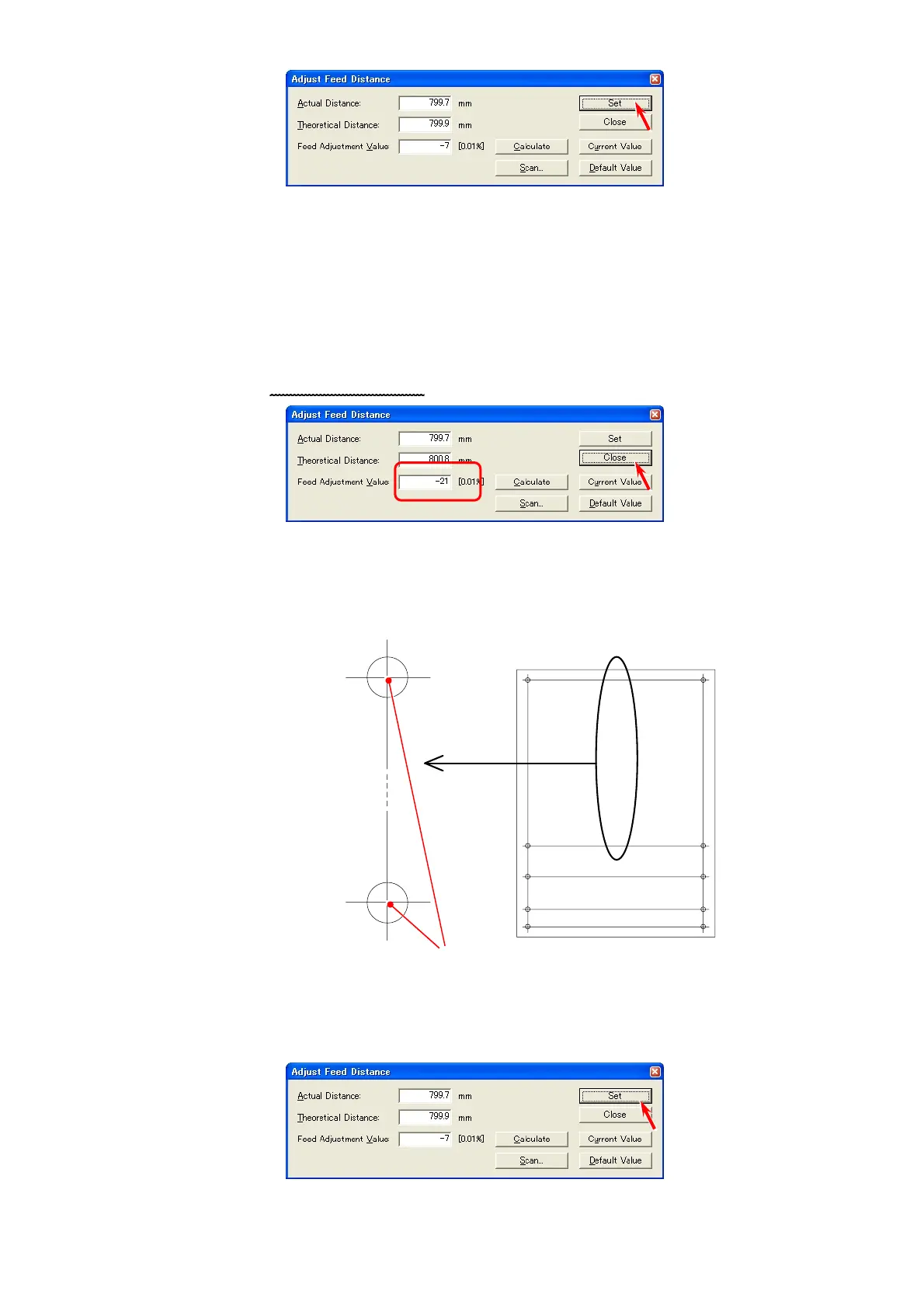
15. Click [Set], and the calculated Feed Adjustment Value is validated.
16. It is necessary to check the balance of original feeding between left and right after validating
the new setting.
(Left side means “a-c points” side, and right side means “b-d points” side.)
Repeat the former steps from “3” to “12” also for the right side (between “b point” and “d point”),
and compare the values of Feed Adjustment Value between left (a-c points) and right
(b-d points).
You do not have to do anymore thing if the difference between left and right is within 0.2%.
(“within 0.2%” means the difference of indicated values is within +/-20.)
Please click [Close] without clicking [Set]
.
17. If the difference of the values of Feed Adjustment Value between left and right is larger than
0.2%, do as follows.
a) Measure the actual distance between the center of a-b points and that of c-d points on the chart.
Center of a-b points
Center of c-d points
Measure between these 2 points.
b) Repeat the former steps from “3” to “12” for the center area.
c) Click [Set] to validate the Value indicated in [Feed Adjustment Value].
b
d 1000
a
c 800
c 1000
d 800
d 1100
c 1100
d 1150
c 1150



 To Next Page