K117sm8eC
8-152
[Operation]
1. Connect the scanner unit and the PC directly with the USB 2.0 Cable.
2. Start KIP Scanner Utility.
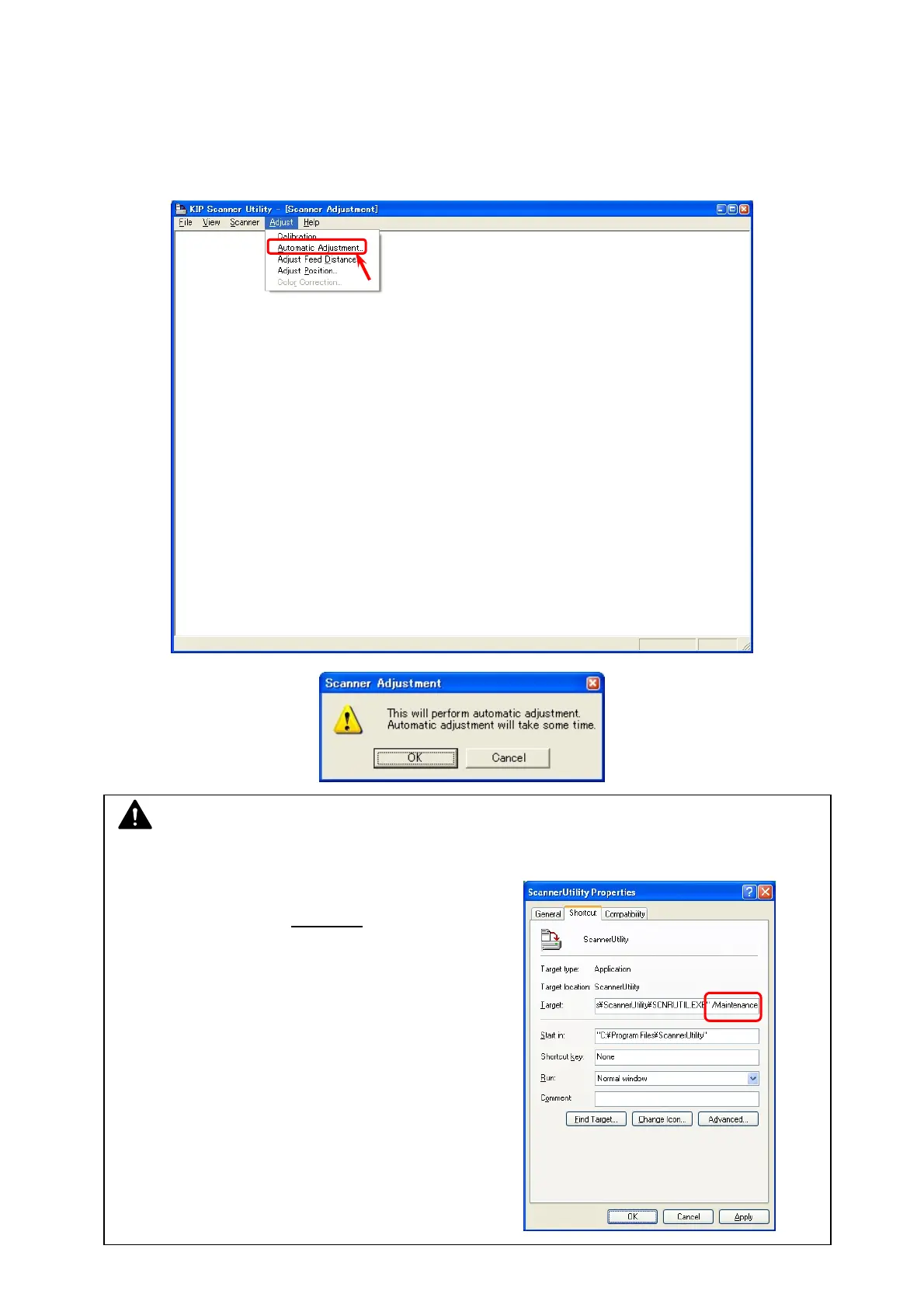
3. Select [Automatic Adjustment] from [Adjust]. Scanner Adjustment Dialog is indicated.
NOTE
If [Automatic Adjustment] does not appear, follow the instruction below.
a) Open the properties panel for KIP Scanner
Utility shortcut. (ex. right click
on the shortcut)
b) Add the following text to the end of the target path.
“(one byte space)/Maintenance”
c) Click [Apply].



 To Next Page