K117sm8eE
8-237
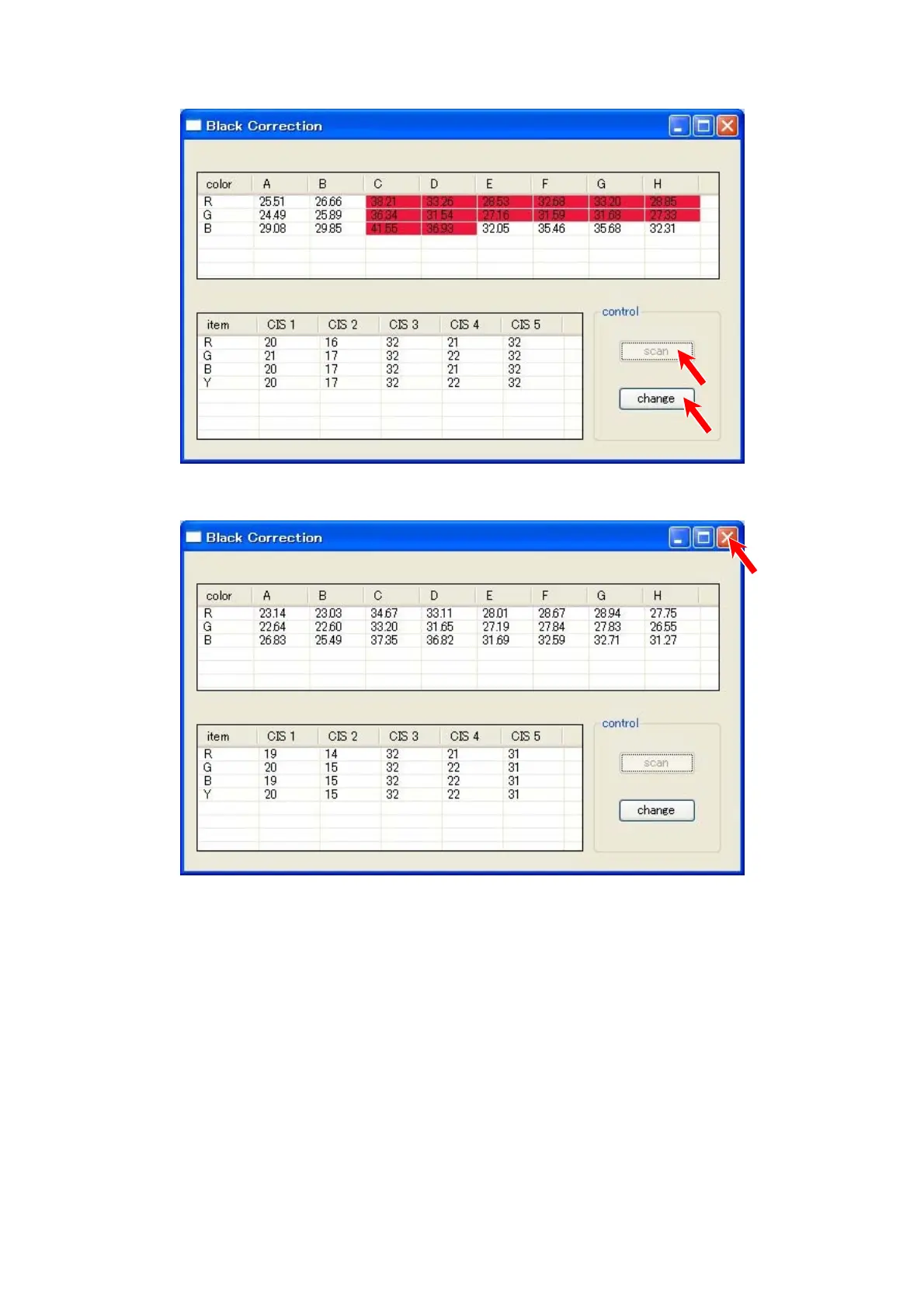
15. If there is a cell in red, press [change] on the bottom right.
Set the Black Brightness Correction Chart to the scanner, and then press [scan].
Do the same way until all the cells turn white.
16. When all the cells turn white, click the X button at the top right corner to close “Black
Correction” window after selecting [change].



 To Next Page