K117sm9e3
9-27
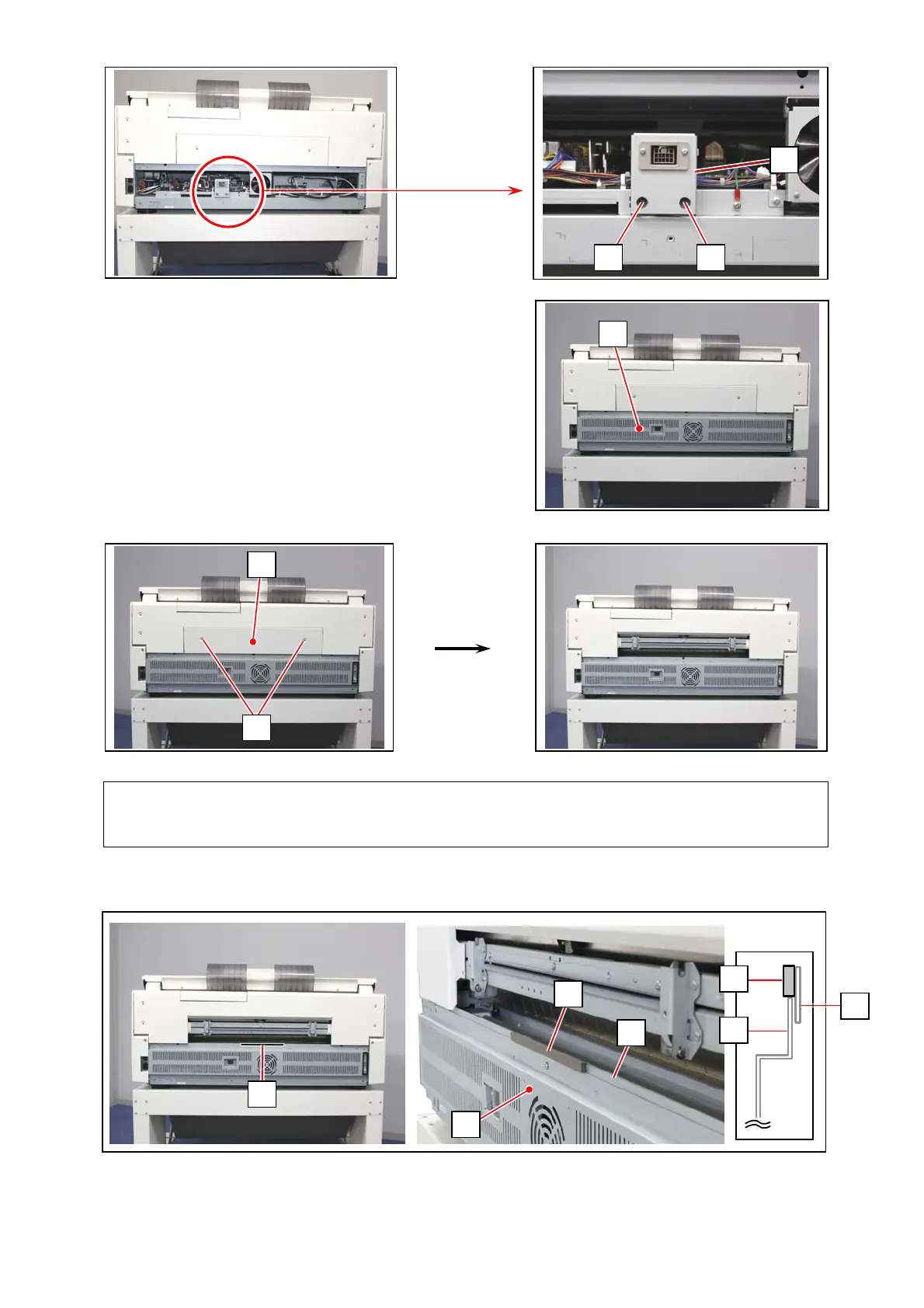
4. Fix Connector Bracket (6) to the machine with 2 bind screws (8).
5. Return the Rear Cover (3).
6. Remove 2 tooth washer screws (9) to remove Cover 31 (10).
7. Apply Gasket (11) to the bottom center of the opening rim on the machine frame (12).
Do not apply it on Rear Cover (3).
8
6
3
9
10
Reference 参照
Cover 31 is not used with the Paper Tray installed.
12
8
11
3
3
11
12
11



 To Next Page