K117sm9e4
9-50
Paper Jam via Paper Tray
If a print job (with cut sheet(s) on the Paper Tray) does not start, the way of loading sheets is not correct.
Remove and reseat all the sheets in position.
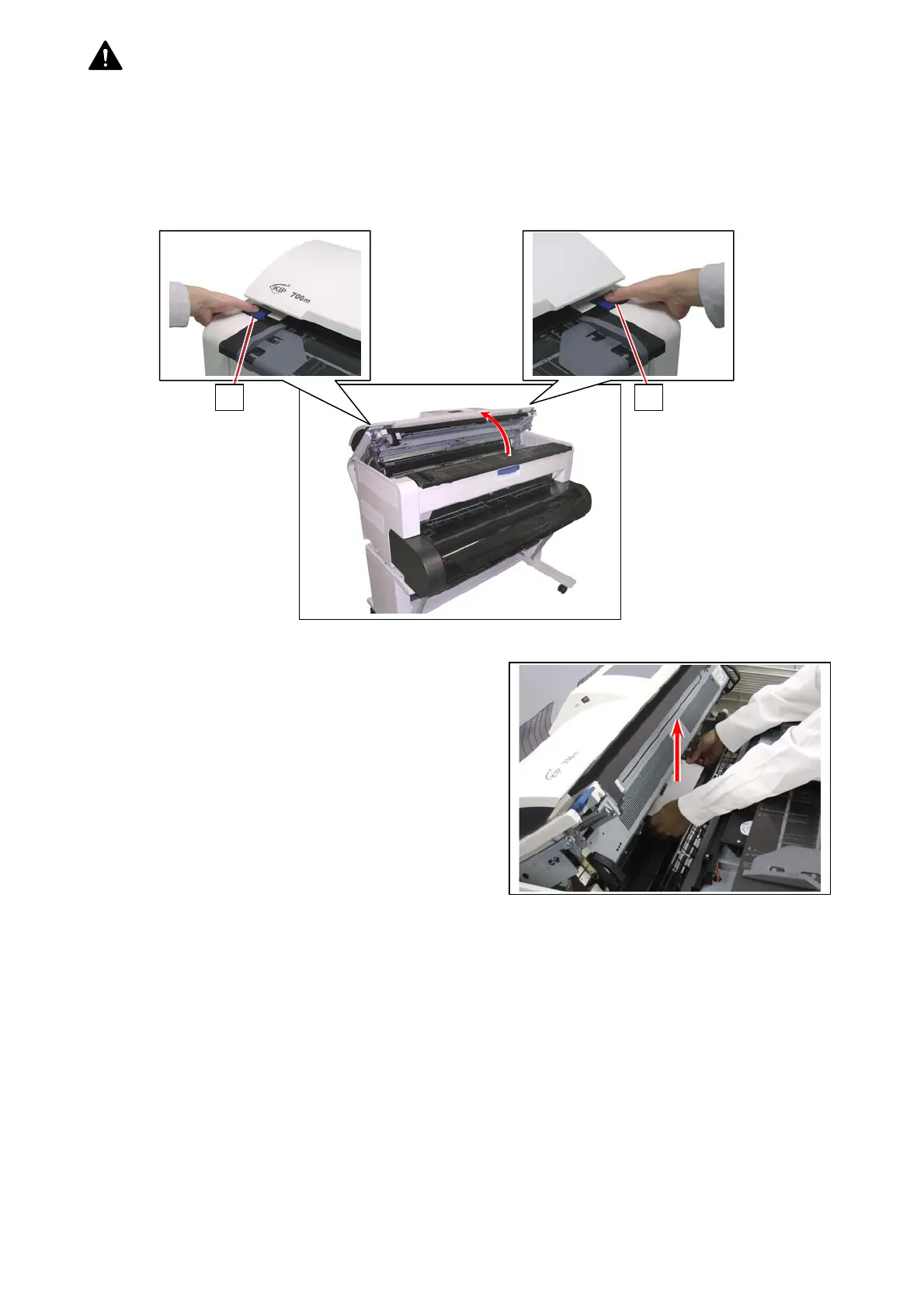
To remove a mis-fed sheet supplied from the Paper Tray, you may need additional treatment as follows.
1. Press down the blue levers (1) on both sides to unlock the Upper Unit of the printer.
Gently open the Upper Unit to dampen the force of opening motion.
2. Remove the mis-feed sheet. If you cannot remove / see a mis-fed sheet, go to the next step.
(next page)
1 1



 To Next Page