K117sm9e4
9-51
3. (If the mis-fed sheet remains on step 2)
Pull the mis-fed sheet toward the rear. If you could not, go to the next step.
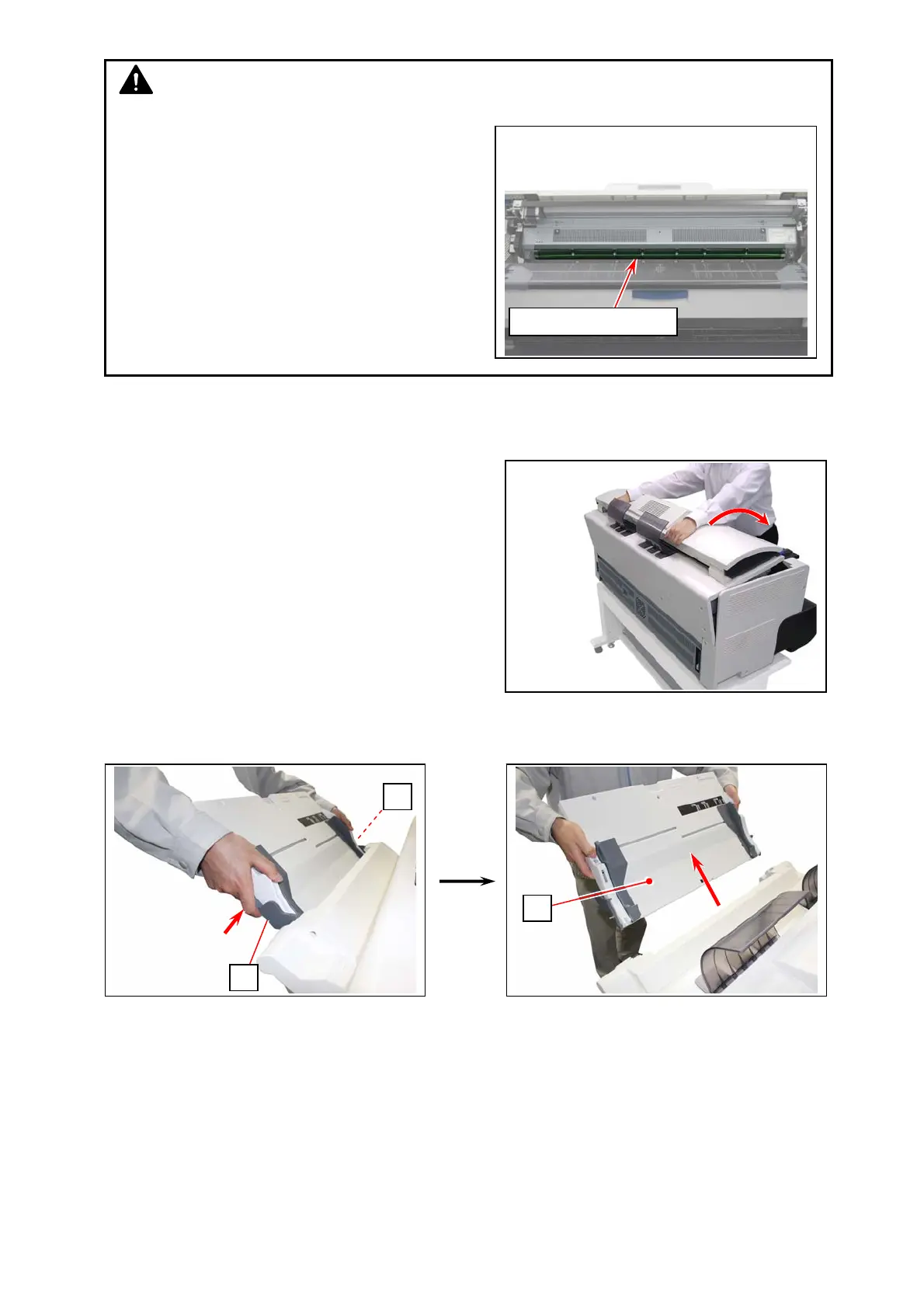
4. Put your hands on the rear rim of the scanner unit just
as you hold the Upper Unit.
Push the entire unit down to the arrow direction.
If you could not remove a mis-fed sheet on step 2 or 3,
go to the next step.
5. Remove the loaded sheets on the Paper Tray. Retract the table if extended.
6. With holding the gray levers (2) on both sides, pull the table unit (3).
2
3
2
NOTE
“Photoconductive Drum” (horizontal green cylinder) on
the Upper Unit is a vital part for creating print images.
Damaged one would require the part replacement.
- Never touch the green surface.
- Unwear any accessory (watch, ring, etc)
- Do not leave the Upper Unit open more than 10
minutes. The Photoconductive Drum is very
sensitive to light.
Photoconductive Drum



 To Next Page