215916 90 Revision A
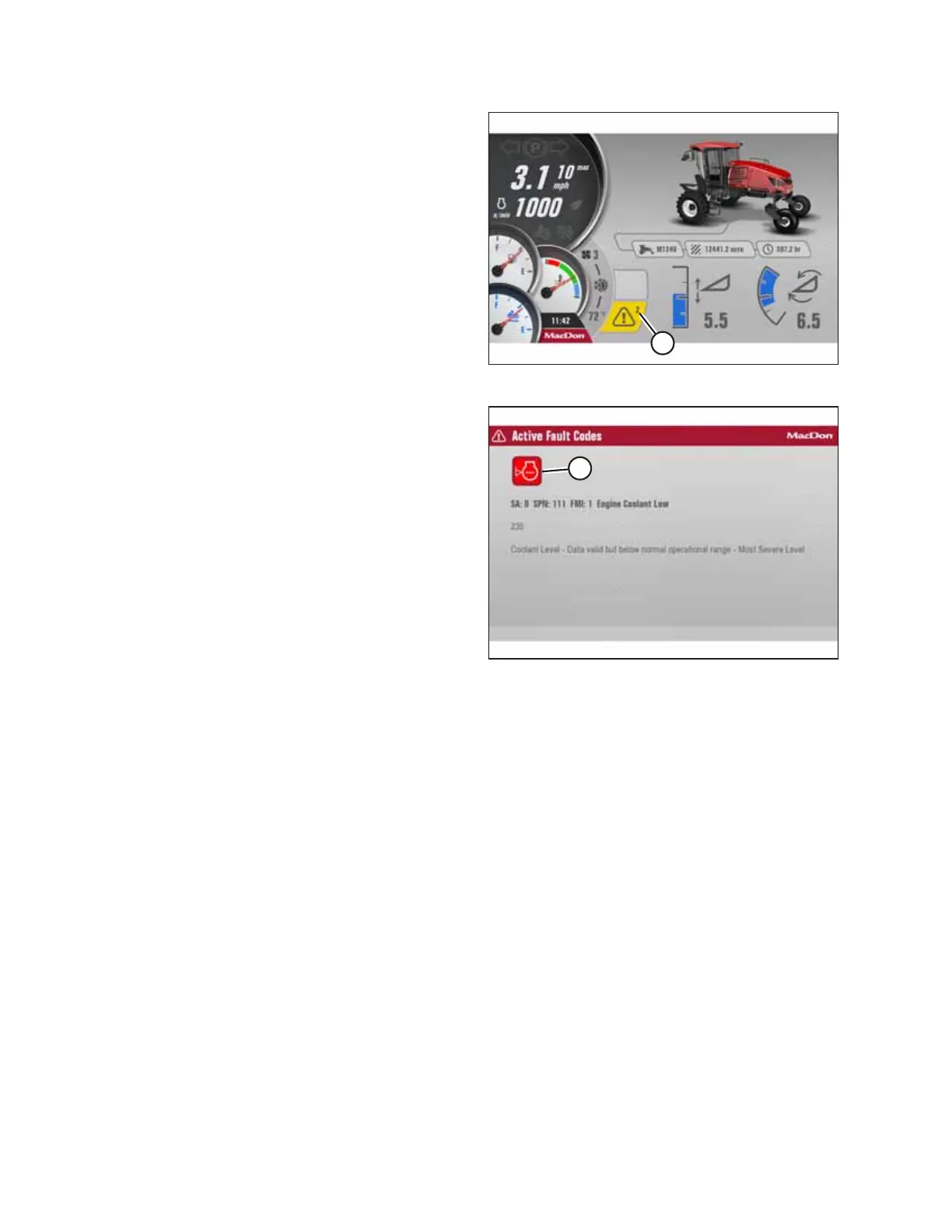
Figure 3.97: Telltale Icon – Multiple Faults Detected
If multiple faults are detected, the number of faults will appear
in the corner of telltale icon (A).
Figure 3.98: HPT Fault Description Page
Using the HPT scroll/select knob, select the question mark
symbol next to the short description to display a detailed
description of the fault. If there are multiple faults, telltale
icons (A) will appear on screen in a row. To display a detailed
description of each fault, use the HPT scroll/select knob to
select the icon.
3.17.3 Setting up Harvest Performance Tracker Screen
The screen menu configures the Harvest Performance Tracker (HPT) display and volume settings, and resets the HPT to
factory defaults.
The following settings should be checked before initial operation of the windrower:
• Brightness and volume
• Time and date
• Language and units of measurement
The key must be turned to the ON position to enter the setup menu, but the engine does not have to be running.
Setting Screen Brightness
Screen brightness is shown with a 10-segment bar graph and is adjustable down to 10%. The brightness automatically
adjusts for daytime and nighttime operation. Day mode is defined as having the headlights or work lights OFF (or having
only the clearance lights ON). Night mode is defined as having either the headlights or work lights ON.
Follow this procedure to adjust the screen brightness:
OPERATOR’S STATION



 To Next Page