3 - 188
Chapter 3 Removal and Replacement Procedures (RRPs)
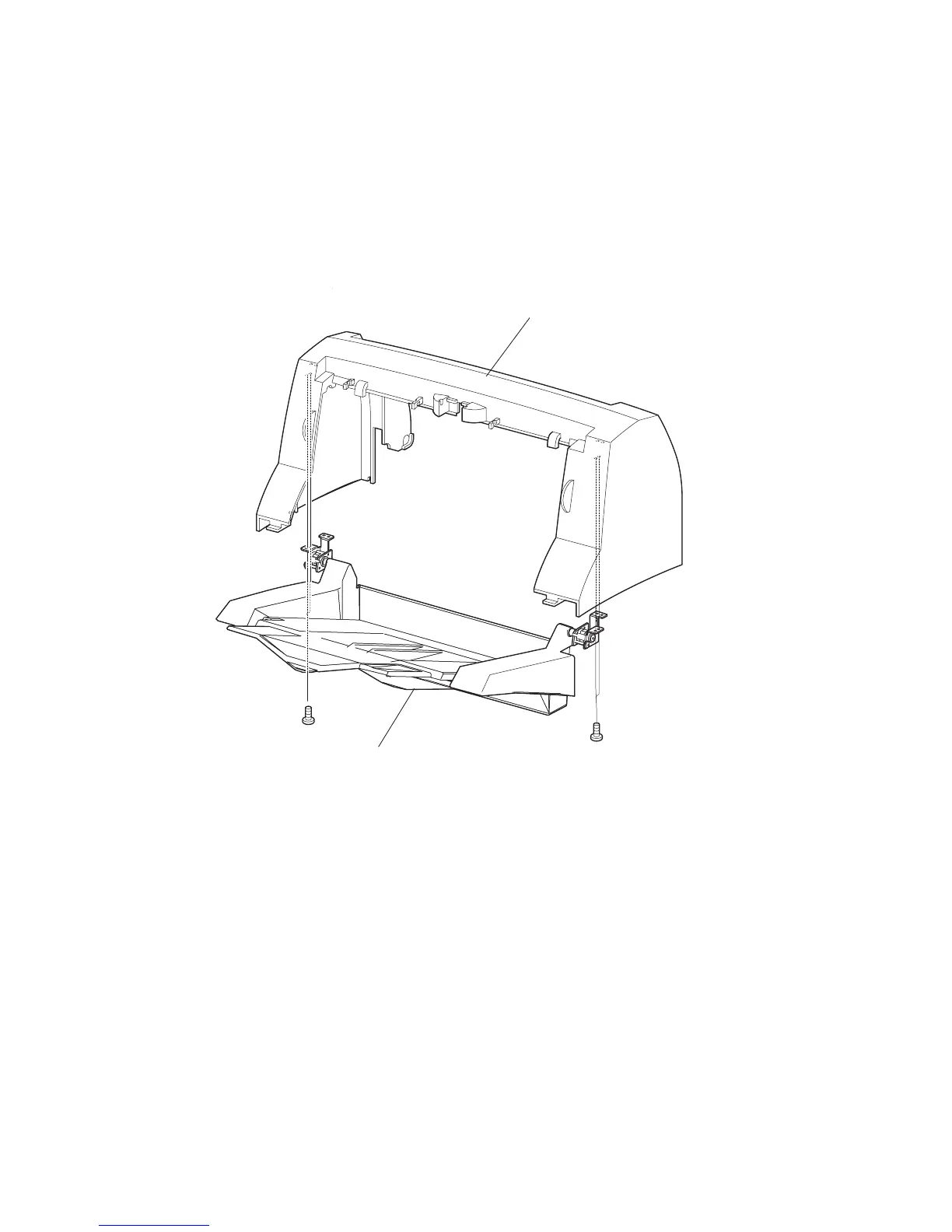
RRP11.3 TRAY ASSY OCT (PL11.1)
Removal
1) Remove the COVER REAR (PL 11.1). (RRP11.2)
2) Remove the COVER OCT (PL 11.1). (RRP11.4)
3) Remove the 2 screws (gold tapping, 8mm) on both sides securing the TRAY ASSY OCT to the
removed COVER OCT, and remove the TRAY ASSY OCT from the COVER OCT.
Replacement
1) Install the TRAY ASSY OCT to the COVER OCT (PL 11.1) using the 2 screws (gold tapping,
8mm) on both sides.
2) Install the COVER OCT. (RRP11.4)
3) Install the COVER REAR (PL 11.1). (RRP11.2)
JG3819AA
COVER OCT
(PL23.1.1)
TRAY ASSY OCT
(PL23.1.40)





 To Next Page