DRUM
SM 3-53 C267
C267 Service
Manual
3.9.7 INK DETECTION ADJUSTMENT
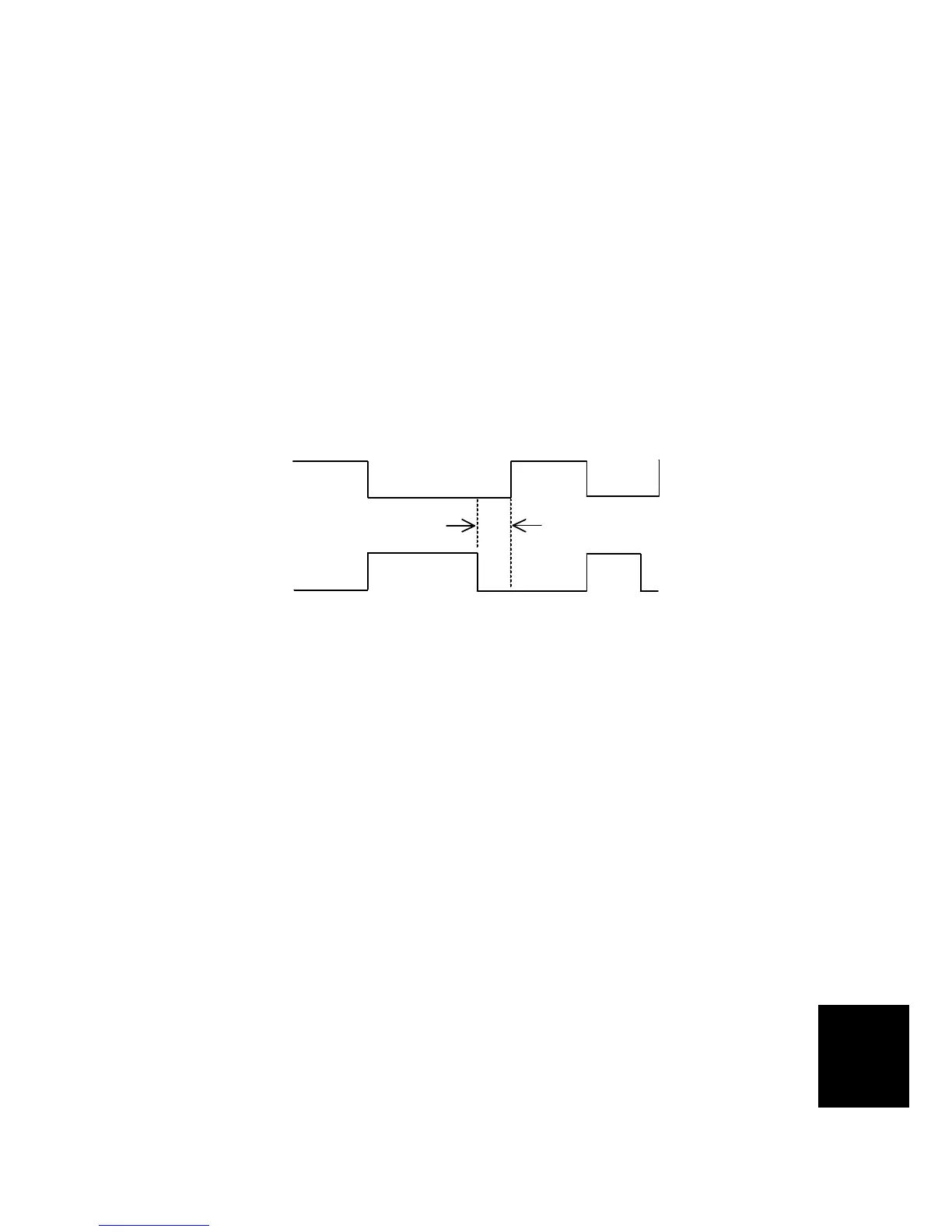
Using an Oscilloscope
Purpose: To ensure that the CPU detects a no ink condition.
Standard: 4.0 ± 0.2 μsec
NOTE:
1) Before attempting this procedure, wipe off the ink around the ink roller.
To do this, set SP2-10 (Ink Detection) to OFF, and feed paper until ink
ends.
2) This adjustment is required every time the MPU has been replaced.
3) Normally, the simple method is sufficient. But, the oscilloscope method
is more accurate. Use the oscilloscope method if you cannot adjust the
sensor to the required value with the simple method, or if ink flooding
problems occur after adjustment with the simple method.
1. Turn off the main switch and disconnect the power plug.
2. Remove the rear cover.
3. Connect the CH1 probe of an oscilloscope to TP25 (INK1), the CH2 probe to
TP23 (INK2). Select the 2-microsecond range on the oscilloscope.
4. Connect the power plug and turn on the main switch.
5. Make sure that the waveform is as shown in the illustration while the ink end
indicator lights.
6. If it is not correct, adjust the ON timing of the detection signal by turning VR1
beside the test pins.
NOTE:
1) If the ink detection off mode has been selected with SP2-10, do not
forget to return it to the default (detection on).
C267R912.WMF
CH1
(Standard signal)
CH2
(Detection signal)
4.0 ± 0.2



 To Next Page