GUIDE TO COMPONENTS AND THEIR FUNCTION
1-7
SM C231/C237/C238
Overall
Information
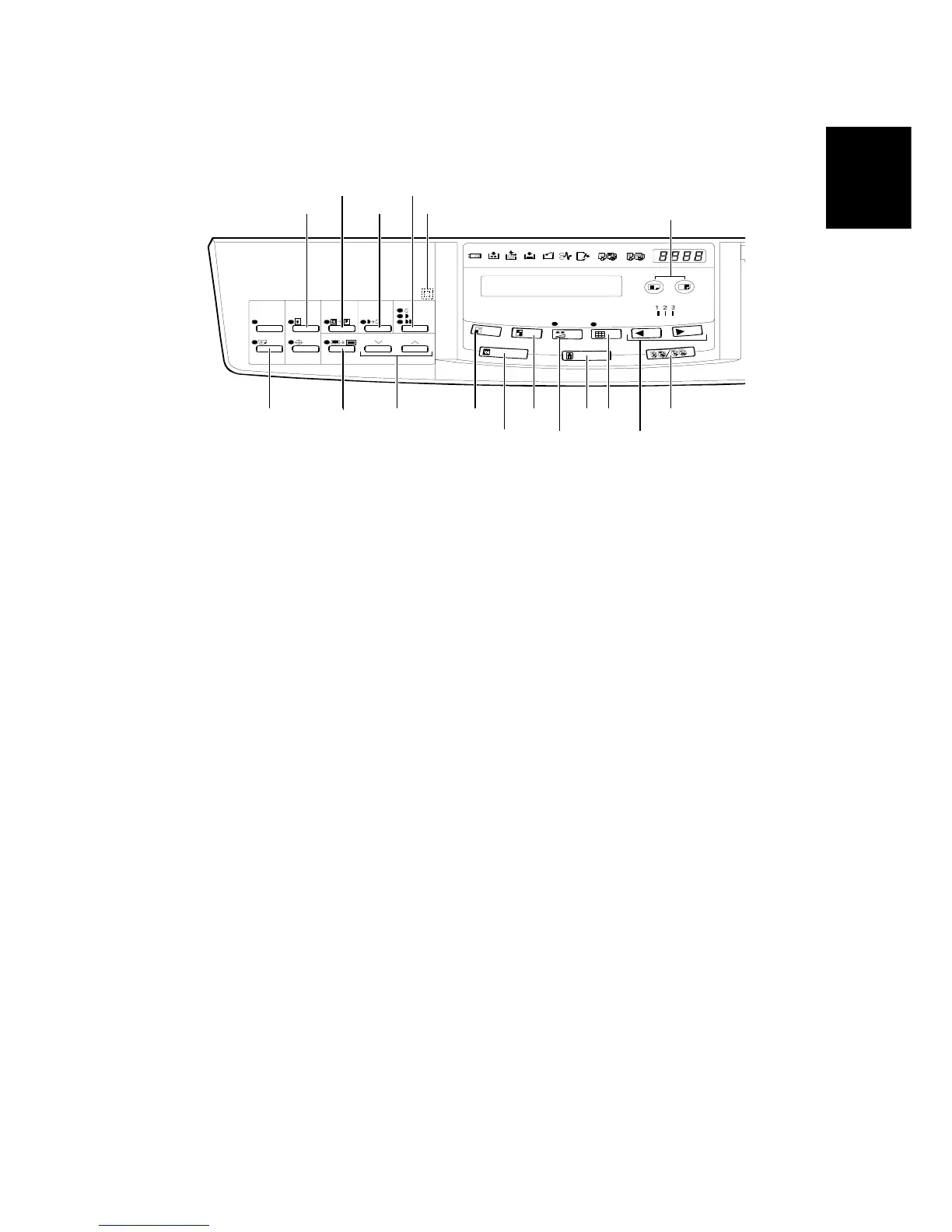
1.2.3 OPERATION PANEL
Keys
1. Security key
Press to make prints of
confidential documents.
2. Paste Shadow Erase key
Press to erase the shadows on
images of pasted originals.
3. Tint key
Press to make prints in grey.
(This is the Tint/Economy key for
the China version.)
4. Image Density key
Press to make prints darker or
lighter.
5. Check Indicator
This indicator lights when you
have selected one or more of the
functions accessed by lifting the
behind cover and pressing the
keys underneath (e. g. Security
key, Paste Shadow Erase key
etc.). This lets you know whether
one or more of these functions is
selected, even if the cover is
lowered.
6. Skip Feed key
Press to select skip feed printing.
7. Center/Edge Erase key
Press to print book originals that
have a solid image on the center
or edges.
8. Scroll keys
Press to select size and direction
of paper or original for
Center/Edge Erase.
9. Reduce key
Press to reduce the image.
10. Full Size key
Press to make full size prints.
11. Enlarge key
Press to enlarge the image.
12. Economy key
Press to save ink. (This is the
Combine 2 Originals key for the
China version.)
13. Type of Original key
Press to select Letter, Photo, or
Letter/Photo mode.
14. Fine key
Press to select fine image mode.
15. Image Position key
Press to shift the image forwards
or backwards.
C231V511.WMF
1
2
3
4
5
6
7
9
8
10
11
12
13
14
20
21
15



 To Next Page