DRUM
C231/C237/C238 3-24 SM
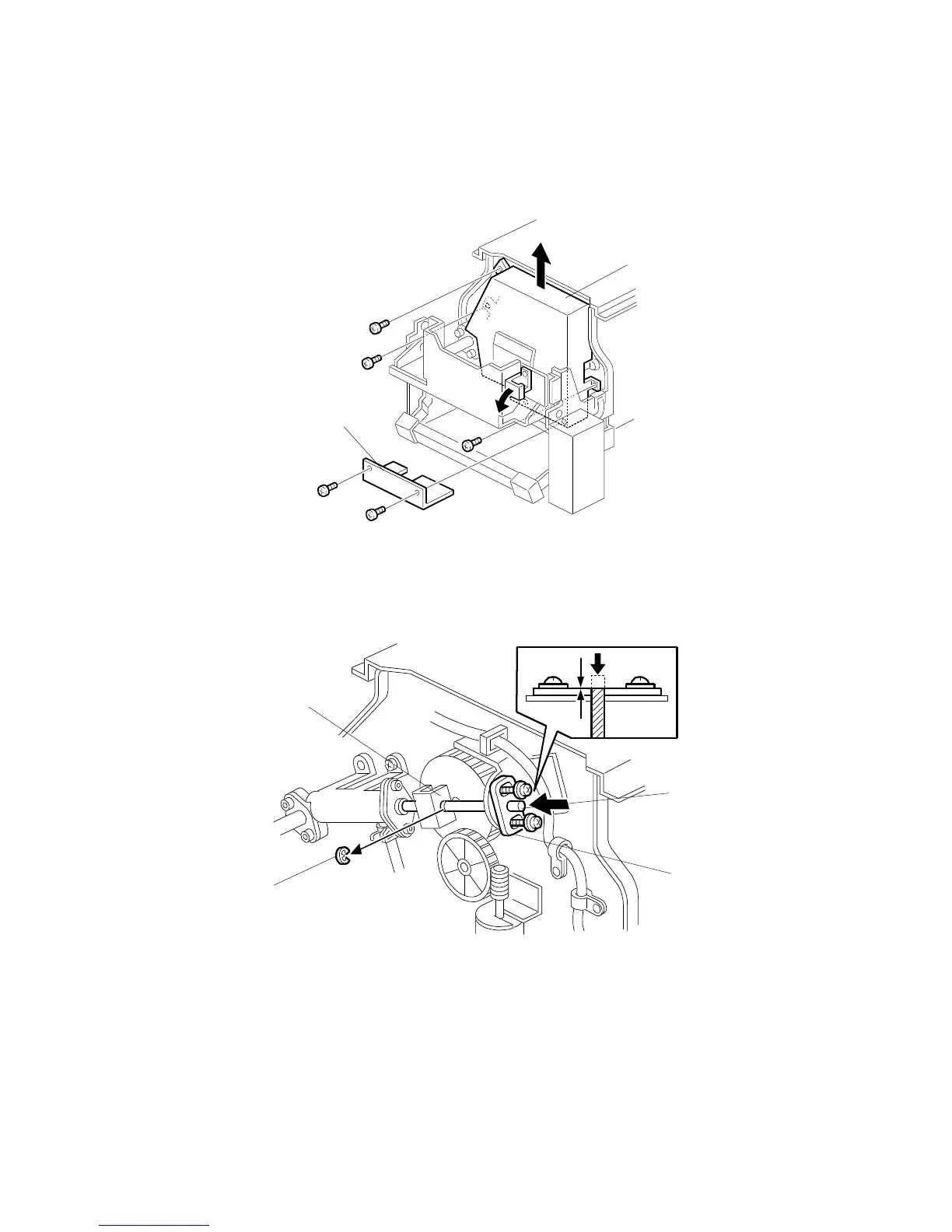
3.8.4 INK PUMP ADJUSTMENT
Purpose: To ensure the smooth operation of the ink pump plunger by properly
positioning its holder.
•
Remove the drum
[A]: Lower pump cover (
x 2)
[B]: Upper pump cover (
x 3)
1. Remove the E-ring [C] to free the plunger from the pump drive slider [D].
2. Loosen the two screws securing the holder [E]. (Do not remove the holder.)
3. Push the plunger [F] until it reaches the bottom.
NOTE:
The end of the plunger [F] must not stick out from the holder [E].
C238R014.WMF
C238R015.WMF
[A]
[B]
[C]
[D]
[E]
[F]



 To Next Page