DRUM
SM 6-31 C267
C267 Service
Manual
6.8.8 DRUM TYPE DETECTION
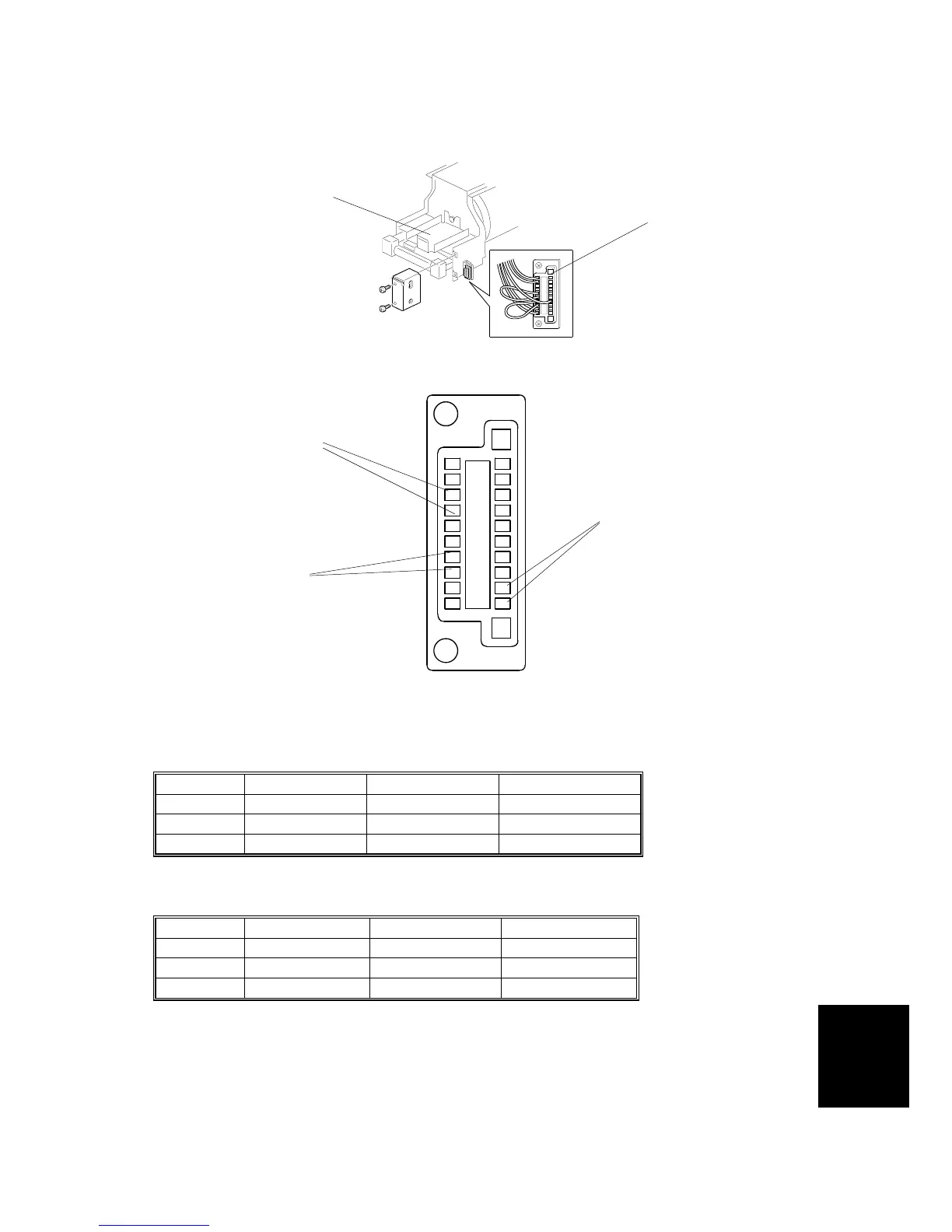
The type of drum is distinguished by inserting jumper wires in the drum connector
[A] at three locations, as shown in the lower diagram.
Black drum
Identify Color Identify size 1 Identify size 2
B4 drum No jumper Jumper inserted Jumper inserted
A4 drum No jumper Jumper inserted No jumper
LG drum No jumper No jumper Jumper inserted
Color drum
Identify Color Identify size 1 Identify size 2
B4 drum Jumper inserted Jumper inserted Jumper inserted
A4 drum Jumper inserted Jumper inserted No jumper
LG drum Jumper inserted No jumper Jumper inserted
NOTE: When you modify the color drum into a black drum, replace the ink holder
[B] to the correct type for a black drum. Then take off the jumper at the
‘identify color’ location. Never remove or insert jumpers at ‘identify size 1’
or ‘identify size 2’, or the machine will detect the incorrect drum size.
C267R085.WMF
C267R086.WMF
Identify Color
Identify size 2
Identify size 1
[A]
[B]



 To Next Page