MASTER FEED SECTION
6-19
SM C231/C237/C238
Replacement
and
Adjustment
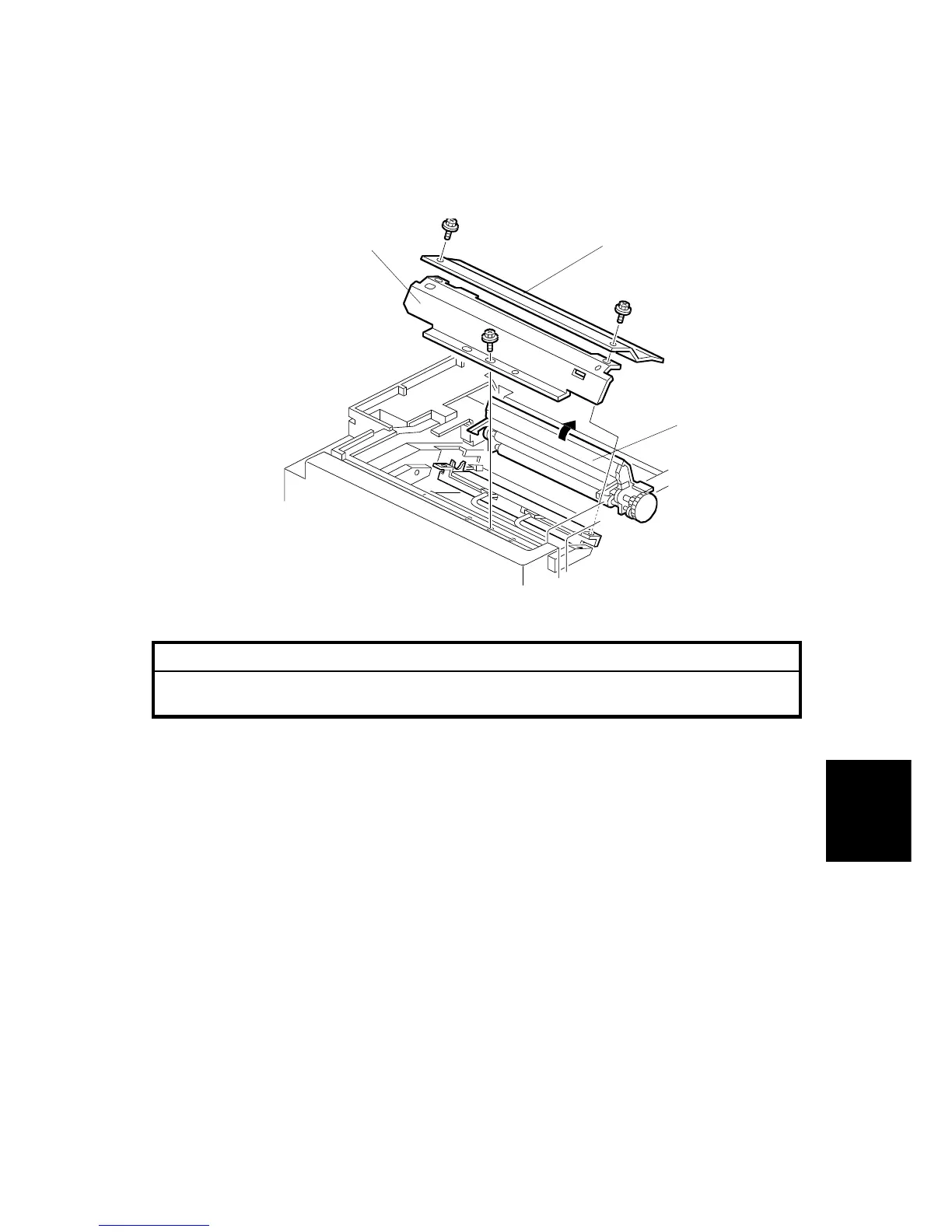
6.5.2 THERMAL HEAD REMOVAL
CAUTION
If the thermal head has been replaced, the input voltage must be adjusted.
Refer to "Thermal Head Voltage Adjustment". Refer to section 6.5.3.
1. Turn off the main switch and disconnect the power plug.
2. Remove the master making unit. (See Master Making Unit Removal.)
3. Open the platen roller unit [A].
4. Remove the thermal head upper cover [B] (2 screws).
5. Remove the thermal head side cover [C] (1 screw).
6. Remove the thermal head connector (2 connectors).(See the illustration on the
following page.)
7. Unhook the lock pawls of the thermal head (3 lock pawls). Make sure to unhook
the two rear sides (the drum side) first.
8. Remove the thermal head.
C231R519.WMF
[A]
[B]
[C]



 To Next Page