DRUM AND DRIVE SECTION
6-33
SM C231/C237/C238
Replacement
and
Adjustment
6.9 DRUM AND DRIVE SECTION
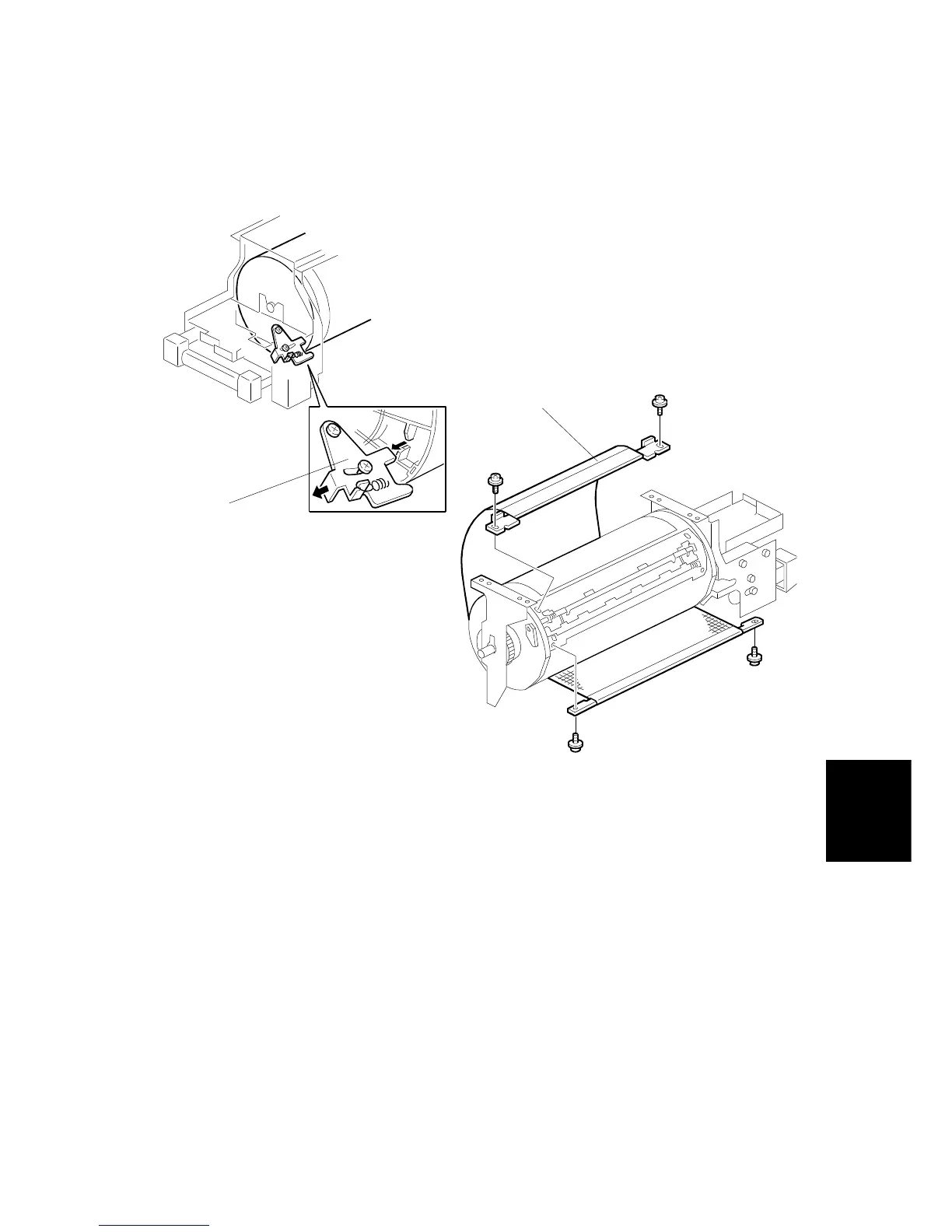
6.9.1 DRUM CLOTH SCREEN REMOVAL
NOTE:
Do not settle the drum unit upside down. However, if the drum unit was
settled upside down, wipe off the ink around the ink roller beforehand (to
do this, remove the ink cartridge, use SP 140, select OFF in ink detection
mode, and feed paper until the ink supply ends).
1. Turn off the main switch and disconnect the power plug.
2. Remove the drum unit.
3. Remove the drum upper bracket (4 screws).(not shown)
4. Release the stopper [A], then rotate the drum until the master clamper faces
upward.
5. Remove the cloth screen [B] (4 screws).
C231R530.WMF
C231R557.WMF
[B]
[A]



 To Next Page