DRUM AND DRIVE SECTION
6-44
C231/C237/C238 SM
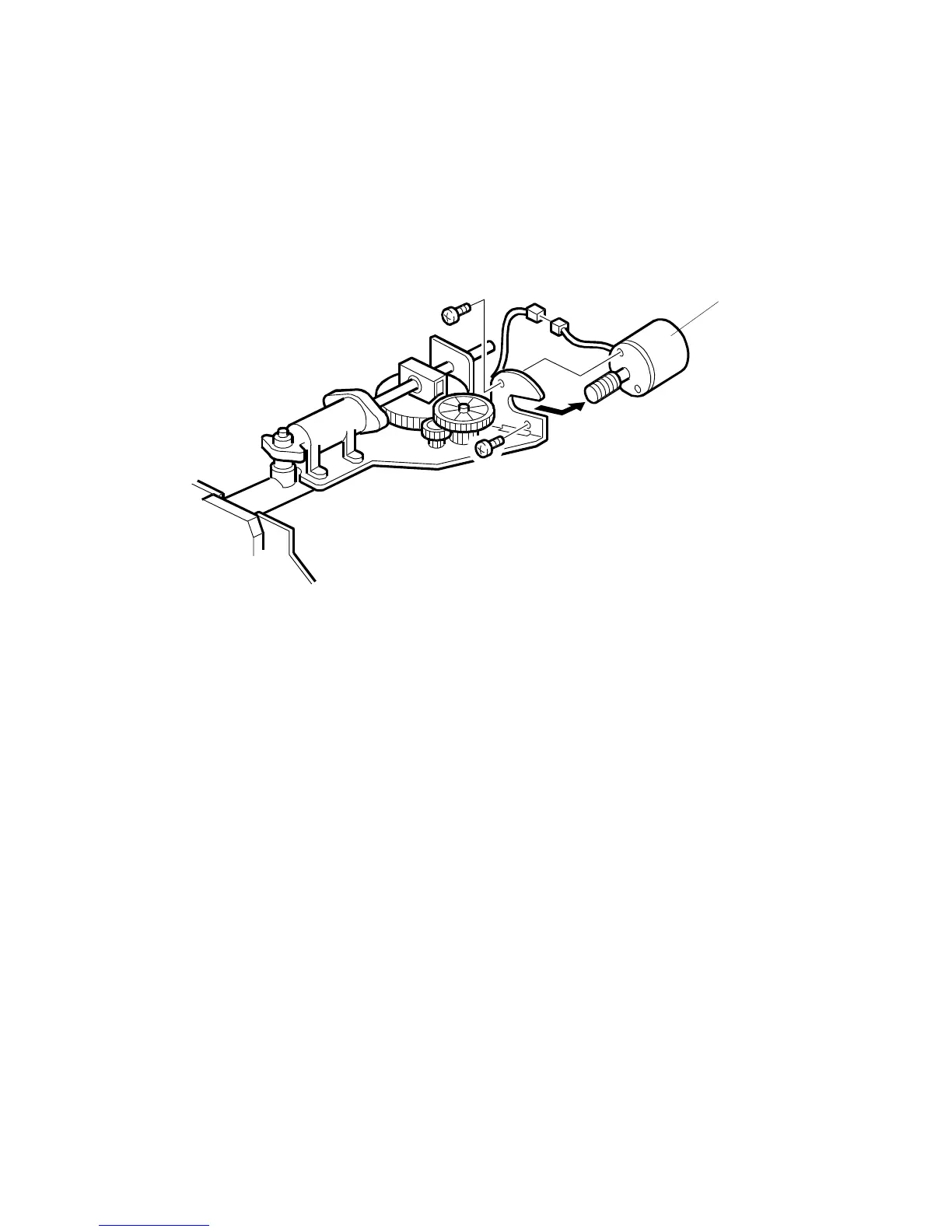
6.9.6 INK PUMP REMOVAL AND PLUNGER POSITION
ADJUSTMENT
PURPOSE:
To ensure the smooth operation of the ink pump plunger by properly
positioning its holder.
1. Turn off the main switch and disconnect the power plug.
2. Remove the drum unit.
3. Remove the drum screen. (See 6.9.2 Drum Master Clamper and Metal Screen
Removal.)
4. Remove the ink supply motor [A] (2 screws, 1 connector).
C231R528.WMF
[A]



 To Next Page